Explore

Need help with your project?

Oops! Something went wrong while submitting the form.
High-quality MVP design is halfway to the success of your future app. Learn the process to decide whether to outsource it or do it with your development team. We will guide you step-by-step through this process and tell you what MVP is and how its design differs from the design of the full-fledged product. We will find out the specifics of UI/UX, their role in MVP, and how much it costs to create a good design.

MVP stands for Minimum Viable Product. It is not a full-fledged app or service but has its main functionality. MVP is a working product that covers customers’ needs but without additions. It’s created before a full-fledged product to test the idea and save money.
Let’s imagine that a full-fledged product includes 10 features and has a gorgeous design. What could its MVP look like? Well, it could consist only of 3 key functions. The MVP design would be of decent quality but minimalistic. Customers could use a minimum viable product and benefit from it. By the way, they would not even understand that it was MVP. And it’s actually not important for customers if they meet their needs. MVP serves the founders’ purposes.
MVP is intended to test the startup idea on a budget
There are two sources of funds for a startup — owned or borrowed. Either way, it’s always important to save them at the early stages. Spending all money on a full-fledged app with every single feature is a high risk for businesses. If the idea succeeds, some funds will be required to improve the product. In case of failure, every penny will be lost. Rather a costly mistake, isn’t it? So, building an MVP is a good way for the development team to test the demand inexpensively.
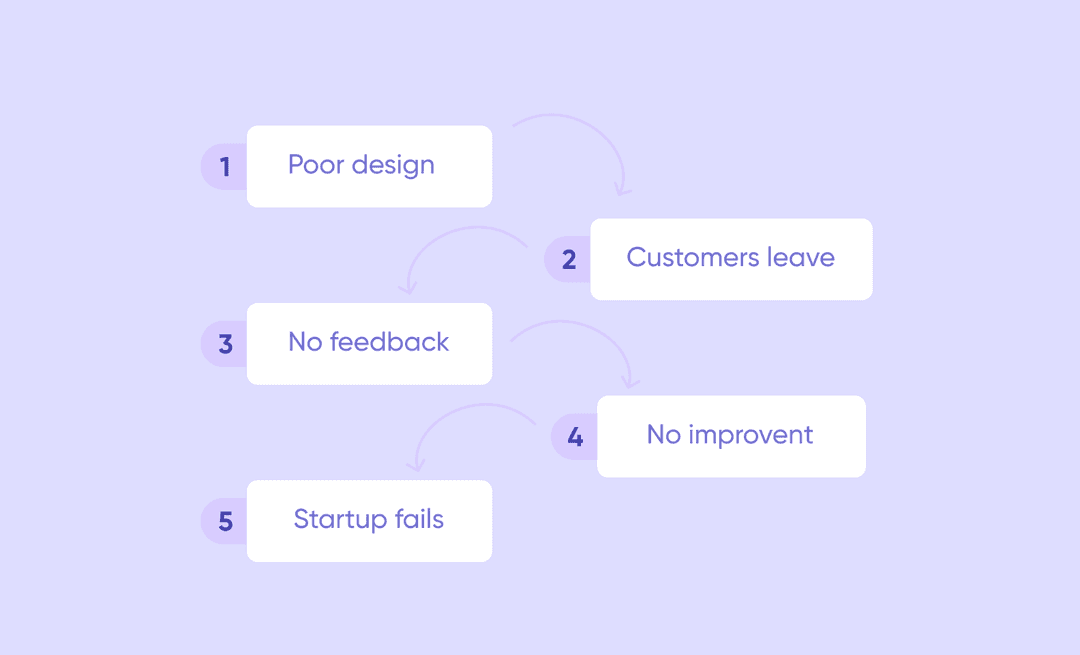
The general procedure is as follows: creating an MVP, getting feedback from users, and making an informed decision on the feasibility of the full-fledged product. The quality of the first step is of great importance. An MVP shouldn’t work poorly in any case. If it does, the startup will fail even without testing an idea. Mistakes should definitely be made quickly and cheaply, but a minimum viable product has to be of proper quality at the same time.
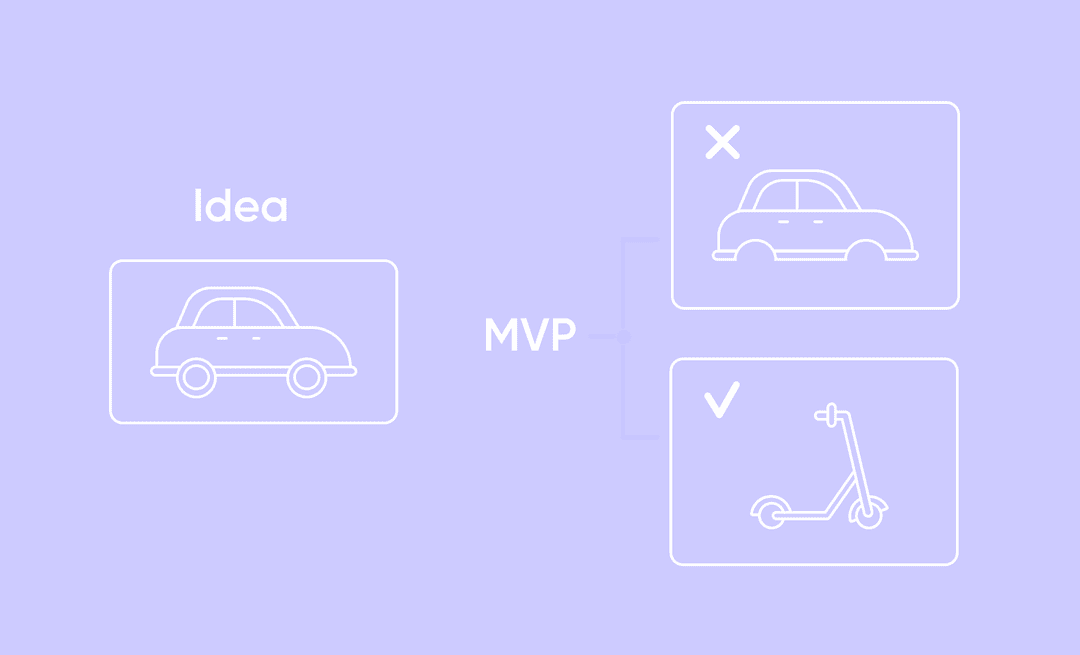
Mostly, it is of the same form as a full-fledged product (an app, a website, an item, etc.), but not always. If the goal is a car, of course, an MVP should obviously be a car as well because its main function is transportation, and it can’t be achieved differently. There is a wider variety of options in the IT sphere. The example below might help you figure it out.
Okay, a startup has an idea for an app that helps people pick up and buy clothes based on their color type and shape. Of course, a full app would have an automated clothing selection algorithm. But for MVP, there is a cheaper and quicker way — an app as well, but without a backend. Two designers can pick up clothes and attach links manually. Users don’t mind who selects clothes for them, it’s only important that their needs are covered. This kind of MVP costs less, but it will definitely test the demand for online stylists before spending time and money on the introduction of artificial intelligence and systematization of designers’ knowledge.
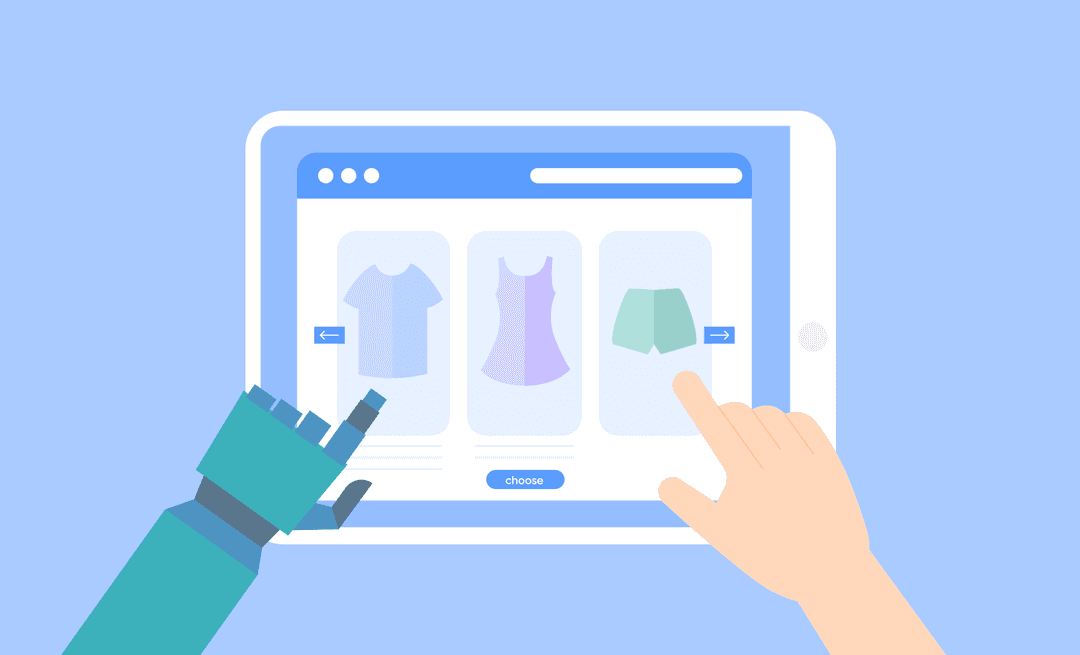
So, building an MVP is one of the best first steps for a startup to test the idea, save funds and time, and avoid mistakes in the future.
People’s attention spans are short now, and users want to find the next steps in the app quickly. If they don’t, they just leave. User experience design helps to prevent these negative patterns. It stands for clear logic and understandable structure of the app.
Building an MVP design also includes an aesthetic component. A visual look — colors, fonts, buttons, pictures — forms the first impression. To make it positive, the design should be well-made.
An MVP should be as qualitative as a full-fledged product
Let’s compare a minimum viable product with a project pitch. If the idea is represented in a dry and meager way, potential investors won’t be interested in it. The same thing happens with MVP design — if it is not well-thought-out, the app will fail.
If MVP proves successful, the app will grow and develop. So, MVP design would act as a good base for scaling and should be ready for changes. The role of UX and UI in MVP is to prepare a place for a new set of features in advance. MVP may contain 3 features now, but the team will add 5 new ones in a year. It’s always easier to foresee it rather than redevelop the whole design from scratch.
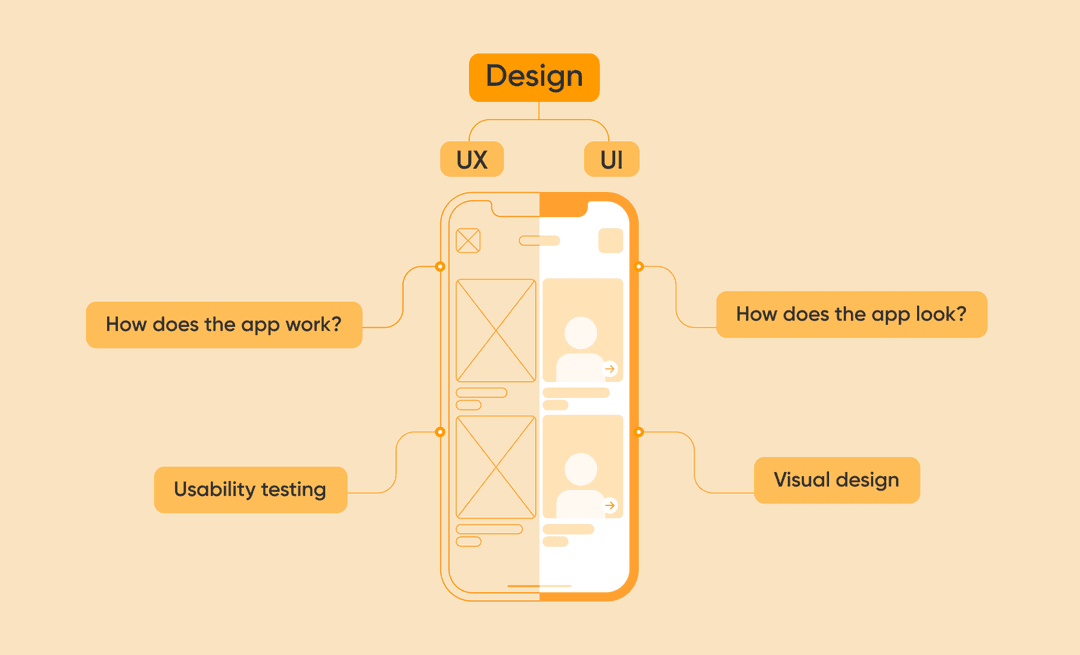
An MVP is a working product that undergoes all the stages of development. There is an important step between coming up with the main functions of the app and coding them — design. It is not just about pretty icons and color schemes. MVP application design is a fundamental two-part process, consisting of UX and UI design.
The first part of MVP software design is always UX — user experience. As the building starts with the foundation and footing, design starts with the logic of how users act.
UX answers to ”How does the app work?”
MVP in UX design stands for the structure of the app. Users should achieve aims quickly. Design UX for an MVP is considered qualitative if the navigation is simple and clear. Even if an app satisfies users’ needs, they can just miss the solution due to bad UX. So, designing UX for an MVP has to be well thought out.
The second part of MVP application design is the UI — user interface. It includes corporate identity, colors, fonts, icons, animation, and other image-making details.
UI answers “How does the app look?”
The user interface is a visual appearance that forms the first impression at the psychological level. The color of a button can make a user leave the app immediately or buy a subscription.
We’ve been creating apps for 10 years and have launched over 300 MVPs through our professional MVP development process, which is well-tested and pretty clear. It’s only our experience and our way; we can’t guarantee that everyone works like this.
In our experience, MVP design differs from full-fledged app design, mostly because of uncertainty, limited budget, and short time. So, we have developed an efficient MVP design process. Learn about this process in detail below.
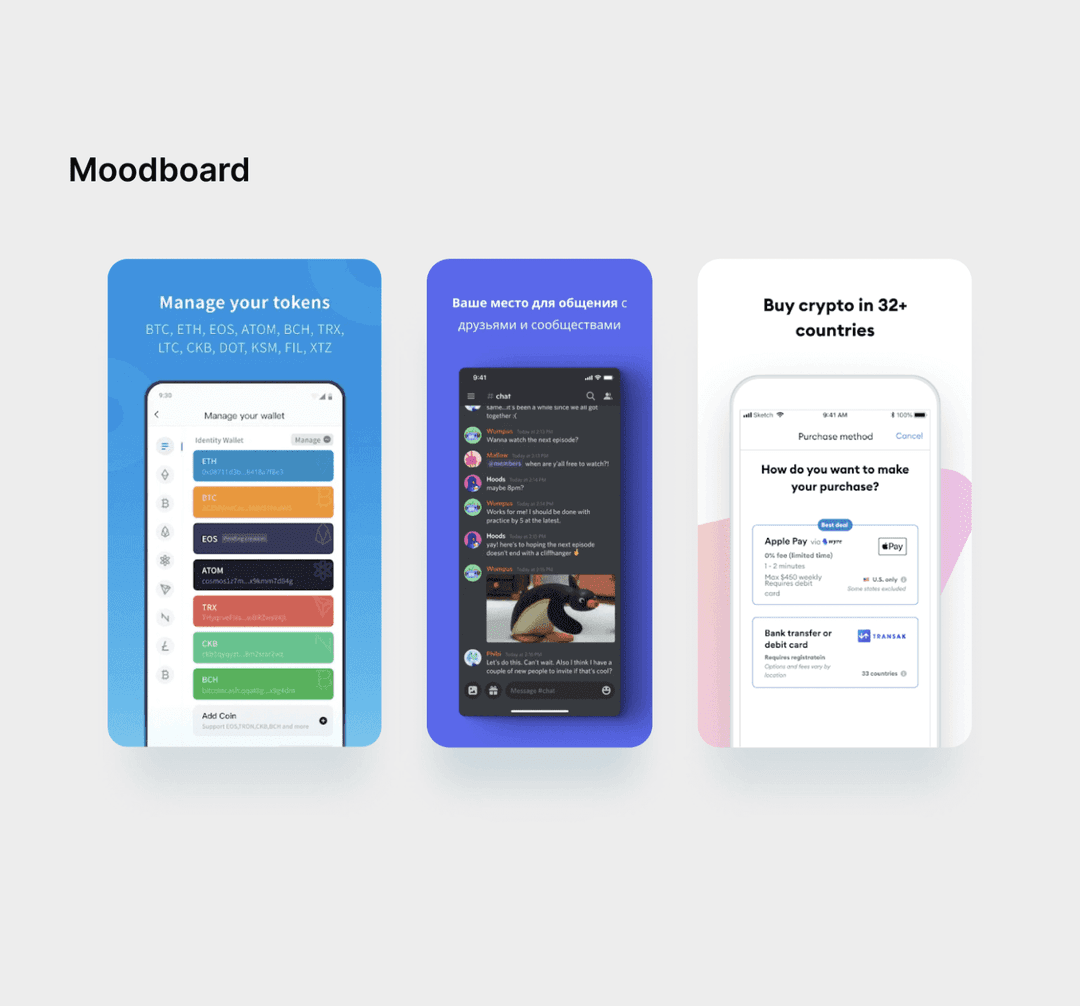
First of all, we ask clients to show us what apps they like and dislike. We analyze the designs, research the best practices for the app type, get inspired by successful experiences in the industry, and add a unique set of features.
⏱️ 1-2 hours
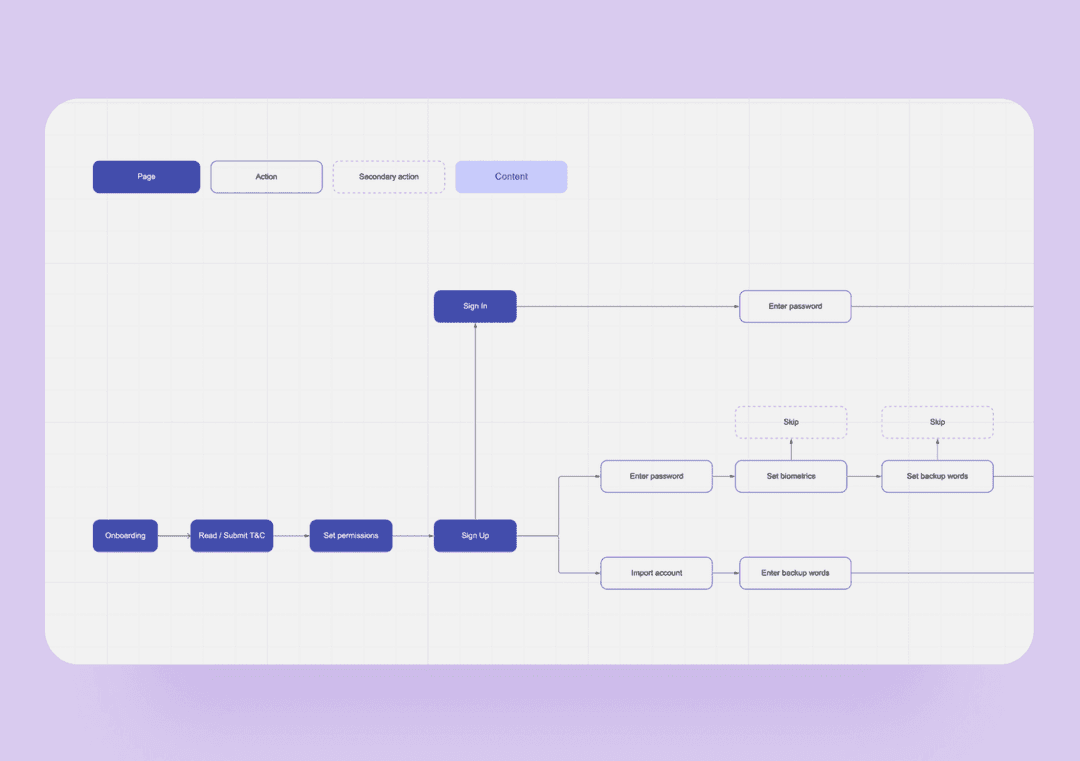
Then, we start creating the logic of users’ steps (UX design process). The most effective way to describe the functionality is to build a circuit — a mind map in Miro.
The role of UX is to denote all items, actions, and connections. The functionality map should be accurate as it’s the foundation of the app. The client needs to approve this step, so our project manager initiates a video call to present a complete mind map.
⏱️ 6-8 hours
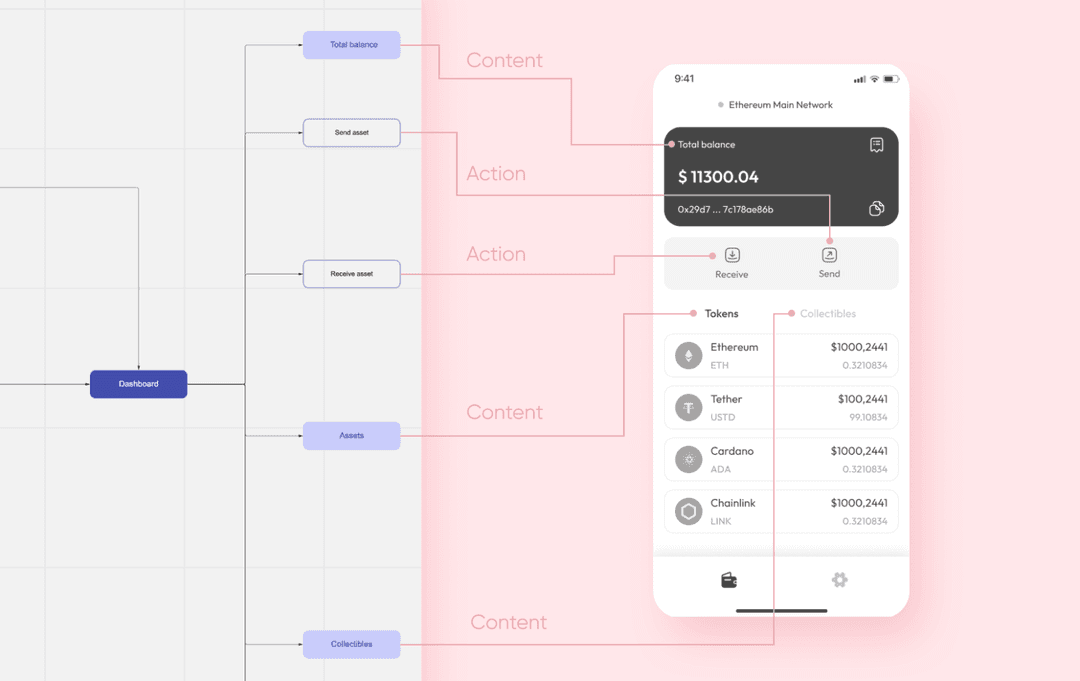
At this stage, users’ steps are transferred from the mind map into the app structure. Our designers create wireframes — black and white screens with approved functions.
The main aim of the UX design process is to determine the optimal positioning of all elements so that the interface is intuitive. We don’t care about colors or fonts here.
⏱️ 16 hours. This step requires the client’s approval as well.
It’s time to color the wireframes and develop a unique visual look. We choose 2 to 3 major screens and draw out the main elements. Final UI can vary from wireframes, this is standard practice.
⏱️ 10 hours
A presentation is a visible result of the work that we pitch to our clients. We gather finalized screens, references, mood boards, color schemes, fonts, and icons. We defend our design choices and explain the logic behind them.
Startup owners do the same thing later when dealing with their investors. And you are welcome to use this presentation to pitch the design of your MVP as well.
⏱️ 6 hours
After the design concept is approved, it is time to consider the user scenarios and design screens for them. By this time, only the core user journey is designed which isn’t enough for a complete MVP design. During this step, we flesh out every necessary state of buttons and every menu.
⏱️14 hours
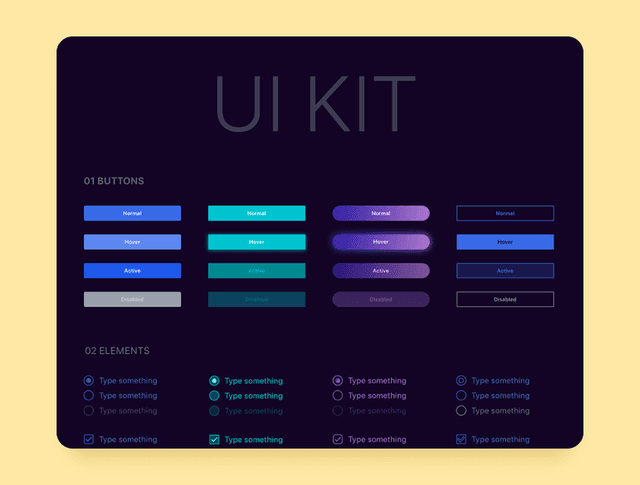
UI kit combines all user interface elements. It allows the app to be visually consistent without too much of a strain. Even if you decide to scale it afterward, the design team will easily make new screens blend with the original ones.
⏱️12 hours
The whole process of MVP design is ~ 70-80 hours.
As we have seen, MVP design is not just about pretty icons and is not a one-person job. It’s a fundamental process that can’t be successful without a design team. Here is our vision of the best composition.
So, a minimum design team includes a project manager, a business analyst, and two UI/UX designers.
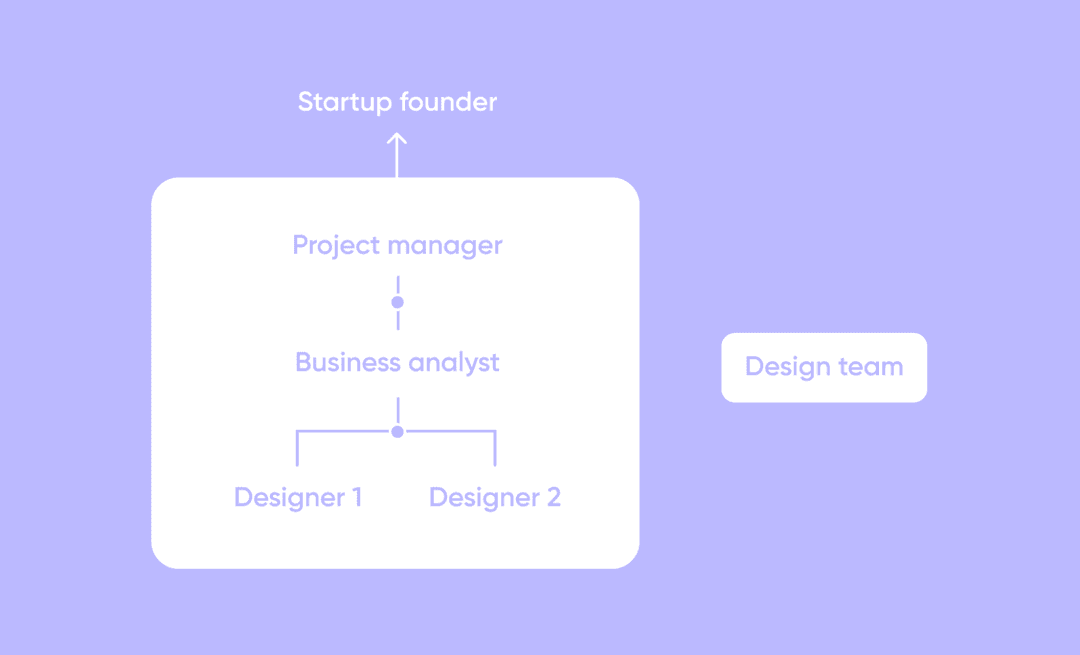
We always try to keep the balance between too many people slowing down the process and too few people burying themselves in tasks. The golden mean — that’s what we need.
The average price for MVP design of our projects is about $5,000. But it can rise to $10,000-$15,000, it depends. How many functions and illustrations are there in MVP design? How complicated is it to create them? These factors determine the price. We’ll explain how it works below.
Let’s imagine an MVP of restaurant mobile app solution and evaluate its design and development based on its functions.
There are 3 main screens in this MVP: a homescreen, authorization, and online reservation. Users can find the description of the restaurant, a PDF menu, and contacts on the home screen.
There is a registration function here as well. Users can enter a phone number and receive a confirmation code to access their personal account. It is a necessary step to book a table. Later users can see their order history and bonuses there.
The last function lets users book a table — choose the date and the number of persons and add a comment. Online reservation requires confirmation with a code as well.
Below is an approximate calculation.
| Function |
Time |
Cost |
| Home screen | 10 hours | $450 |
| Registration | 8 hours | $360 |
| Customer profile | 12 hours | $540 |
| Order history | 12 hours | $540 |
| Bonus calculation | 10 hours | $450 |
| Online reservation | 10 hours | $450 |
| Notifications | 8 hours | $360 |
Feel free to contact us, we’ll estimate the cost of your project.
MVP design follows seven steps: collecting visual references, building a mind map of features, creating wireframes, producing UI screens, preparing a presentation for stakeholders, mapping user scenarios, and assembling a UI kit. Each step narrows scope and reduces rework. At Purrweb a full MVP design cycle takes 70–80 hours from kickoff to handoff.
A focused MVP design takes 2–4 weeks for a standard mobile app. The 70–80 hour estimate covers research, wireframes, UI screens, and a UI kit. Timeline grows if the product has many user roles or complex flows. Rushing wireframes to save time typically doubles revision cycles in the UI stage.
MVP design typically costs $5,000–$15,000 depending on scope and team location. A single app screen or feature component runs $360–$540 at an agency rate. A complete MVP with 10–15 screens lands around $5,000; a multi-role product with custom illustrations or complex interactions can reach $15,000.
A standard MVP design team has four roles: a project manager who coordinates timelines and client calls, a business analyst who defines feature scope, and two UI/UX designers — one focused on UX flows and wireframes, the other on visual UI and the UI kit. Smaller teams of one designer are possible but slow iteration speed.
Yes — founders can use no-code tools such as Figma Community templates, Framer, or Uizard to produce wireframes and basic screens without a designer. The trade-off: visual inconsistency and weak UX flows that surface during usability testing. For investor demos or user validation, a professional design adds credibility and reduces pivot cost later.
Figma is the standard for MVP prototyping in 2026 — it covers wireframes, UI screens, interactive prototypes, and UI kit handoff in one tool. Alternatives include Adobe XD for teams already in the Adobe ecosystem and Framer for teams that want to publish a clickable prototype as a public URL. Avoid building in Sketch if your team needs real-time collaboration.
An MVP design engagement should deliver: clickable wireframes (low-fi), polished UI screens for all core flows, a UI kit with components and color/type tokens, user-scenario maps, and a developer handoff file in Figma. Without a UI kit, developers rebuild styles per screen — that adds 15–20% to front-end development time.
Validation runs on the interactive Figma prototype before a single line of code is written. Share the prototype with 5–8 target users and track where they hesitate or exit. Key metrics: task completion rate and time-on-task per screen. Fix flows where completion drops below 70% — that threshold prevents the most common MVP rework during development.


.svg)



%20(1)%20(1)%20(1)%20(1)%20(1)%20(1)%20(1)%20(1)%20(1)%20(1).png)