Need help with your project?

Oops! Something went wrong while submitting the form.


Want to set up education ERP software but don’t know where to start or how to choose the right solution?
This guide covers the essentials: key features, benefits, popular software options, and practical tips for custom development. You’ll see what’s needed to optimize workflows, improve the student experience, and use data more effectively — whether you choose a ready-made platform or an education management system built from scratch.

Enterprise Resource Planning (ERP) is a system that combines and manages a company's tasks and processes. Its adoption is growing rapidly across industries, and the ERP market is expected to exceed $49.5 billion by 2025.
Education is no exception: ERP software is now being tailored for schools, colleges, and universities. These solutions centralize student records, course management, scheduling, attendance, and administrative tasks.
The difference between traditional ERP and educational ERP is in what they focus on. ERP for education is built for students, teachers, and school workflows. It manages courses, grades, attendance, and meets education standards. Traditional ERP focuses on business tasks like finance, HR, and supply chains, with standard roles and goals based on efficiency and profit.
Managing academic and administrative processes without an ERP often leads to inefficiencies. Schools typically rely on spreadsheets and manual methods to handle student data, schedules, and finances, which increases the risk of errors.
An ERP system solves this by unifying all operations into a single platform. It acts as a central hub for managing admissions, attendance, grading, and scheduling, while integrating financial tasks like tuition and budgeting to reduce duplication.
Furthermore, ERP platforms improve communication between students, teachers, and staff. With accessible notifications, reports, and analytics, institutions can make informed decisions faster.
An ERP system centralizes an institution's data and processes into one platform, which reduces manual work and improves communication. Core modules typically include:
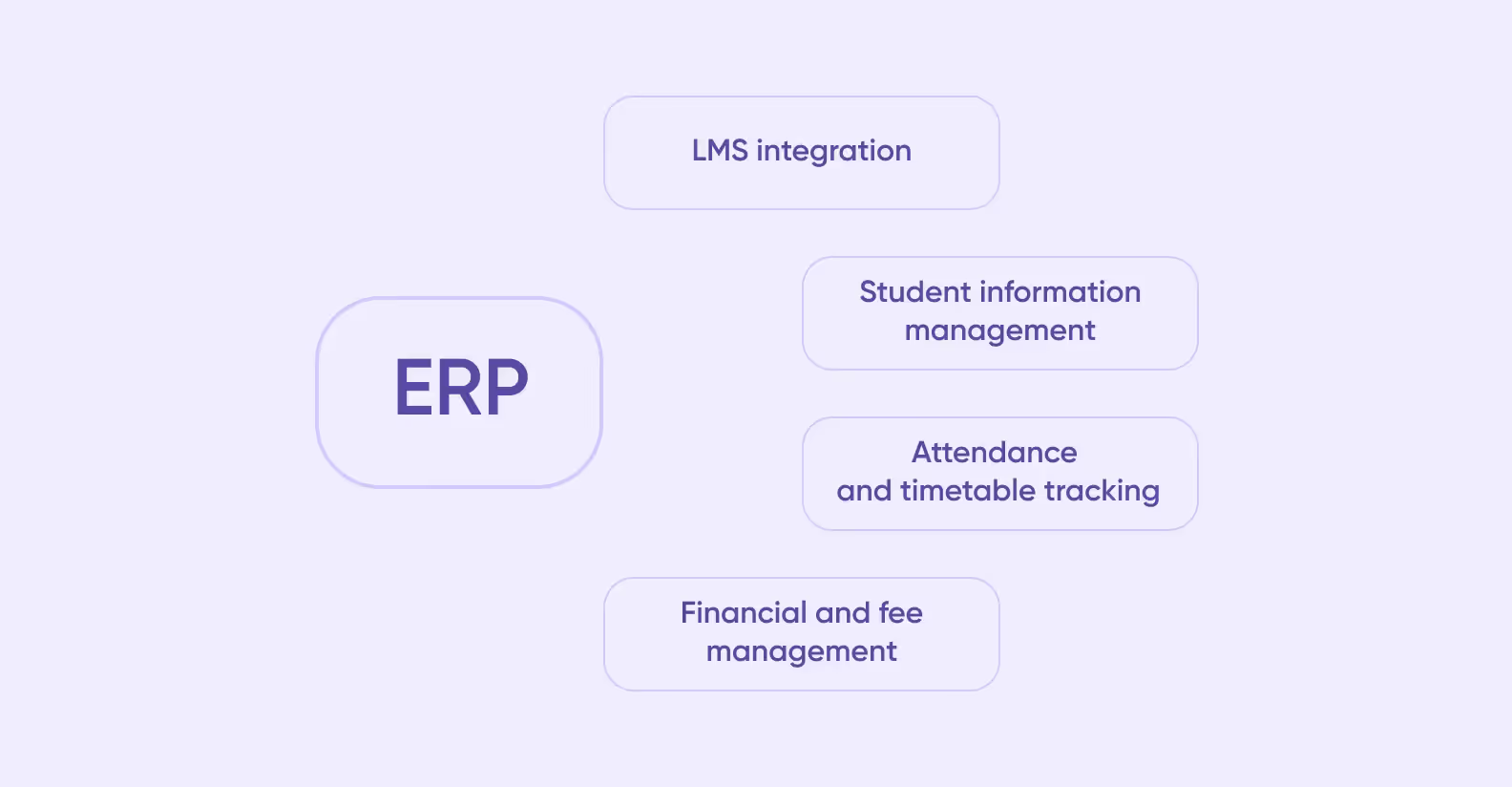
A central module for student information allows institutions to store and access personal details, academic history, enrollment status, and performance records in one place. Staff can retrieve data, generate reports, and maintain accurate records throughout the student lifecycle. This feature helps schools follow rules and keep data secure.
ERP systems simplify attendance monitoring by providing digital check-ins and real-time tracking. Teachers can record attendance quickly, and students can view their schedules online. Timetable management organizes classes, exams, and events efficiently. This prevents scheduling conflicts and supports better academic planning.
ERP streamlines the management of tuition, fees, and other financial operations. Institutions can automate invoicing, track payments, manage scholarships, and generate financial reports. This reduces manual errors, improves transparency, and ensures timely processing of all transactions.
Integration with LMS gives access to course materials, assignments, grades, and online tests. Students and teachers work on one platform, which makes learning more convenient. The system also tracks student progress and shows where support is needed.
ERP for education institutions offers a wide range of benefits, both in administrative and academic terms. By storing processes and data in a single system, schools and universities can manage operations smoothly and keep information clear for students and staff. The main benefits of ERP systems for education are as follows:
ERP systems simplify administrative work by handling tasks like data entry, report generation, and scheduling automatically. Staff can manage admissions, attendance, and finances all in one place. This saves time and reduces mistakes. Automated notifications and approvals make processes run smoothly.
Students benefit from easy access to personal records, class schedules, grades, and course materials through a unified platform. Communication with teachers and administrative staff becomes faster and more transparent. ERP for education makes information and resources easier to access. This helps students stay organized, engaged, and better prepared.
<div class="post_divider"></div>
⭐Our experience
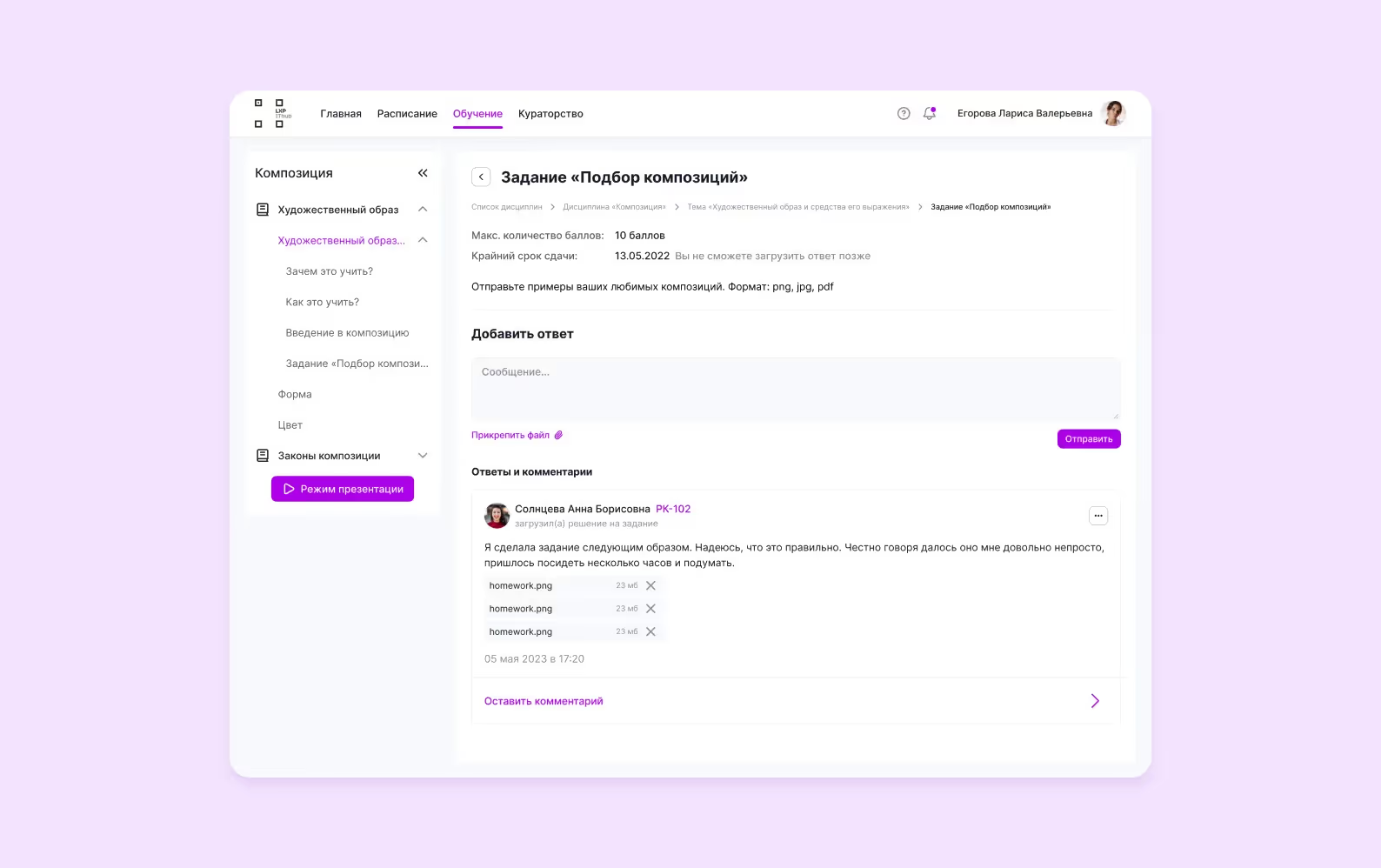
Purrweb developed a full-featured EdTech platform for Ithub College, now serving over 6,000 users across 12 cities. The role-based system provides customized interfaces for students, teachers, and administrators. Our solution has become the central hub for Ithub's entire educational process, effectively replacing fragmented tools with a unified, scalable system.
<div class="post_divider"></div>
ERP systems offer analytics and reporting tools that help institutions make decisions using real-time data. Administrators can track enrollment, monitor student performance, and manage resources. These insights support planning and help schools and universities improve operations over time.
Selecting the best ERP for educational institutes is critical. Below are several solutions that have established themselves as leaders in the education sector.
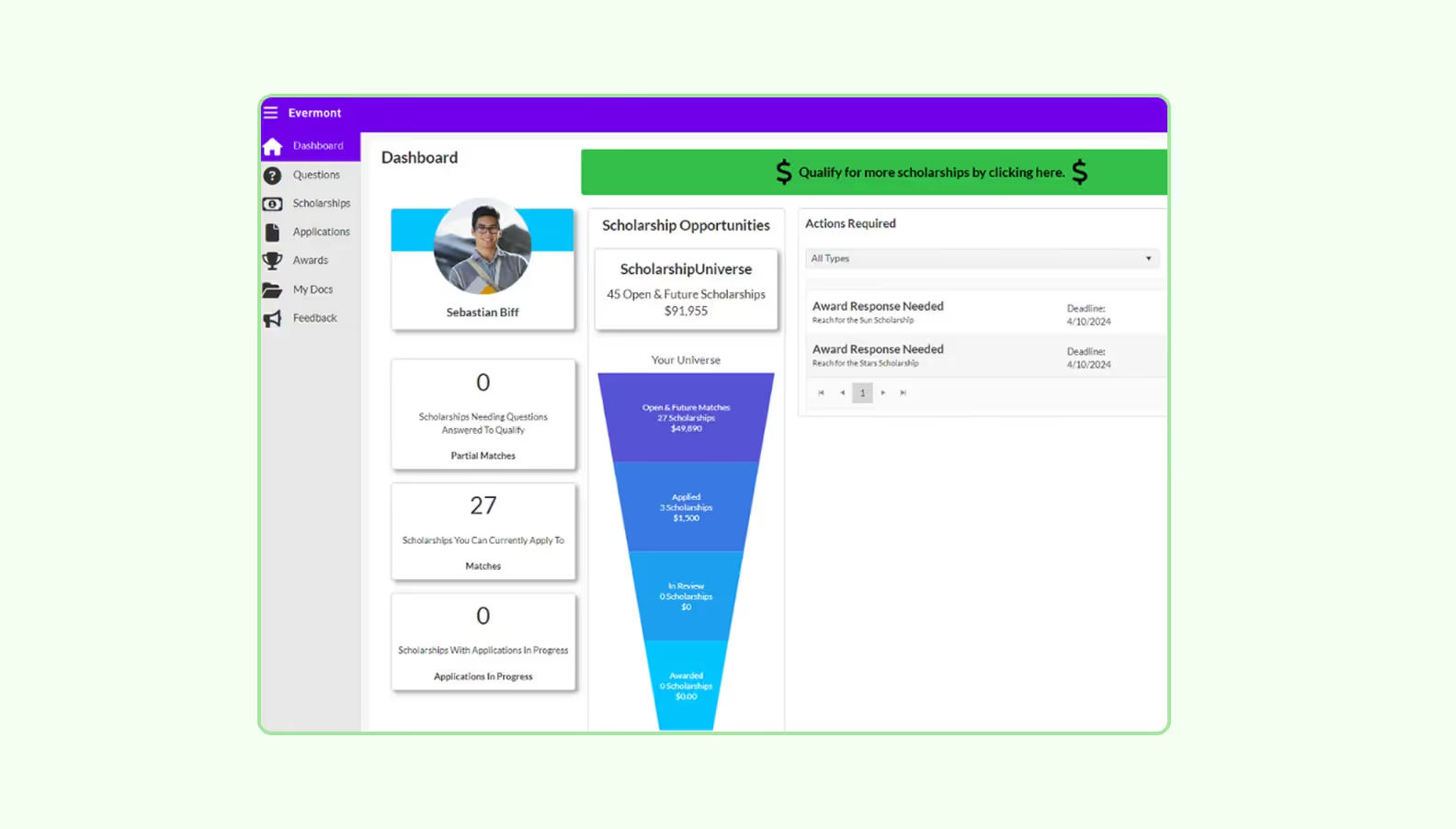
Ellucian provides a cloud-based ERP system designed for higher education. Its platform integrates student information, finance, human resources, and learning resource management. Institutions can manage admissions, registration, and academic records all in one system. The platform provides analytics to help with decision-making and supports mobile access.
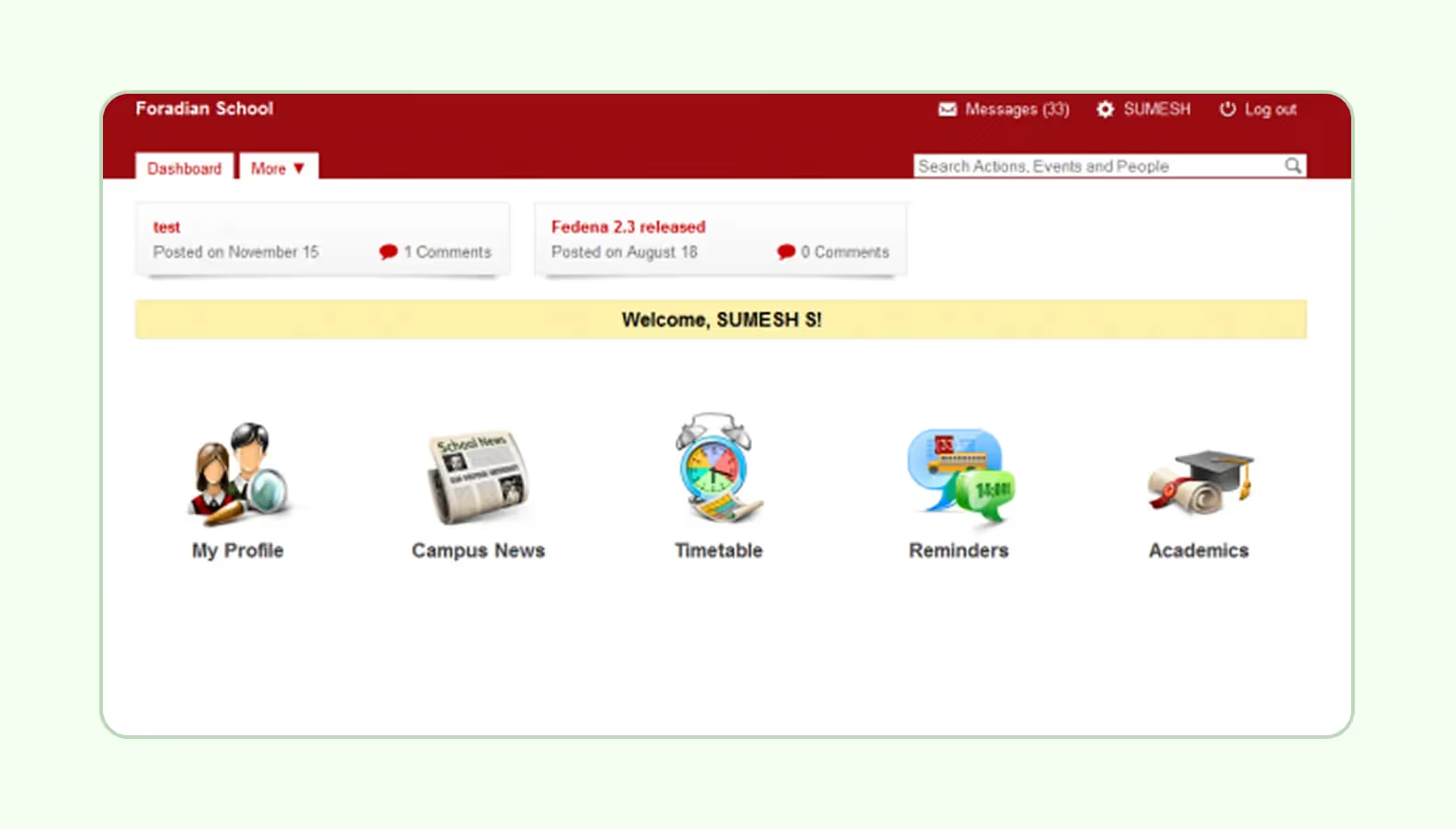
Fedena is a versatile ERP solution for schools and colleges. It covers student information management, attendance tracking, timetable scheduling, admissions management, and exam management. The platform also includes modules for fee collection, human resources, and library management.

Focus Softnet offers an ERP system that combines academic and administrative management with financial and reporting capabilities. The software enables institutions to automate admissions, grading, and fee management. Its analytics and reporting tools give insights into student performance and how the school operates.
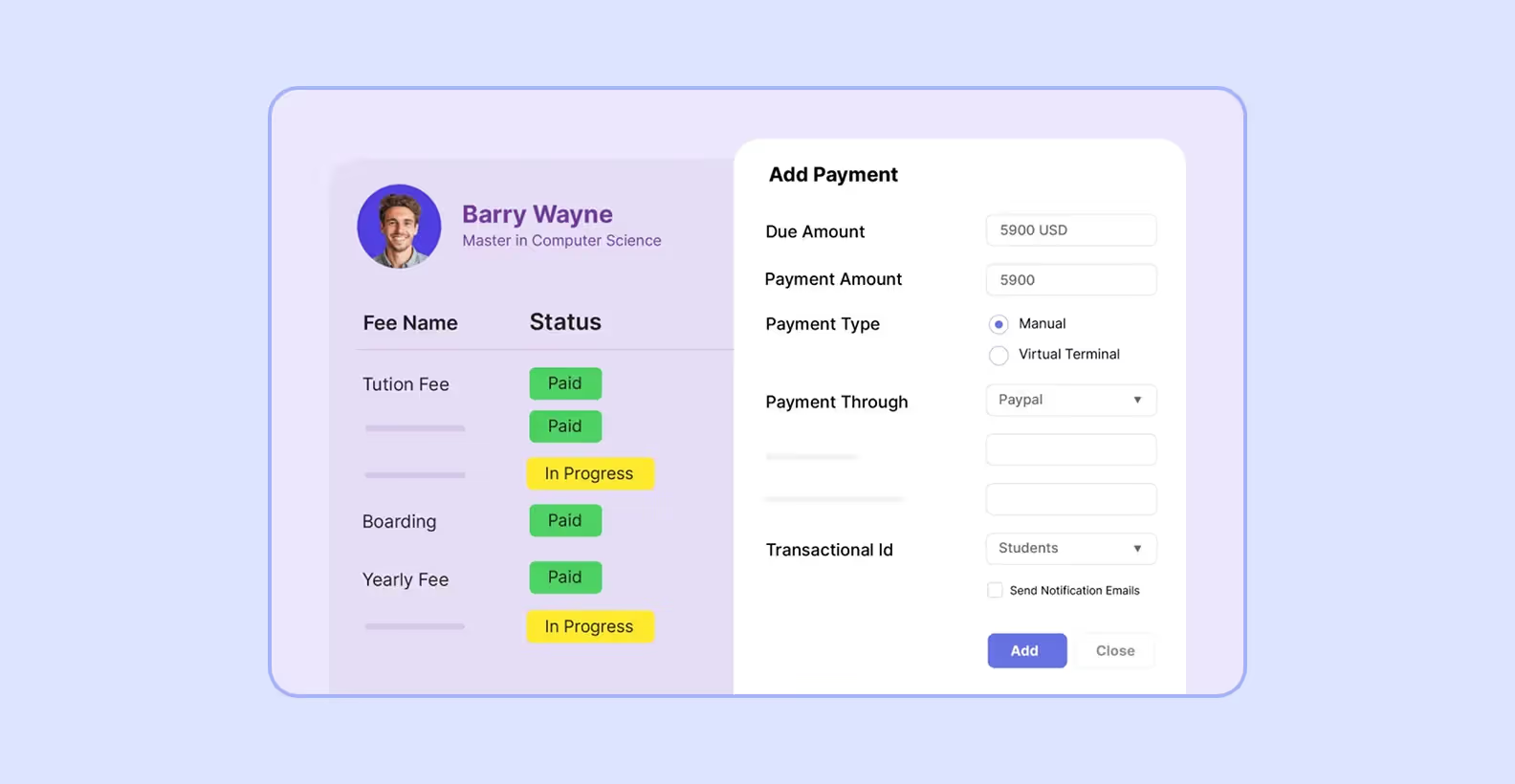
Jenzabar provides specialized ERP solutions for higher education, focusing on the complete student lifecycle from admissions to alumni relations. Its platform integrates modules for retention, academic advising, and analytics. The tools track engagement and institutional effectiveness — all designed to improve collaboration across faculty, administration, and students.
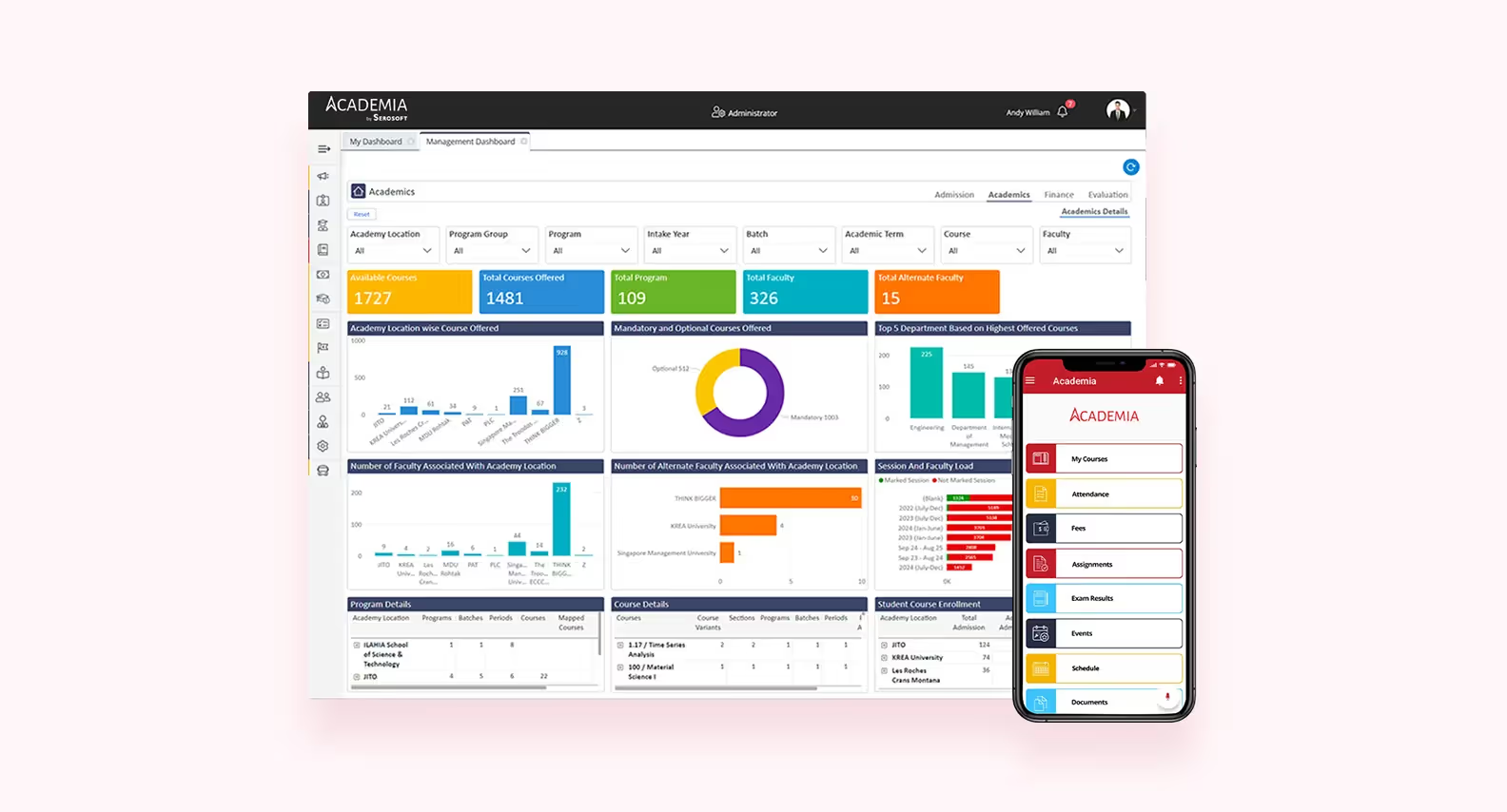
Academia ERP is a flexible platform for educational institutions. It offers modules for student management, attendance, grading, finances, and communication. The system connects with learning management systems for course materials and assignments, and supports mobile access for students and staff to engage from any device.
Educational institutions must decide between custom and standard ERP solutions. The right choice depends on the institution’s size, complexity, and specific requirements.
Standard ERP systems are pre-built platforms designed to cover common academic and administrative processes. They offer quick deployment, proven functionality, and vendor support. Institutions can implement these systems faster and at a lower initial cost compared to custom development.
However, off-the-shelf solutions may not fully match unique workflows. Limitations include rigid modules, restricted flexibility, and potential challenges with integrating existing tools. While they provide a strong foundation, additional customization may still be required to meet specific institutional needs.
Custom ERP systems are developed to fit an institution’s specific processes. They allow precise alignment with workflows, reporting requirements, and integration needs. Custom solutions offer flexibility for future changes and long-term scalability, ensuring that the system supports institutional goals.
If your institution also needs to manage customer relationships — such as alumni, donors, or external partners — integrating a CRM system is often essential. Our team specializes in CRM software development, which can be integrated with ERP modules.
<div class="post_divider"></div>
⭐Our experience
Purrweb redesigned the Zeroney online learning platform to better support the institution’s processes and user engagement. We created a clear, user-friendly design, added motivational elements, and structured dashboards. The landing page got a modern look with 3D animations and smooth motion to attract users and increase conversions.
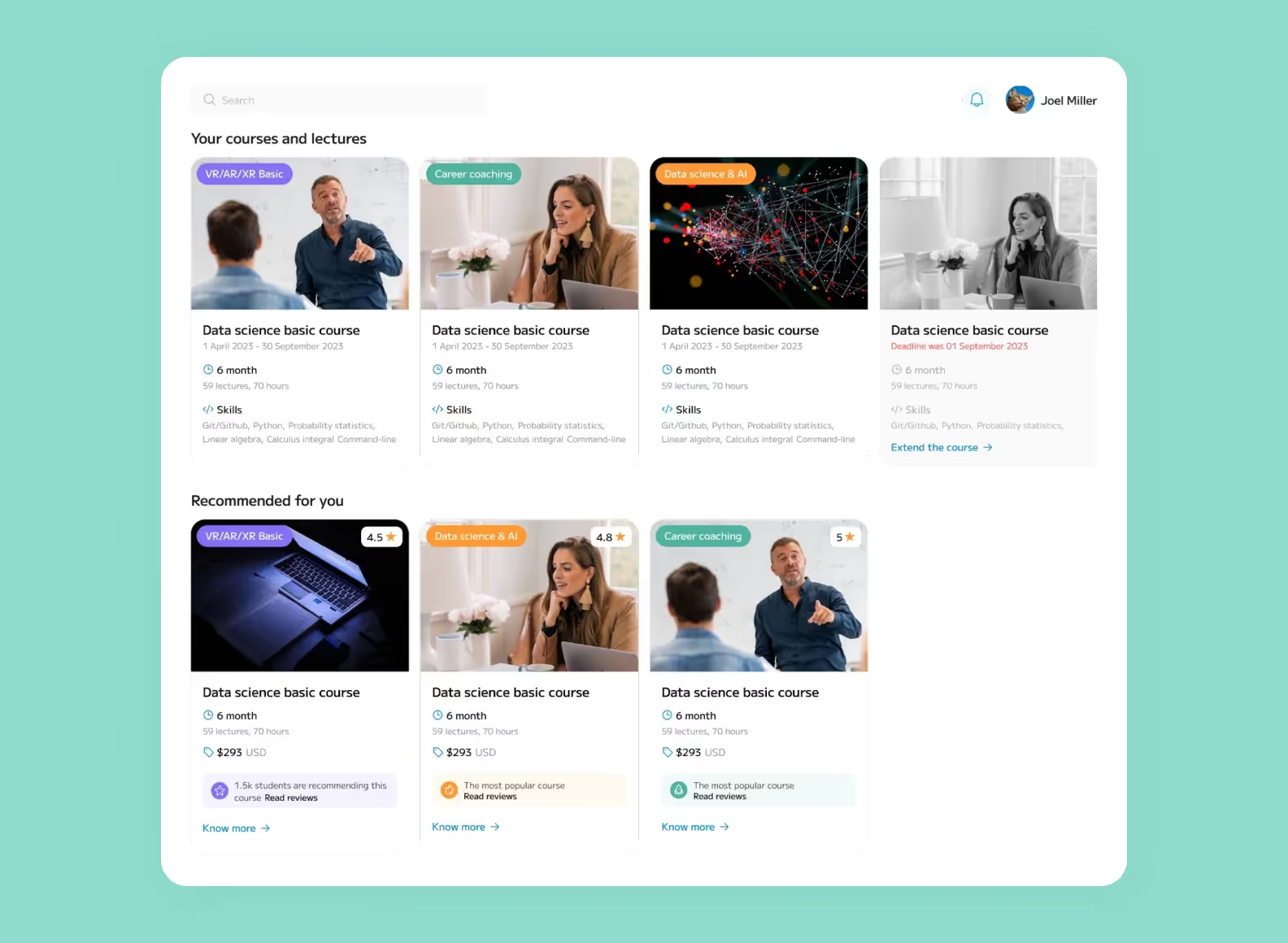
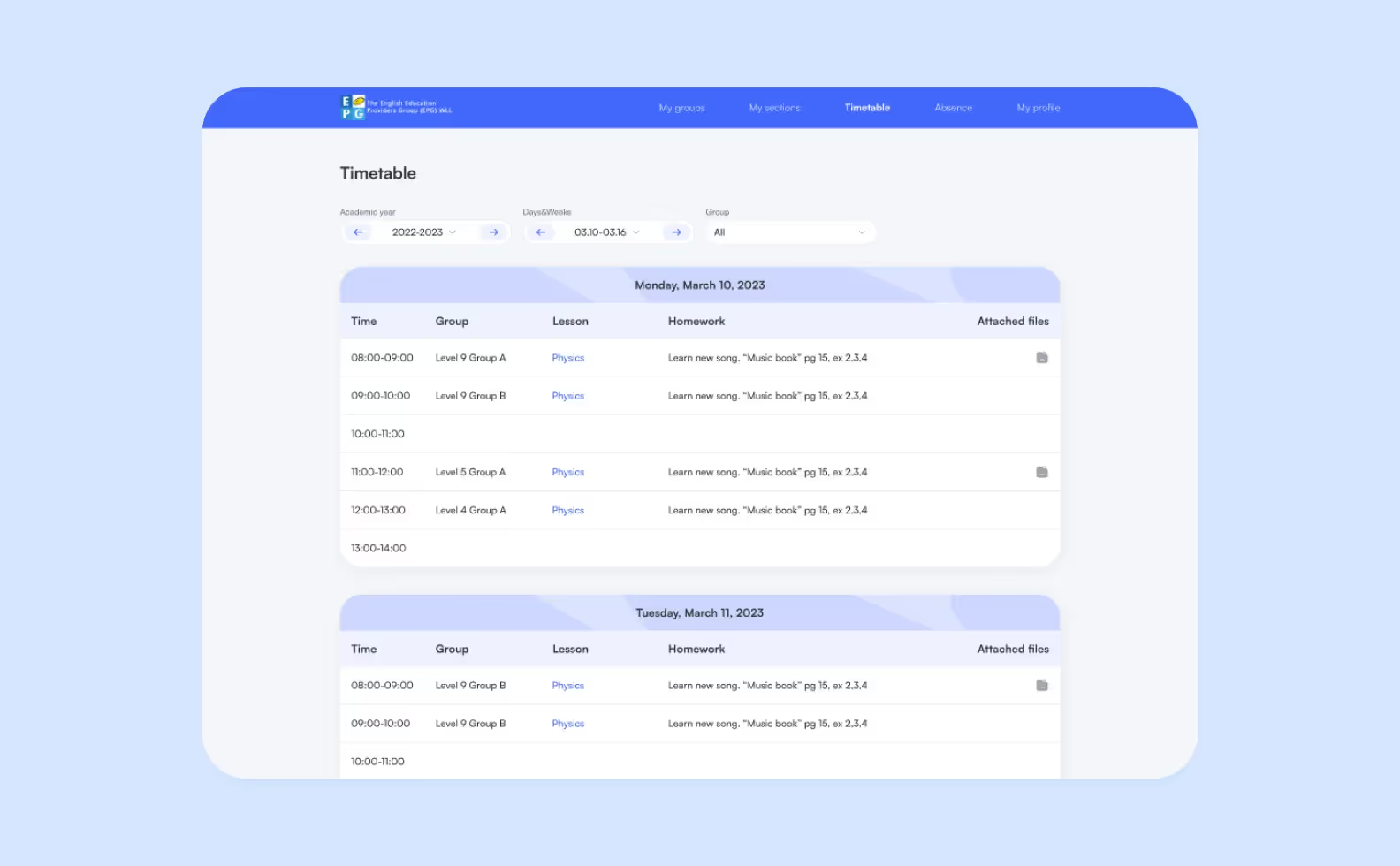
One more example of a custom ERP developed by Purrweb was a project for EPG, a network of 42 private schools in Kuwait. We built dashboards, schedules, homework tracking, payment flows, and flexible access rights for students, parents, and admins. EPG plans to develop it further and offer it as a white-label solution for other schools.
<div class="post_divider"></div>
Off-the-shelf ERP works well for institutions with standard processes, smaller budgets, and a need for quick setup. Custom ERP is better for schools with specialized workflows, complex reporting, or long-term growth plans. The choice affects implementation time, cost of maintenance, and the system’s ability to scale as the institution grows.
Creating a custom ERP needs a clear plan to match the school’s specific academic and administrative requirements. Below are the stages to develop a custom ERP for education.

The first step involves analysis of the institution's workflows, challenges, and goals with key stakeholders from administration, faculty, and IT. They help identify critical needs and establish technical requirements. These include modules for student information, attendance, financial management, and integration with the school management system.
<div class="post_divider"></div>
⭐Our experience
As part of the discovery phase, we helped the client test the idea of a taxi aggregator before building the product. We used interviews with long-distance riders, surveys, and cost calculations to confirm real passenger needs and the market potential for the service. It allowed the client to refine the concept and focus on a profitable niche with steady demand.

<div class="post_divider"></div>
Architecture decisions cover data storage, system security, scalability, and integration with existing tools. UX design creates easy-to-use interfaces for students, teachers, and staff. Prototypes and wireframes show how the system will work and help collect feedback before development starts.
The development phase involves coding the ERP modules, configuring databases, and implementing workflows. Connecting the ERP with existing systems like LMS or financial software is important to keep data consistent. Using agile methods helps the team develop in stages and adjust features based on user feedback.
Functional testing, user acceptance testing, and performance testing are performed before deployment. They help find and fix issues early. Once validated, the system is rolled out, often in phases, to minimize disruption and allow users to adapt gradually.
Post-deployment is needed to fix technical issues, implement updates, and provide training for users. Custom ERP systems can scale with the institution, adding new modules or features as needs evolve.
Regular monitoring and feedback help keep the system working well and secure. Many schools use education technology consulting to improve their digital systems. This helps them identify areas for improvement, adopt new tools, and make sure the systems meet academic needs.
ERP for education is more than a technological trend; it has become a necessity for modern school and college management systems. ERP stores student information in one system, handles administrative tasks automatically, and links academic processes. This helps institutions work faster, keep records accurate, and use data for decisions. Institutions that adopt ERP can reduce manual errors, save time, and focus on delivering quality education.
➡️At Purrweb, we have experience in developing education apps and ERP solutions. We build systems that simplify workflows, keep data accurate, and make the experience better for students. <a class="blog-modal_opener">Fill out the form</a>, and you’ll receive a free consultation for your educational project within 48 hours.

.svg)