Explore

Need help with your project?

Oops! Something went wrong while submitting the form.
Smart TVs have transformed from luxury to a necessity in modern households — reports estimate that about two in three people have one in their home. Smart TVs now offer more value and features than just channel streaming: voice control, screen mirroring, games, and access to Netflix, Hulu, HBO Max, and others.
LG TVs, with their advanced features and wide user base, are a popular platform for startup owners to introduce innovative solutions and drive business growth. In this article, we’ll break down the process of LG TV app development and share tips to help you create apps that stand out and deliver real value.
WebOS (previously known as Open webOS, HP webOS, and Palm webOS) is an advanced operating system developed by LG specifically for smart TVs. Through WebOS apps, users can access streaming services, browse content, and control connected devices.
WebOS apps support multitasking and enable users to switch between apps without losing progress, as well as built-in voice commands, AI-powered recommendations, and compatibility with smart home ecosystems.
All these features unlock a highly personalized and interactive viewing experience.
Many startups dive into the video content and streaming industry to access a wider audience and innovative features that a smart TV provides. Here are the three reasons why WebOS is a good choice for LG TV app development:
An LG Smart TV app can help startups connect with audiences around the world and build innovative solutions. We put together a list of five key benefits of WebOS app development to consider.
LG TVs are popular worldwide, with over 20 million units sold annually. By developing apps for webOS, startups can reach households across diverse regions and demographics.
LG Smart TV apps enable interactive experiences with features like personalized recommendations, live streaming, and real-time feedback. These tools allow businesses to foster deeper connections with users and keep them engaged longer.
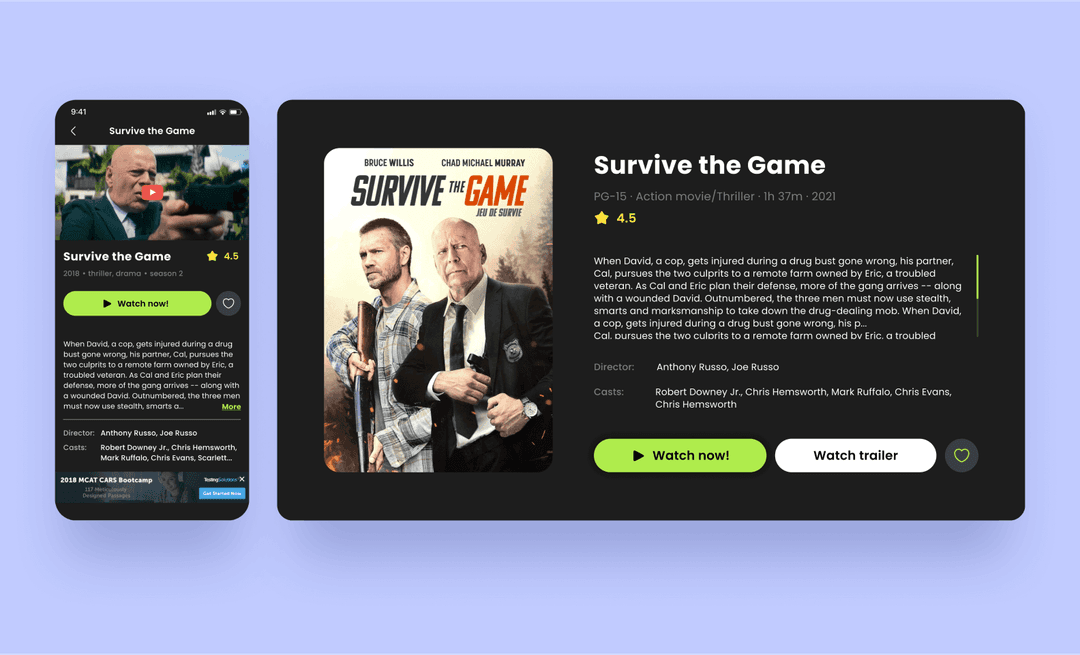
Purrweb’s team developed a cross-platform IPTV app that converts IP playlists into a user-friendly format similar to a streaming service. User engagement and convenience were two of our main priorities, which is why we focused on the UI/UX design of the interface. We added covers, trailers, and descriptions for each movie to create useful pages with seamless navigation and keep customers browsing in the app for a longer time.
The LG Developer Mode App offers a set of tools that simplify the creation of webOS apps. Unfortunately, this doesn’t mean that someone with zero experience can create an app from scratch. However, it provides robust support and accessible documentation so developers can build apps efficiently and troubleshoot with ease.
WebOS apps integrate seamlessly with the LG ecosystem, including smart home devices and voice assistants. This connectivity enhances app functionality and provides users with a cohesive, streamlined experience across their devices.
LG Smart TV apps support various revenue models, including subscriptions, in-app purchases, and advertising. Such flexibility allows businesses to align their monetization strategies with their specific goals, whether focusing on recurring income or ad-based growth.
For one of our clients, Journey Verse, we conducted a project discovery phase and came up with four monetization strategies that would pay off for the investment and lead to profits.
The LG webOS platform offers many tools to create innovative smart TV applications and make the most unique ideas come true. Here’s the run-down of WebOS development and its key characteristics everyone needs to know.
WebOS supports several programming languages, including HTML5, JavaScript, and CSS. This means the developers can use tools and frameworks they have experience with. Such flexibility makes it accessible to a wide range of WebOS developers, from experienced professionals to those new to the smart TV niche.
The LG TV webOS platform is very developer-friendly and provides a comprehensive Software Development Kit (SDK) and Application Programming Interfaces (APIs). These tools offer pre-built functionalities that simplify app development.
With these tools, developers can focus on creativity and user experience and not worry about maintaining compatibility with LG TVs.
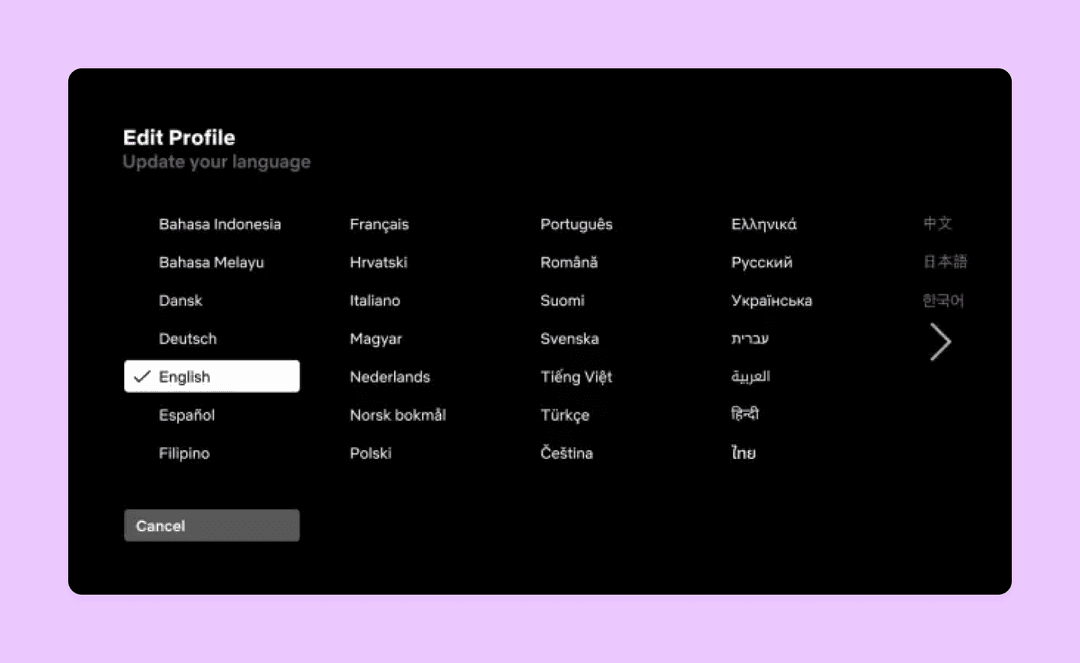
LG webOS supports app localization, from different language options to region-specific features. This way, startups can create apps that resonate with diverse users and reach people all over the world.
LG TVs focus on intuitive, user-friendly interfaces. Developers can use the platform’s design guidelines and UI components to create visually appealing and easy-to-navigate apps that enhance user engagement.
LG webOS integrates app analytics tools and provides valuable insights into user behavior and app performance. These metrics help startups optimize their apps, improve user retention, and make data-driven decisions to maximize their success.
Regardless of what team you decide to hire for the smart TV app development, the process will consist of roughly the same seven steps.
The first thing before the app development process is to analyze the market thoroughly. When we work with a client, they either already come to us with this information or ask us to help conduct a product discovery phase.
The goal of project discovery is to research and collect information about the market, user needs, and industry standards
Product discovery shows if there is an interest in the product from the target audience, highlights market gaps, and helps define the app’s unique value proposition.
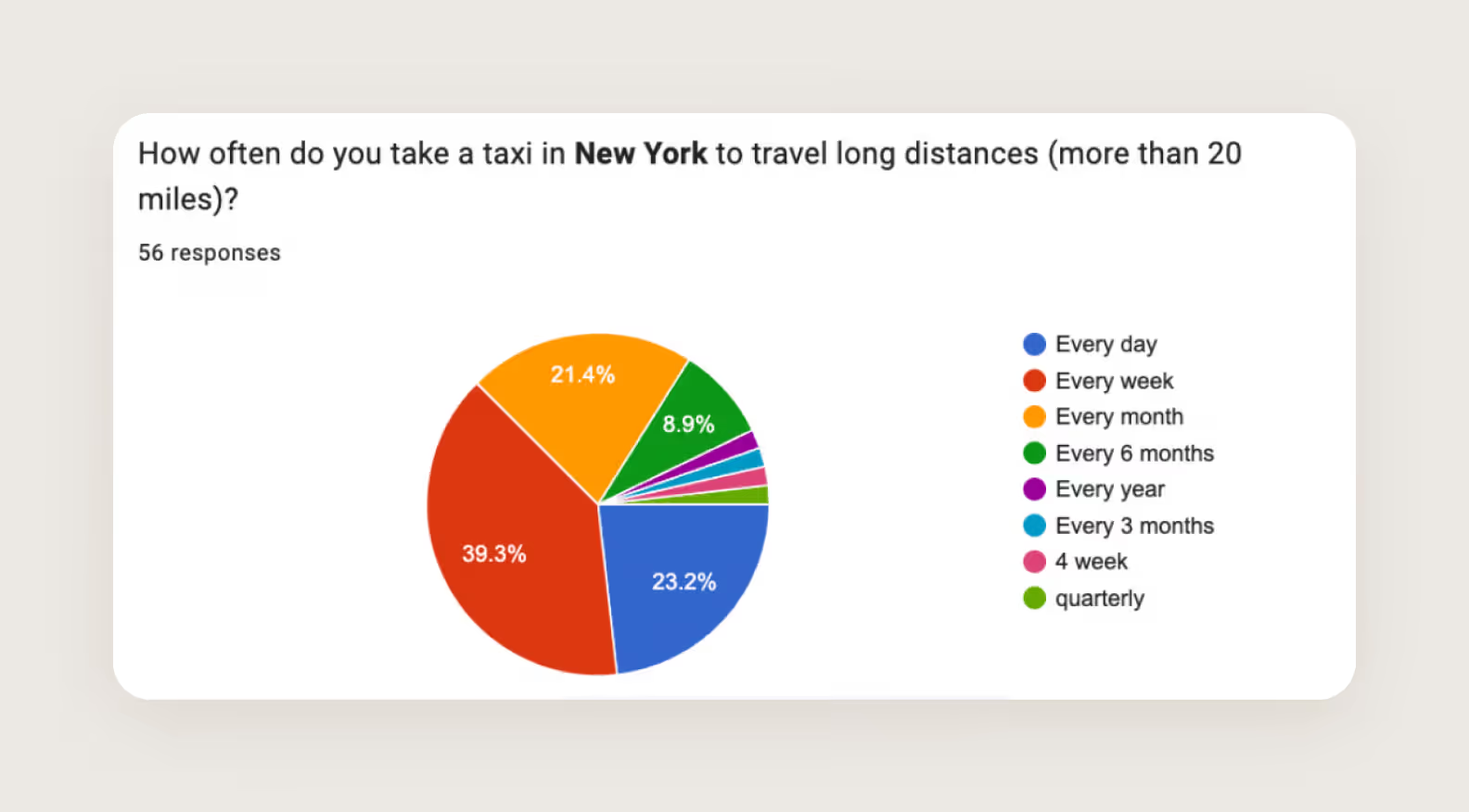
Anton, a professional taxi driver from New York, came to us with the idea of an app that focuses on long-distance rides with familiar, trusted drivers. The hypothesis was traditional platforms like Uber can be inconsistent with safety, comfort, and reliability.
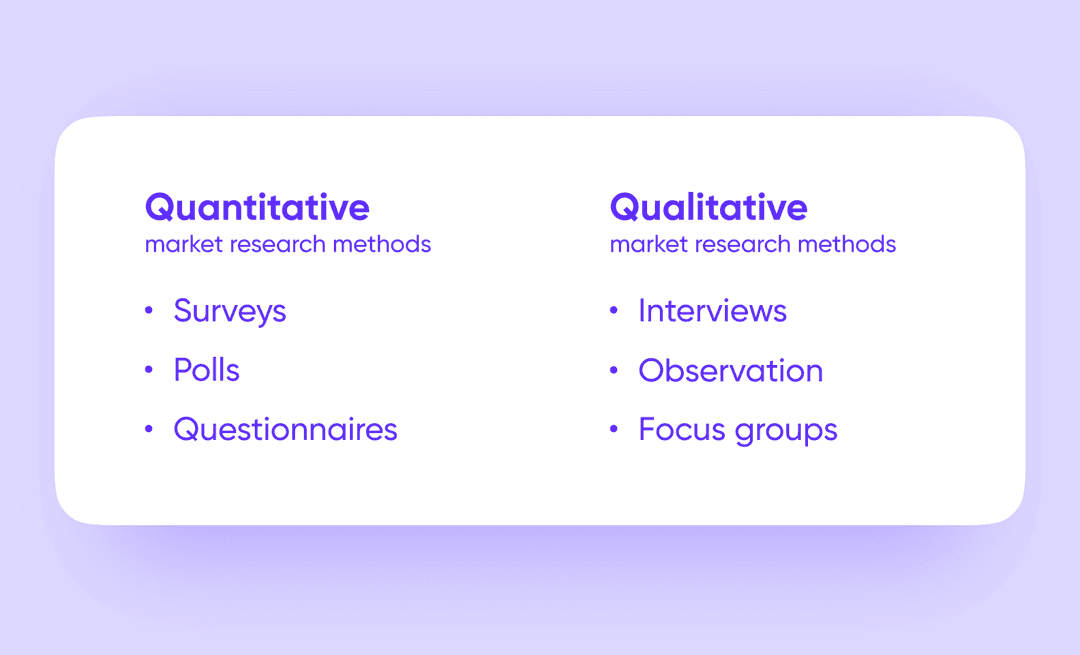
The Purrweb team offers project discovery to validate the idea. We used methods, such as impact mapping, qualitative and quantitative research, and unit economic analysis to check market demand and refine the business model.
Once the market research is complete and the idea is finalized, project planning begins. This stage includes outlining the app’s core features, deciding on a tech stack, and creating a realistic timeline. Proper resource allocation — whether it’s budget, tools, or manpower — is essential to keep the project organized and on track.
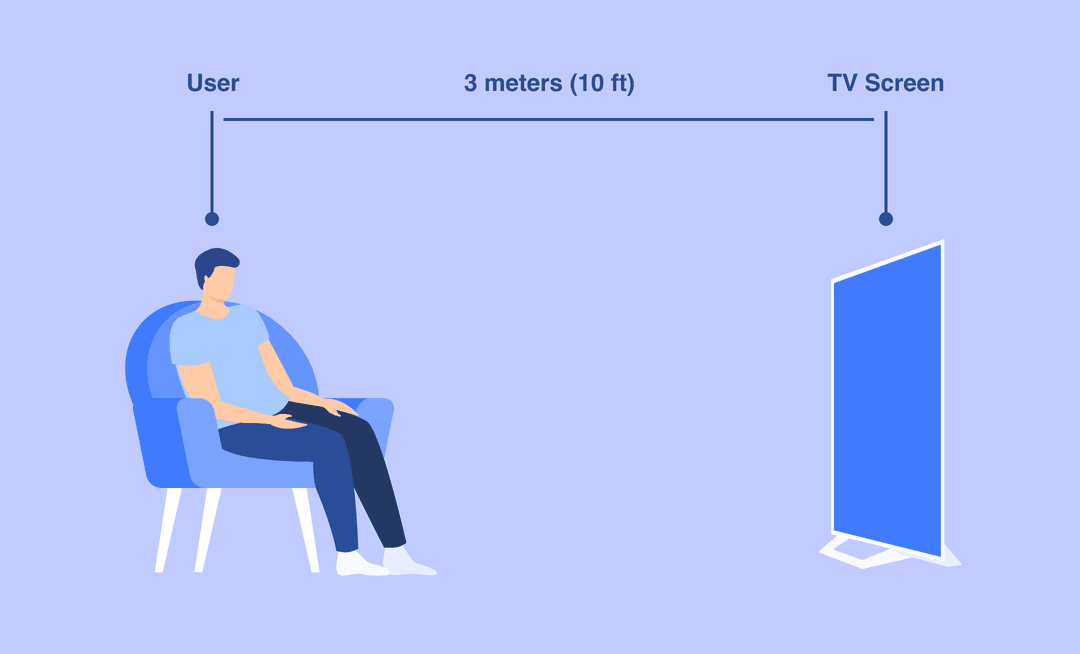
The design phase focuses on creating an engaging and intuitive interface. For LG webOS TV apps, this means optimizing for larger screens and remote navigation. The goal is to ensure ease of use while maintaining a visually appealing design that aligns with a startup’s brand identity.
After the design is approved, webOS developers begin building the app. The available tools — LG’s Developer Mode App, APIs, and SDK — simplify this process and enable the integration of advanced features. At Purrweb, we use agile-based frameworks and split app development into two-week sprints to set up an efficient and iterative process.
Quality assurance is a critical step in making sure the app functions flawlessly. Testing is conducted on various LG TV models to check compatibility, fix bugs, and evaluate performance under different conditions.
At Purrweb, we start testing smart TV apps in parallel with development to catch bugs early on and fix them before they turn into big issues at the end of the process. It’s much easier to manage them one by one compared to the whole thing at once.
After the app passes the tests, it’s ready to be submitted to the LG content store. To get approval, the product needs to comply with the store’s standards and have visuals that will draw user attention, like clear descriptions, screenshots, and catchy promo videos.
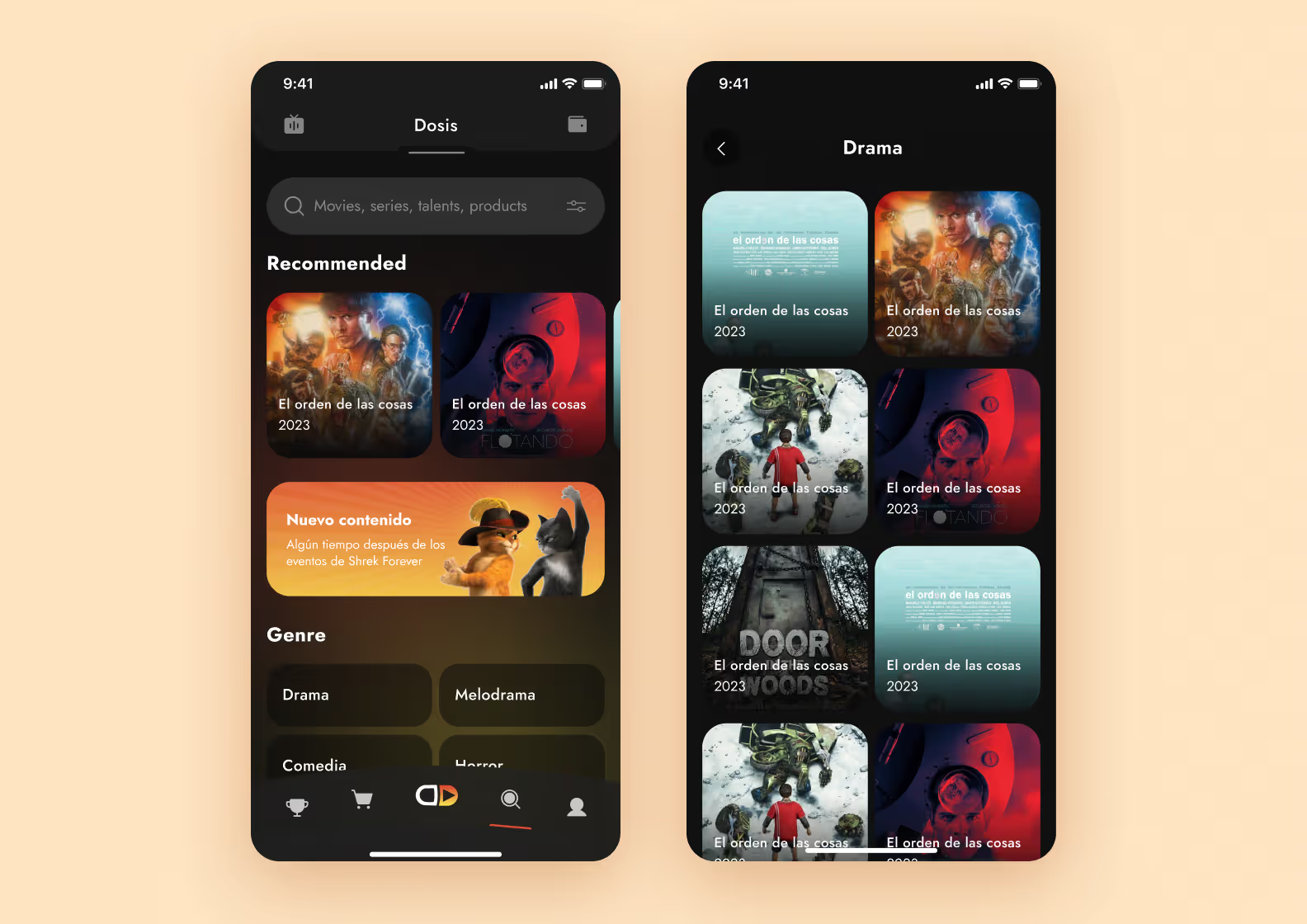
We designed the unique Dosis streaming platform for a Spanish client without speaking Spanish.
The app integrates features like cryptocurrency wallets, donations, and a marketplace to support independent creators and connect them directly with their audience. Despite language barriers, our team translated project materials, clarified the concept, and delivered a user-friendly MVP design within two months.
App development doesn’t end at release. Regular maintenance of LG TV platforms is essential to fix bugs, update features, and adapt to user feedback. Post-launch support ensures the app stays relevant and continues to perform well in the dynamic smart TV market.
It’s challenging to say the exact costs of LG TV app development because it can vary based on many factors. From a payment model you choose — outsourcing or outstaffing — to the complexity level, functionality, and even the location of the development team.
However, to give you some clarity, we estimated the average development cost for a smart TV app with a basic set of features.
🚨 Disclaimer: The estimation of software development services is provided by Purrweb and can vary from team to team. We don’t guarantee that other companies provide the same quotes and timeframes for similar projects.
| Stage | Scope | Time (≈) | Cost (≈) |
| Initial meeting | Define project requirements and estimate resources needed. | 1 day | Free |
| UI/UX design | Map user journeys, create interface concepts, and get approval | 6 weeks | $9,000 |
| Development | Built on architecture and the interface on both the client and server-side | 12 weeks | $40,000 |
| QA Testing | Test the code to locate bugs and fix them before the release | concurrently with the development | $9,000 |
| Project management | Manage the development process and control deadlines | during the whole project | $6,000 |
Overall, the estimated cost for an LG webOS TV app is around $64,000.
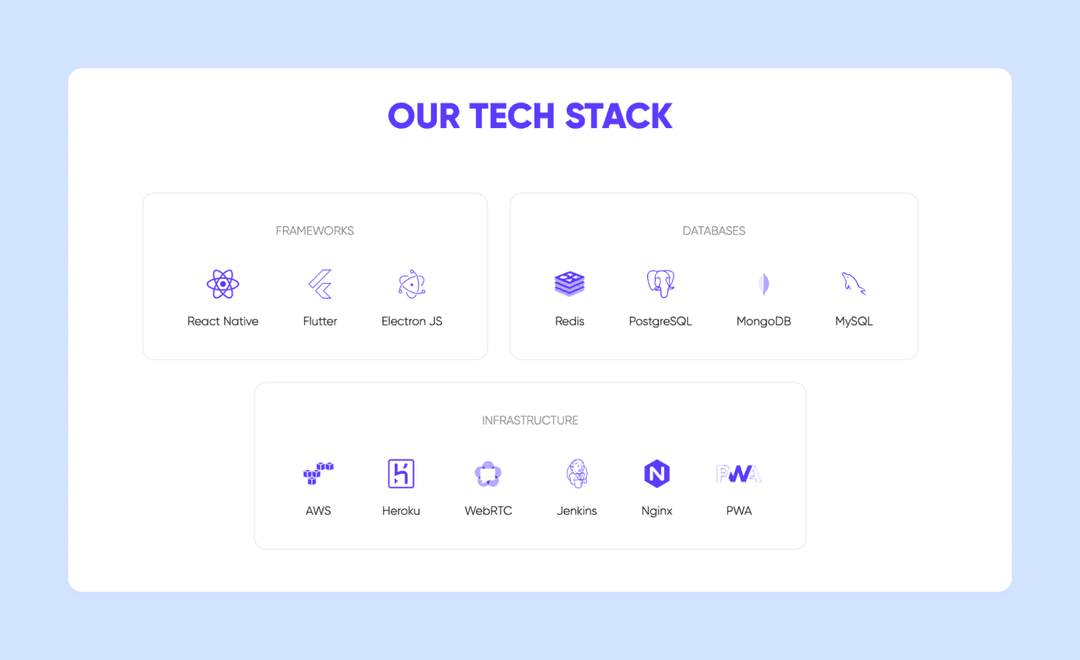
LG WebOS app development leverages versatile technologies for efficiency. Developers use programming languages like HTML, CSS, and JavaScript for core functionality.
Frameworks such as Enact and Firebase streamline app creation, while REST web services enable seamless data exchange.
Debugging is simplified with the webOS SDK, providing tools for testing and refining applications to ensure optimal performance on LG smart TVs.
At Purrweb, we provide development services with user-centered and simple UI/UX to elevate interactions with our software. We helped over 550 entrepreneurs build an MVP and test a business idea with real-world customers.
➡️ If you want to build an LG TV app, fill out the form. We will dive deeper into your idea and offer possible options for development plan, duration, and cost.
LG WebOS TV app development typically costs $40,000–$120,000 depending on complexity. A standard streaming app averages around $64,000: $9,000 for UI/UX design (6 weeks), $40,000 for development (12 weeks), $9,000 for QA, and $6,000 for project management. Apps with custom recommendation engines, live streams, or payment flows push toward $100,000+. The biggest cost drivers are number of screens, third-party API integrations, localization scope, and LG Content Store certification support.
A typical LG WebOS app takes 18–24 weeks from kickoff to Content Store submission. Breakdown: 2 weeks for discovery and architecture, 6 weeks for UI/UX design, 12 weeks for development running in parallel with QA, then 2–4 weeks for LG certification review. Apps with live streaming, in-app purchases, or Magic Remote gesture controls add 4–6 weeks. Planning for LG's certification cycle from day one reduces rework — their review team tests performance specifically on low-end WebOS 3.x and 4.x devices.
LG WebOS apps are built with HTML5, CSS, and JavaScript. The standard framework is Enact — LG's own React-based UI library optimized for TV navigation patterns — paired with the webOS SDK: ares-generate for scaffolding and ares-setup-device for device connection. Firebase or custom Node.js backends handle real-time data. For native device capabilities (voice, Magic Remote input, system notifications), the Luna Service Bus API provides a bridge. React Native is not natively supported on WebOS; a web-based approach is the production standard.
WebOS and Android TV require separate codebases. WebOS uses a web stack (HTML5/JS/Enact); Android TV uses native Android (Kotlin/Java or Jetpack Compose). WebOS targets a more homogeneous device pool — all LG Smart TVs from 2014 onward — which simplifies QA. Android TV covers a wider fragmented ecosystem (Sony, Philips, Hisense, NVIDIA Shield). WebOS offers tighter integration with LG-specific hardware (Magic Remote, ThinQ AI, α-series processors), but the Content Store has stricter certification than the Google Play TV tier. No shared-codebase shortcut exists for TV-grade performance.
Testing an LG WebOS app has three stages. First, use the WebOS TV Simulator (bundled in webOS TV IDE) for rapid iteration on layout and remote navigation. Second, deploy to a physical LG TV in Developer Mode using ares-install — this catches performance issues the simulator misses, particularly on older WebOS 3.x and 4.x hardware. Third, run LG's pre-certification checklist: memory usage under 150 MB at idle, Magic Remote pointer support, focus management across all screens, and compliance with LG content policy. Skipping physical device testing is the most common reason for Content Store rejection.
Publishing involves five steps: (1) Create an LG Seller Lounge account at seller.lgappstv.com; (2) Package the app as an IPK file using the ares-package CLI command; (3) Submit through Seller Lounge with store metadata — screenshots at 1280×720, description, and content rating; (4) Pass LG's technical review (typically 5–10 business days), which tests the UI across multiple WebOS versions and screen sizes; (5) Respond to rejection feedback and resubmit. LG charges no submission fee, but the review cycle can repeat 2–3 times for complex apps. A team with prior Content Store submissions cuts this cycle significantly.
Yes, but not with a single shared codebase. Both platforms use web technologies (HTML5/JS), so developers with web skills can work on both — but WebOS uses the Enact framework and LG's SDK, while Tizen uses Samsung's Tizen Studio and its own UI components. Business logic and API integration can be reused (roughly 40–60% of code), but navigation patterns, remote control handling, and certification requirements each need separate UI layers and QA cycles. A realistic estimate: building for both platforms costs about 1.6× the price of a single-platform app when done by a team experienced in both ecosystems.