Explore

Need help with your project?

Oops! Something went wrong while submitting the form.
Patient portal software development builds a secure web or mobile product for patient access to health information and common care tasks. Patients use it to view records, book appointments, message clinicians, and pay bills online. The portal connects to an electronic health record and other clinical systems, so product design, interoperability, and compliance have to work together.

This guide covers the features, integrations, compliance requirements, development stages, cost ranges, and adoption decisions behind a portal patients will actually use.
A patient portal is a secure patient-facing web or mobile product connected to clinical systems. It gives people controlled access to medical records and practical tools for managing care between appointments.
An electronic health record, or EHR, remains the clinical system of record used by doctors and staff. The portal does not replace it. It presents selected health information and routine workflows in a simpler patient experience.
The main types of patient portals follow three product models:
Small clinics may get everything they need from EHR-tethered patient portals. A health system with several record platforms may need standalone patient portals for consistent access. The choice defines data ownership, integration work, and responsibility when patient and provider workflows do not line up.
Healthcare providers build patient portals to move recurring tasks online and reduce communication friction without adding the same volume of manual work for staff. The portal also gives patients useful access to health information between appointments.
Patients call to confirm appointments, request refills, ask about results, and clarify balances. A well-designed portal gives each task a clear digital path, so staff spend less time transferring information between calls, forms, and disconnected systems.
Well-run patient portals aim to improve patient engagement through usefulness rather than account creation. Records access matters when the information is timely. Secure messaging matters when patients know who will reply. Each feature has to connect a patient action with a staff process behind it.
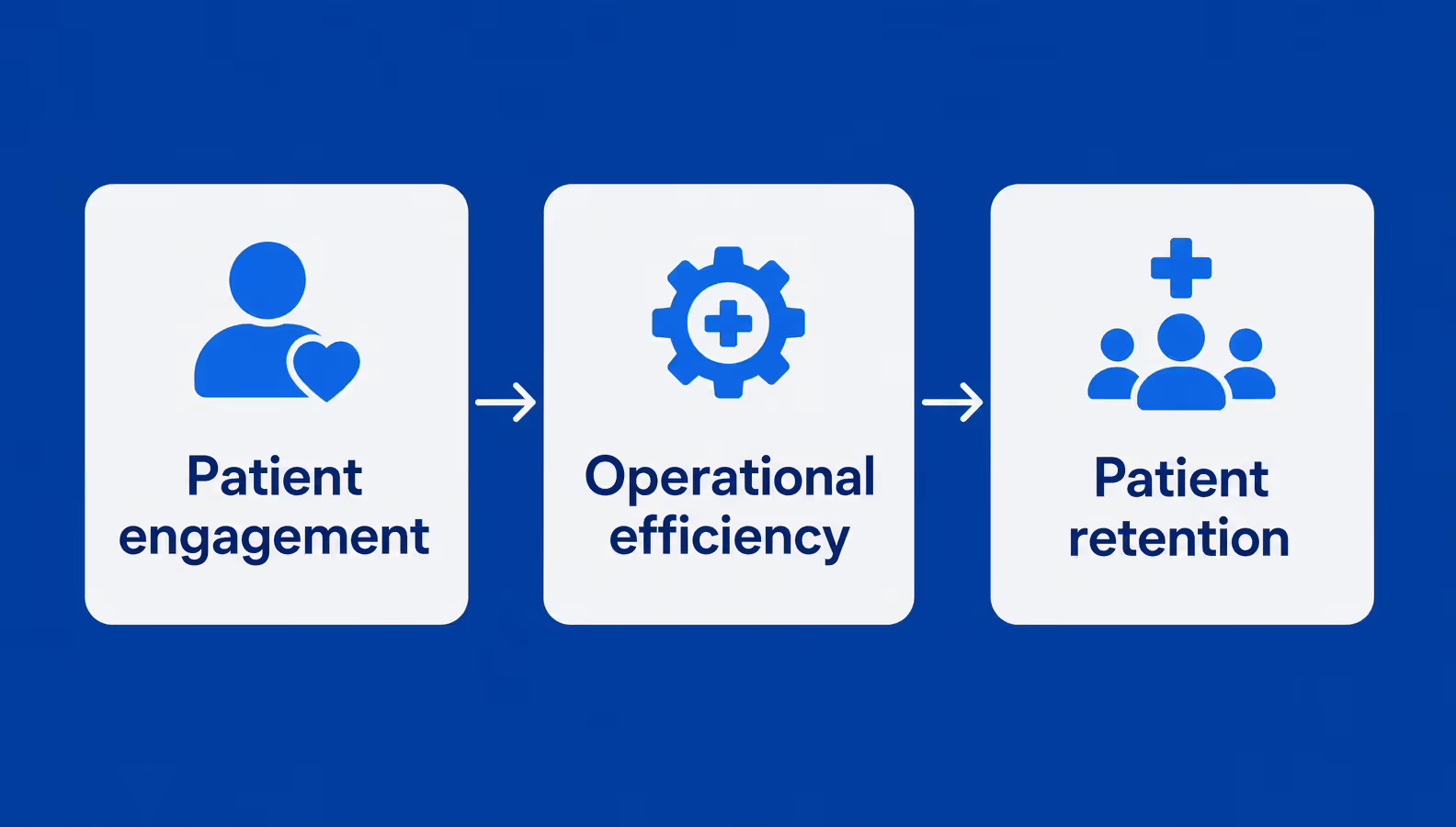
Portal value appears when useful patient tasks and staff workflows reinforce each other
Software alone does not guarantee adoption. Front-desk teams introduce the portal, clinicians publish useful follow-up information, and support teams resolve access problems. These operating habits affect patient satisfaction as much as the interface does.
Providers get a clearer picture from completed tasks, response times, repeat use, and avoidable support requests. Registration totals alone say little about whether the portal improves the patient experience or keeps patients connected to the healthcare service.
The key features of patient portals in a first release cover secure access, records, appointments, communication, prescriptions, results, and payments. New features belong later, once patients and staff have a recurring use for them. That order keeps the MVP focused on measurable patient jobs.
Telehealth and remote monitoring extend an existing care journey. Patient surveys collect structured updates, while caregiver access and multilingual support remove practical barriers. Analytics show where tasks fail. Artificial intelligence belongs only in a governed support role, not as an unsupervised source of clinical decisions.
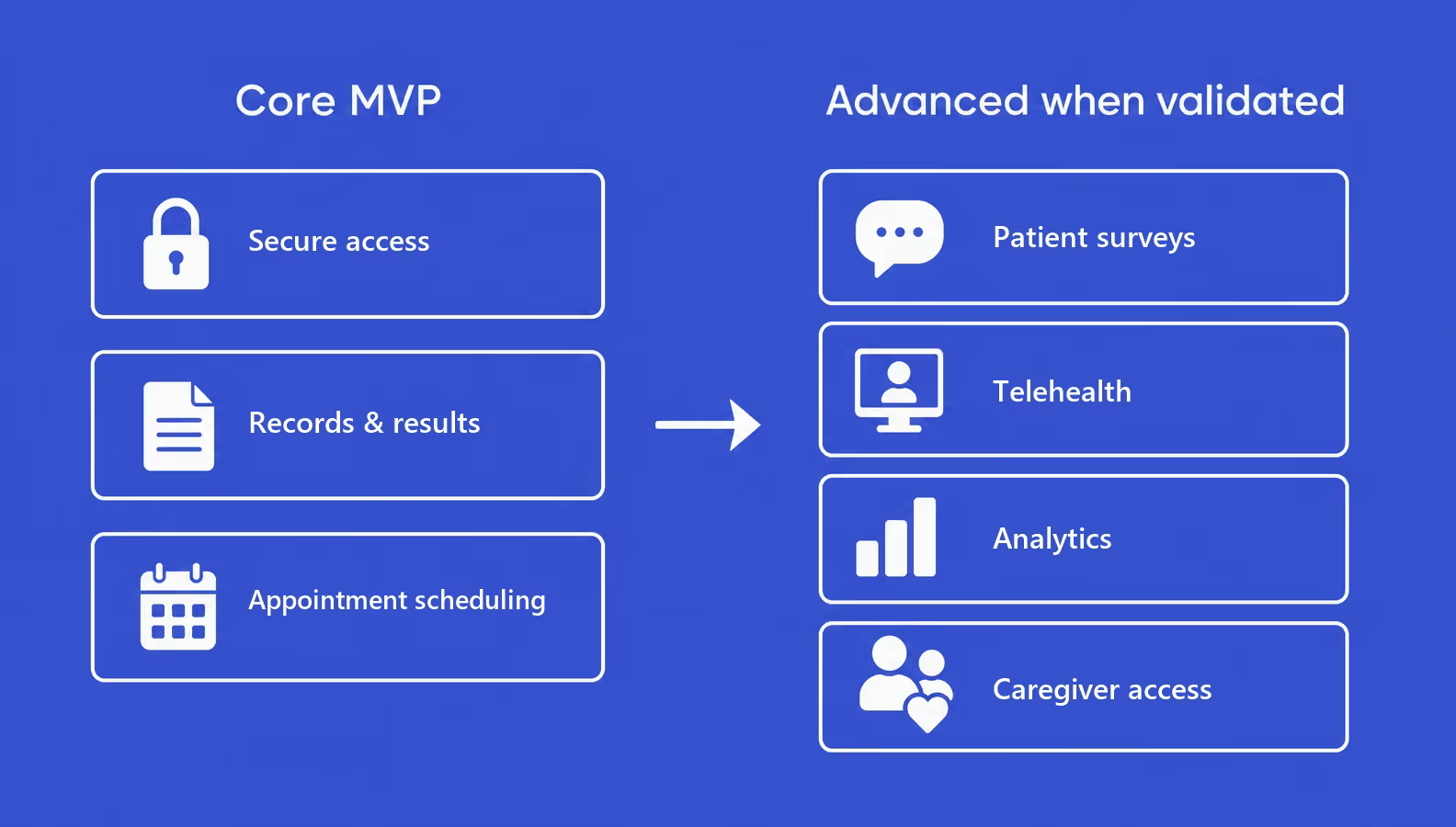
Advanced features belong after the portal proves that its core patient jobs are useful
Feature sequencing protects both budget and patient experience. A smaller release gives the team fewer workflows to test and fewer integration paths to secure. It also makes patient portal functionality easier to measure through completed appointments, opened results, useful messages, and return visits.
In patient portal design, the next release follows evidence rather than a feature wishlist. This creates a stable foundation for patient portal features that depend on reliable data, staff ownership, and patient trust.
Patient portals become useful when they exchange the right data with clinical and administrative systems while preserving clear ownership of every workflow. Without those software integrations, self-service creates another place for staff to update manually.
Teams often begin with EHR/EMR development services to map record ownership and available interfaces. The EHR supplies medical history and current clinical context. The portal remains a patient-facing layer, not a second system of record. Our guide on how to build an EHR system covers the backend in more detail.
| Integration | Value | Standard or note |
EHR / EMR | Records and clinical context | FHIR, HL7, or vendor APIs |
Laboratory | Test results and trends | LOINC where supported |
Billing | Statements and payment | Payment gateway and PCI DSS scope |
Medical practice management software | Scheduling and intake | Vendor API or integration layer |
Telehealth / RPM | Visits and device data | Governed APIs and consent |
FHIR gives systems a shared structure for health information exchange. It does not define the authoritative source, map every legacy field, or resolve failed updates. LOINC identifies observations consistently, but the portal still needs clear states for delayed or corrected results. The oncology platform case below shows why workflow ownership matters alongside standards.
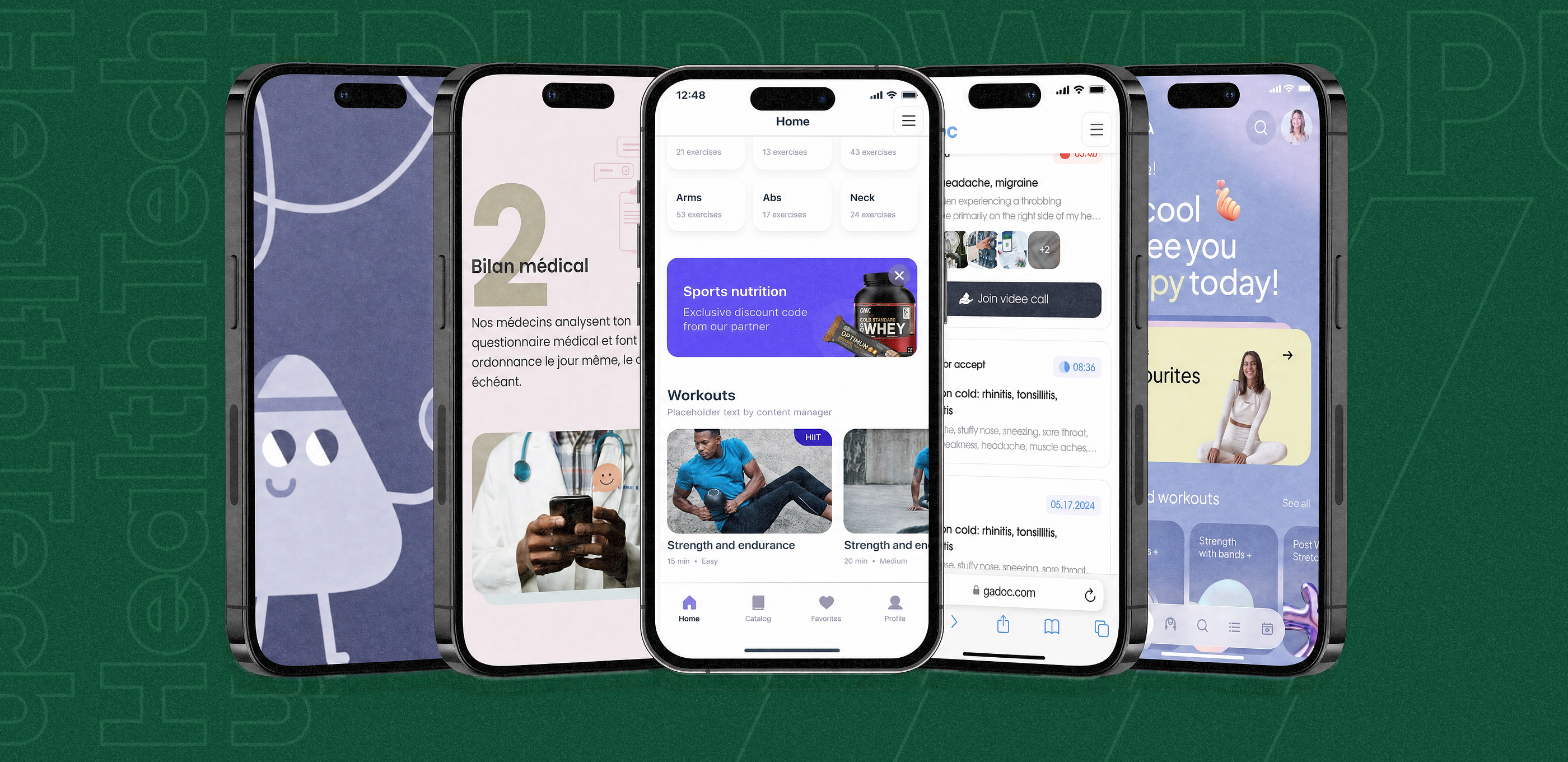
We built a remote monitoring platform for oncologists and their patients. Patients completed surveys and uploaded health data between appointments. Doctors used dashboards and notifications to find critical scores or new laboratory files.
We translated the oncology workflow into separate patient and clinician views without hiding urgent information. The design took about 150 hours. Release later slowed because the privacy policy and terms of use required separate legal work, making compliance planning part of delivery.
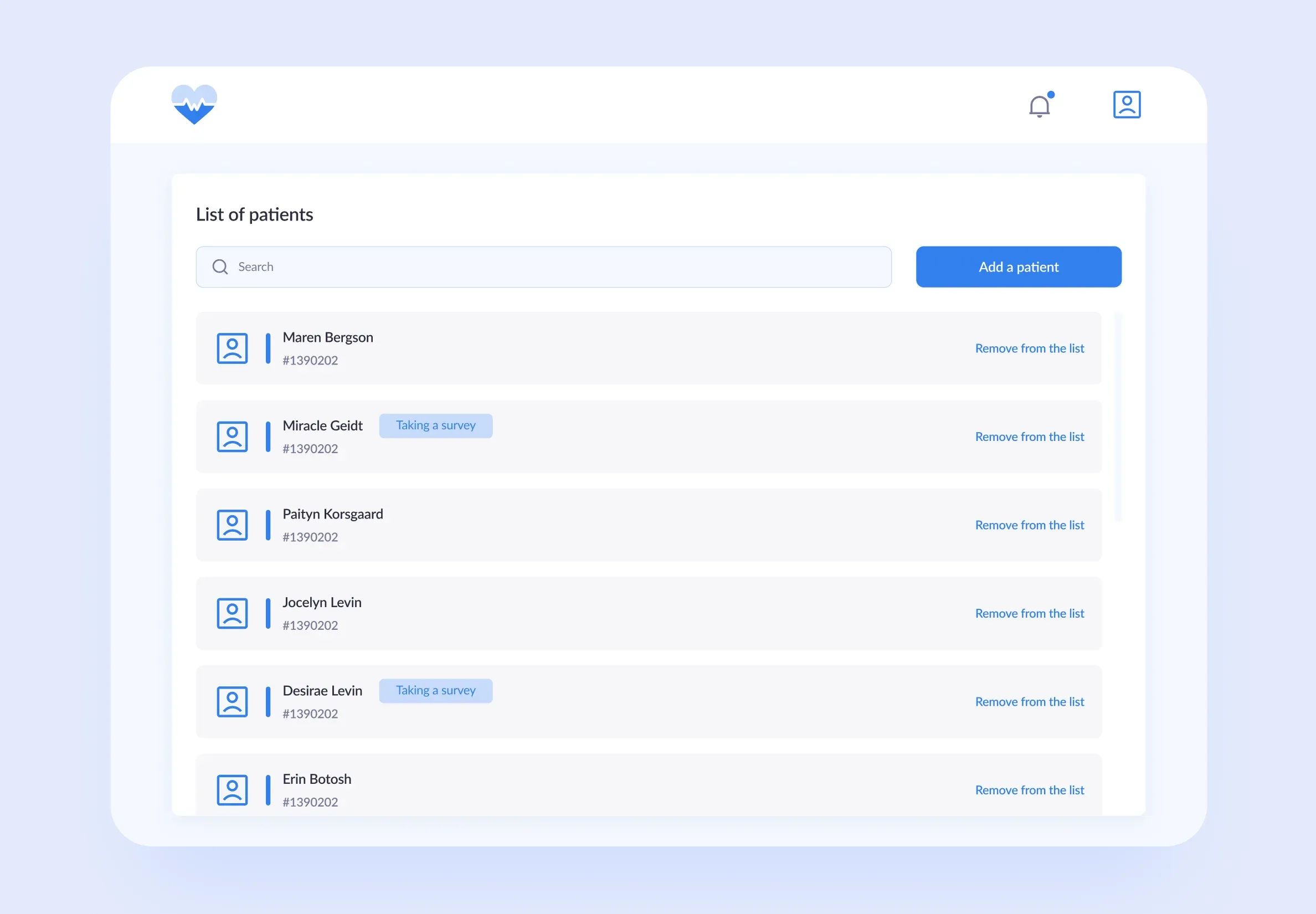
Role-specific views help clinicians notice urgent updates without turning every interaction into an appointment
Compliant patient portals follow the Health Insurance Portability and Accountability Act (HIPAA) safeguards. Product controls cover identity, access, auditability, and secure data exchange. These patient portal requirements also support risk management and reliable access to electronic health information.
HIPAA compliance is not a feature switched on before launch. Policies, vendor agreements, staff responsibilities, infrastructure, and the portal form the program. The scope includes the Health Information Technology for Economic and Clinical Health Act (HITECH Act). It also covers the 21st Century Cures Act and protected health information (PHI). Our guide to HIPAA-compliant app development covers the broader process.
| Requirement | What it changes in the portal | What the team verifies |
HIPAA safeguards | Access, authentication, audit logs, and protected health information (PHI) exchange | Risk analysis, access matrix, and incident procedures |
HITECH Act | Electronic data, breach response, and vendor responsibilities | Contracts, notification process, and service ownership |
21st Century Cures Act | Patient access without avoidable barriers | Access, export, and API workflows against information blocking guidance |
FHIR interoperability | Structured data exchange through standardized APIs | Mapping, authorization, errors, and authoritative sources |
International scope | General Data Protection Regulation (GDPR) controls outside the United States | Separate legal assessment and regional data handling |
Encryption and integrity controls protect sensitive patient data, while account recovery and security reviews support these requirements. The exact implementation depends on the organization's risk assessment. FHIR does not remove the need for consent, data mapping, or operational ownership.
The patient portal software development process starts with workflow and integration discovery, then moves through tested design and secure implementation. The development steps end with a patient beta, staff enablement, and post-launch measurement.
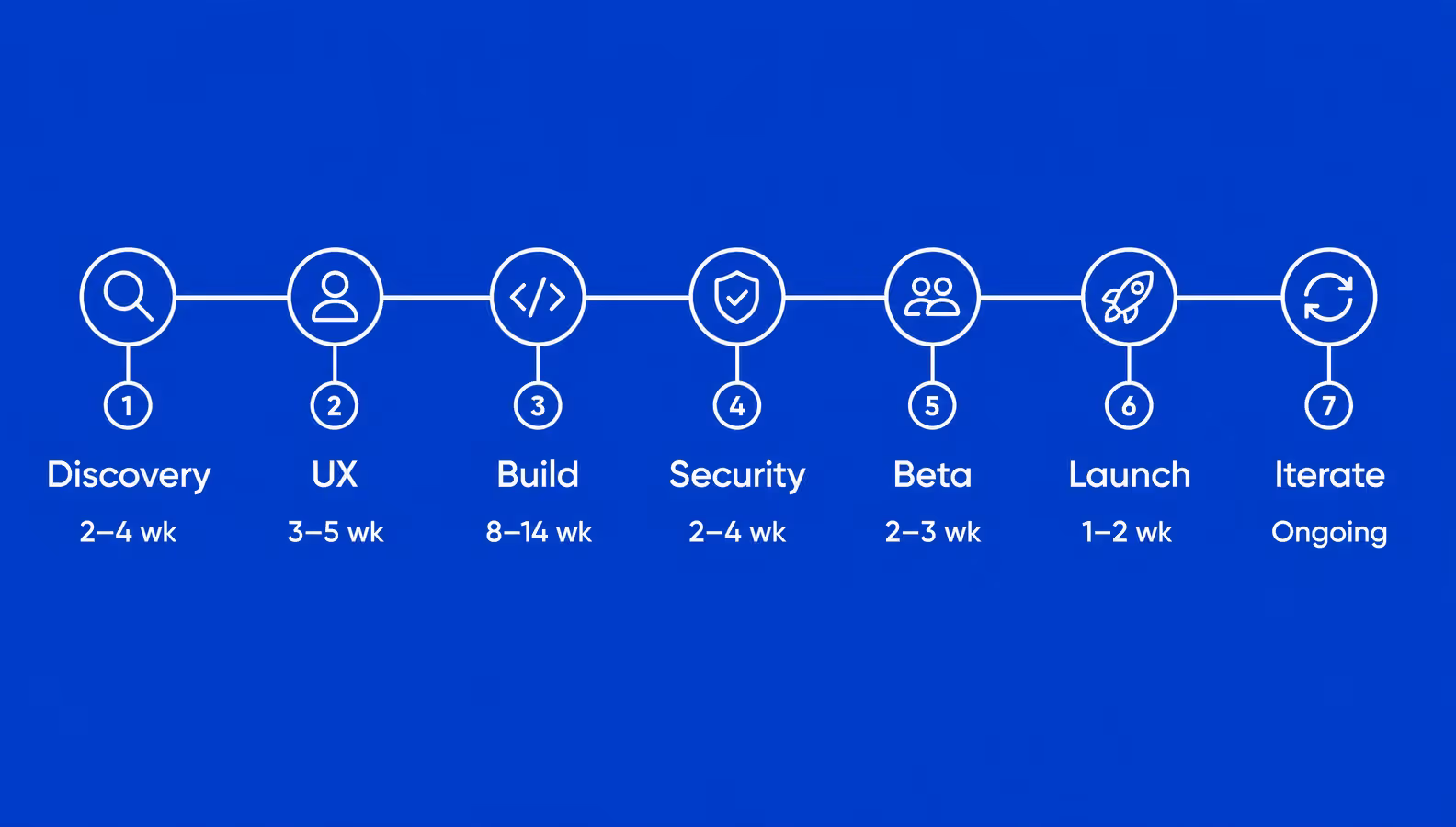
Integration discovery and patient testing protect the schedule more than rushing into code
The beta and launch phases turn software into an operating service. Patients need a usable activation path, while staff need clear ownership of messages and failed tasks. Training reveals gaps that technical testing misses. A booking feature may work correctly but still fail if the front desk maintains a separate calendar.
Post-launch teams compare registrations with completed tasks, repeat use, and support demand. This shows whether the portal is becoming part of care delivery or another account patients forget.
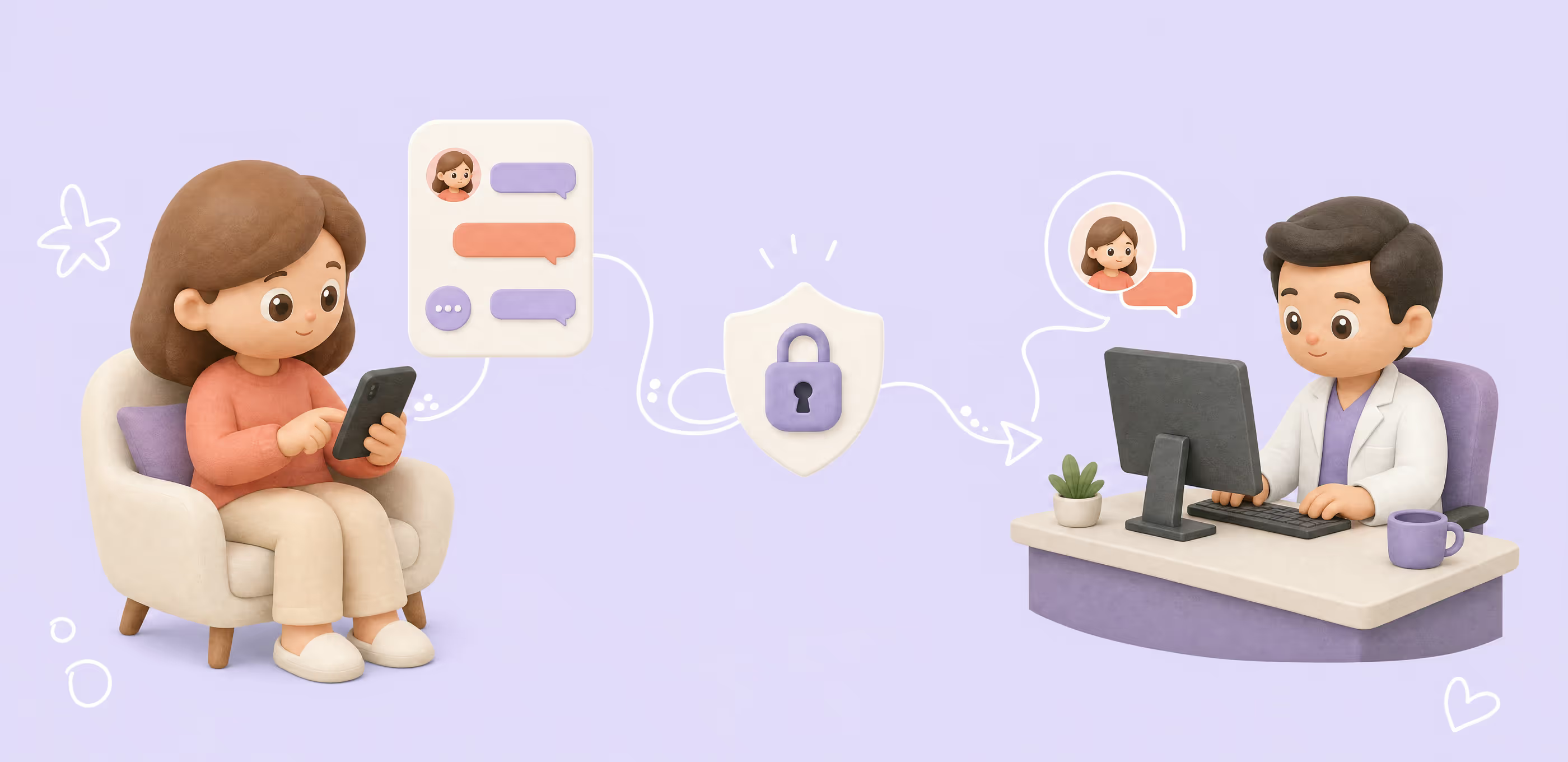
We designed and developed an online psychotherapy service with calendars, notes, chat, and video calls across web and mobile. Patients, therapists, and administrators needed different views of the same care journey.
Three roles expanded the product to roughly 100 screens. We kept scheduling, therapy materials, private notes, and communication understandable without exposing the wrong information. The project took about 8,000 hours and launched as a working service for real therapy sessions.
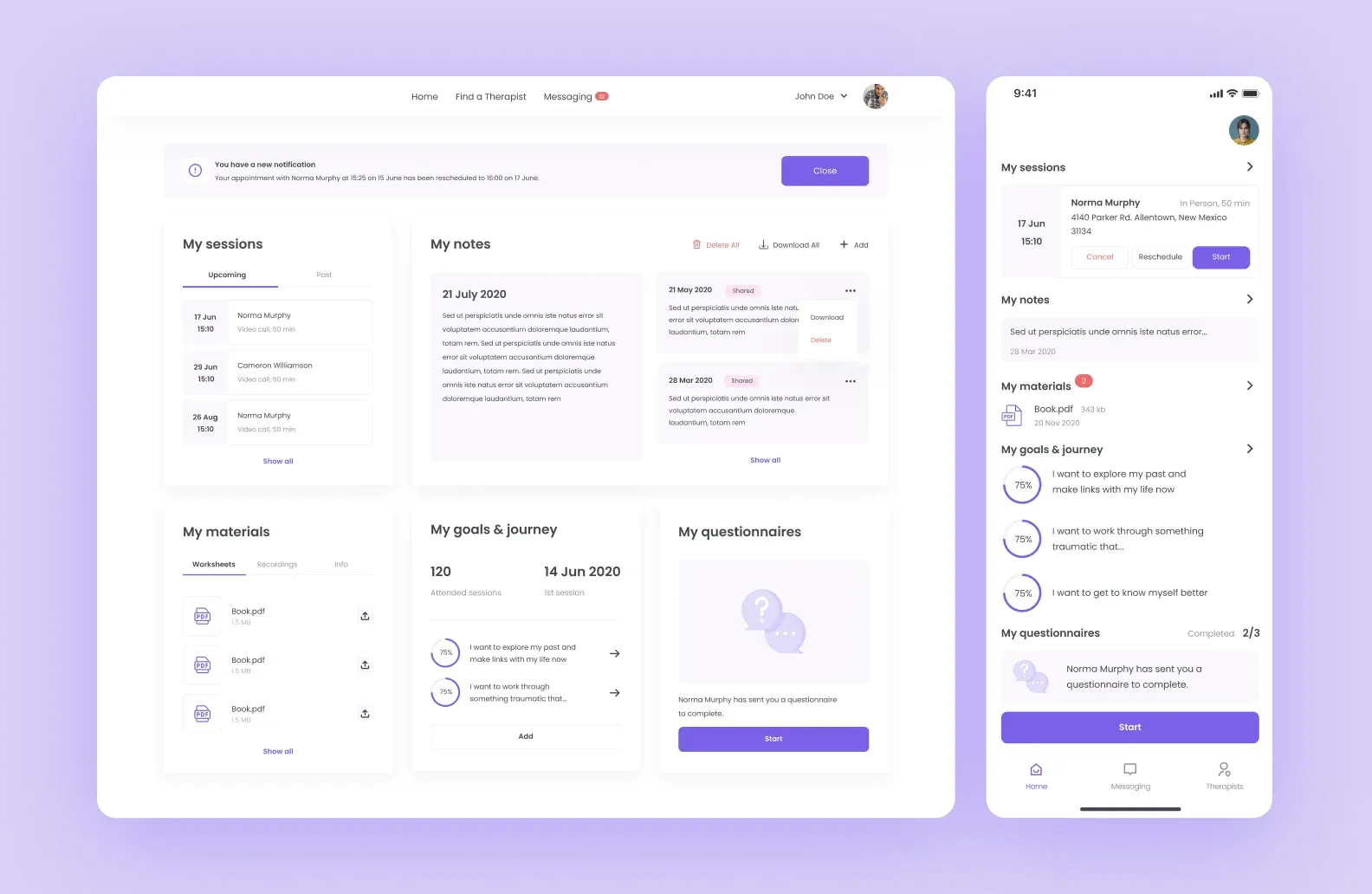
Role-specific dashboards keep clinical work connected without forcing every user through the same interface
Off-the-shelf patient portals offer a software solution for standard workflows and a fast launch. Custom patient portal development becomes defensible when integrations, data ownership, or patient experience cannot fit the EHR vendor's model.
| Criterion | Off-the-shelf or SaaS | Custom development |
Time to launch | Days or weeks of configuration | Months of discovery, design, and testing |
Workflow fit | Vendor's standard model | Organization-specific roles and care journey |
Upfront cost | Lower setup plus subscription | Higher initial investment |
Legacy integrations | Supported connectors only | Custom work for required systems |
Ownership | Vendor platform and terms | Organization controls data and code |
Ongoing responsibility | Vendor roadmap and limits | Security, support, and product ownership |
A bundled portal is often stronger when the EHR already covers records, scheduling, messaging, and billing. Rebuilding those functions adds cost without creating patient value, though the provider accepts the vendor's interface and integration boundaries.
Custom healthcare portal development fits care journeys that span several organizations or legacy systems. It also supports distinctive workflows, proxy access, analytics, or a consistent experience across clinical platforms. That flexibility requires a clear ownership model between the development partner and healthcare provider.
A focused patient portal MVP typically costs $50,000–$100,000. Larger products reach $200,000–$400,000+ as EHR complexity, security evidence, and multi-organization workflows expand.
The table gives planning ranges rather than fixed quotes:
| Scope | What it includes | Estimated cost | Typical timeline |
Focused MVP | Core self-service features and one main integration | $50,000–$100,000 | 3–5 months |
Integrated mid-range portal | Deeper EHR integration and selected advanced workflows | $100,000–$200,000 | 5–8 months |
Enterprise platform | Multiple organizations, complex integrations, and advanced permissions | $200,000–$400,000+ | 8–12+ months |
Integration depth usually drives the largest change in the cost of patient portal development. A documented FHIR interface takes less effort than a legacy system with incomplete records or vendor-specific workflows. Identity rules, caregiver access, multilingual support, and formal security evidence also increase design and testing work.
Our broader healthcare app development cost guide explains how those factors affect healthcare software development. Ongoing costs are often overlooked in the initial patient portal software cost.
The operating budget covers cloud infrastructure, monitoring, security updates, support, staff training, and changes to connected vendor APIs. Post-launch analytics and usability work also matter because a portal that stays technically available but loses patient adoption is not finished.
Low portal adoption usually comes from weak onboarding, unclear recurring value, and staff workflows that do not support the digital service. Accessibility gaps and fragmented records add more reasons for patients to leave.
Current ONC data shows a 30-percentage-point access gap between people encouraged to use an online patient portal and those who received no encouragement. Adoption depends on how the organization introduces and operates the product, not only on interface quality.
The founders of Clearstep had a healthcare product idea and a $1,500 design budget. Their immediate goal was fundraising, so a full build would have consumed money before validating the patient journey.
We proposed a clickable prototype and completed it in about 1.5 weeks. The work focused on symptom-checking and appointment flows that investors could understand and test. The founders later raised $400,000, showing why validation sometimes creates more value than production features added too early.
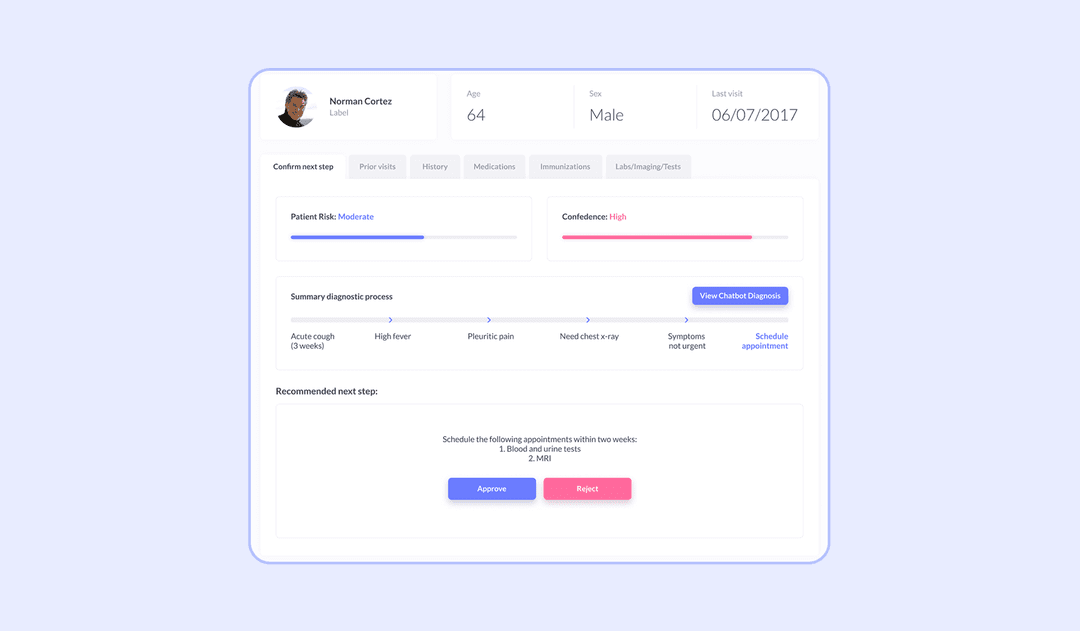
A focused prototype tests the patient journey before a team commits to the full build
The main adoption risks have practical responses:
Patient portal success depends on useful tasks connecting to reliable staff workflows and accurate clinical data. For some providers, the portal bundled with an EHR already does that job. The decision to build a custom patient portal becomes worthwhile when the care journey crosses systems or workflows the existing product cannot support.
Integration ownership, compliance work, and patient testing shape launch readiness. Staff enablement and post-launch measurement determine whether the portal becomes part of care delivery or another account patients stop using.
➡️ A portal plan becomes clearer once its workflows and integration constraints are visible. Tell us what you are building, and we’ll prepare a free project estimate within 48 hours.
Patient portal software is a secure web or mobile product that gives patients access to medical records and common care tasks. It usually connects to an EHR, scheduling system, laboratory, or billing platform so patients and staff work with the same underlying information.
A focused MVP typically costs $50,000–$100,000. An integrated portal often falls between $100,000–$200,000. An enterprise platform may reach $200,000–$400,000+. Integration depth, security evidence, user roles, and connected systems drive the final estimate.
A focused MVP usually takes 3–5 months. A product with deeper EHR integration and advanced workflows often takes 5–8 months, while an enterprise platform may require 8–12 months or longer. Discovery, security review, patient testing, and staff preparation all affect the schedule.
Most patient portals need an EHR connection because patients expect current records, results, medications, and appointment context. An EHR-tethered portal uses the vendor's existing connection. A standalone product usually exchanges data through FHIR, HL7, or vendor-specific application programming interfaces.
Organizations combine a HIPAA compliance program with product controls for access, authentication, audit logging, integrity, secure transmission, and account recovery. They also assess vendors, infrastructure, staff procedures, and integration risks. No single framework or technology makes a patient portal compliant on its own.
Patients often leave when activation is difficult, recurring tasks offer little value, or staff do not support the digital workflow. Adoption improves when enrollment is simple, mobile and accessible, and connected to useful actions such as results, scheduling, refills, messages, and payments.


.svg)