Explore

Need help with your project?

Oops! Something went wrong while submitting the form.
The healthcare industry is undergoing a massive digital transformation, and cloud computing sits right at the heart of it. But navigating the world of healthcare cloud computing can feel overwhelming.
That’s why we decided to write this article. Read on to find out what types of clouds there are, how to avoid risks, and what are the stages to developing your own cloud-based solution.
%2520(1)%2520(1)%2520(1)%2520(1)%2520(1)%2520(1).avif%2F&w=1920&q=75)
The industry’s rapid transition to cloud technologies was brought about by the COVID-19 pandemic. Overnight, in-person visits dropped, and patients turned to telehealth in record numbers. Suddenly, doctors were holding video appointments, monitoring patients remotely, and dealing with floods of digital data. Old-school on-premise servers couldn’t keep up, because they were too rigid and too expensive to scale.
So healthcare providers started shifting to the cloud. It gave them the ability to integrate health insurance portability, as well as store massive amounts of patient data, all without buying new hardware.
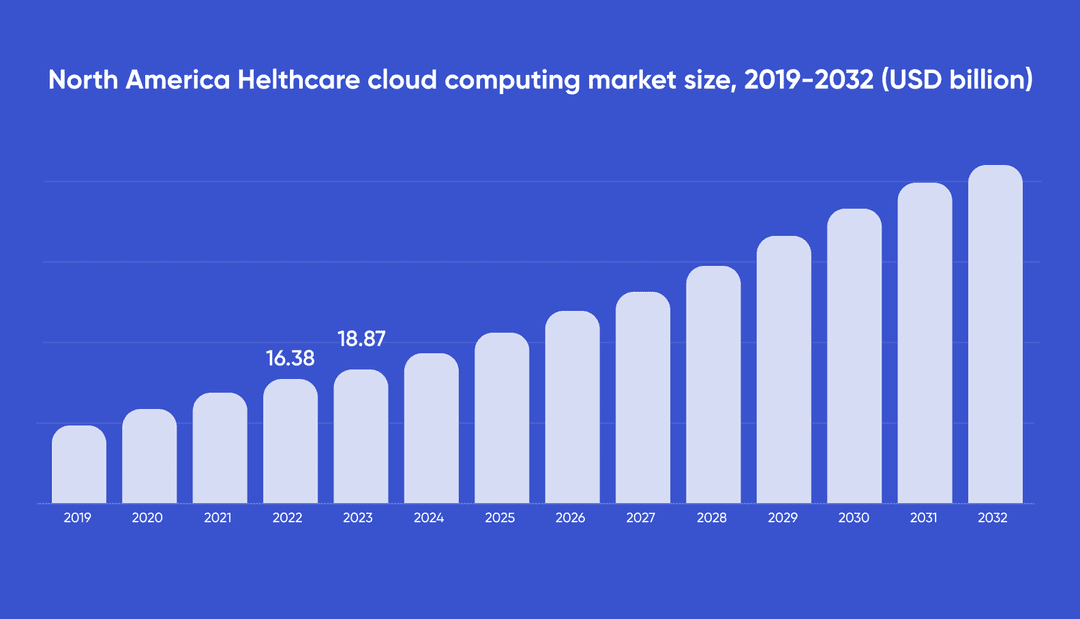
This shift wasn’t just a pandemic-era trend. According to Fortune Business Insights, the global healthcare cloud computing market is set to grow to $251 billion in 2034, up from a fraction of that just a few years ago. It’s easy to see why, given that AI-driven diagnostics and electronic health record management all benefit from cloud computing.
Not all cloud solutions are created equal, especially when it comes to patient care. Healthcare companies today can choose from several types of clouds, each offering a different balance of control and security: public, private, hybrid, and multi-clouds.
A public cloud is a shared environment where multiple healthcare companies store and process data on specialized infrastructure. This infrastructure is usually owned and managed by a third-party provider like AWS (Amazon Web Services) and Microsoft Azure. Think of it like renting an apartment in a large building: you share the complex with other tenants, but your unit remains private and secure.
It’s the polar opposite of public clouds in many ways. This type is a cloud environment that belongs entirely to one healthcare organization, whether it's a large hospital network or a health insurance provider. It can be hosted on-premises in the healthcare company’s own data center or off-site at a dedicated facility.
For healthcare organizations handling highly sensitive data like patient records, a private cloud is a great choice. You decide exactly how data is encrypted, who accesses what, and how compliance with HIPAA or other local laws is maintained. Performance is also more predictable since you're not competing with other companies for bandwidth or computing power.
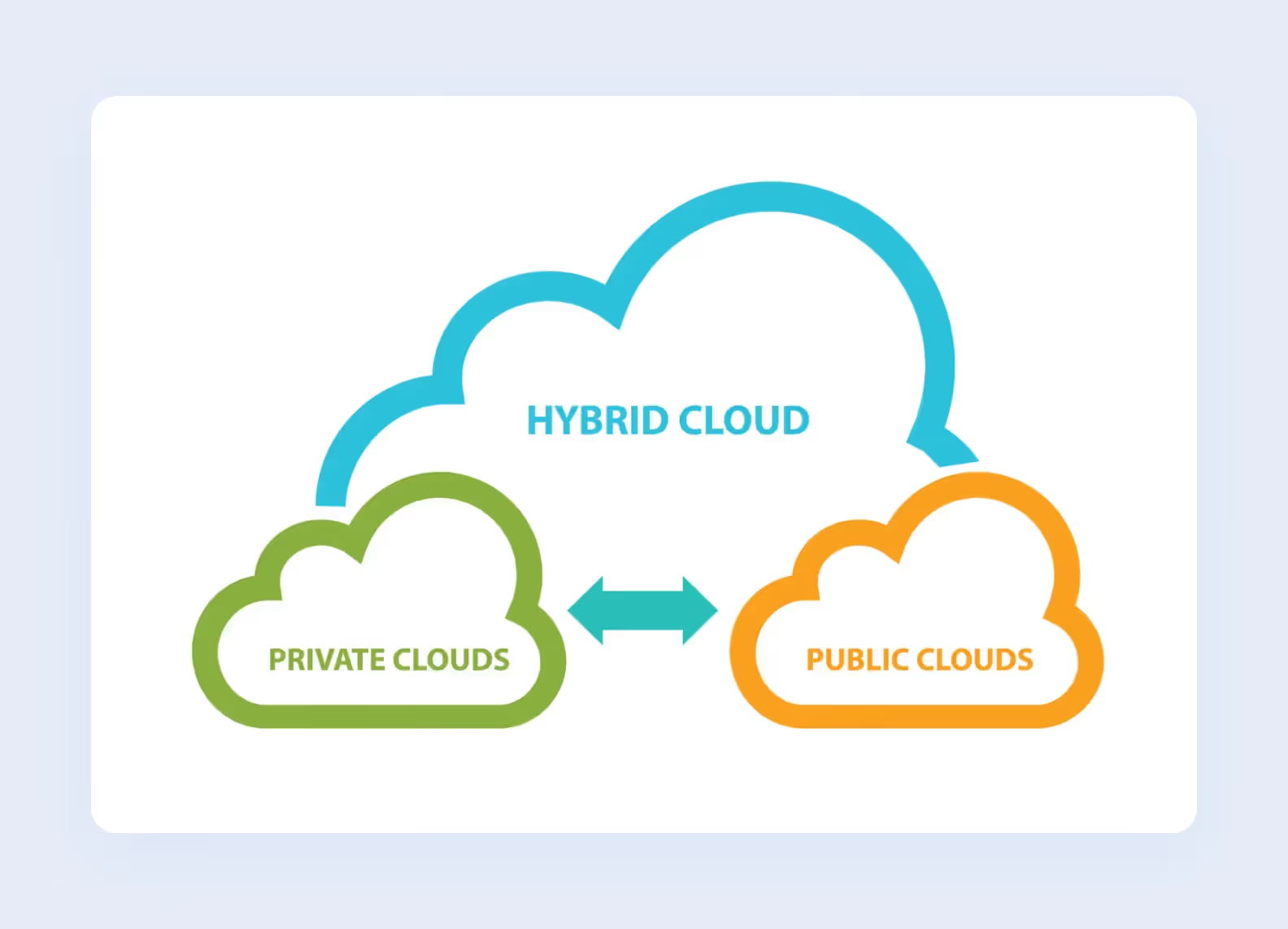
As the name suggests, a hybrid cloud combines a private cloud environment with one or more public clouds. Think of it this way: you can have a locked filing cabinet for the most sensitive patient data and an expandable workspace for anything else. For healthcare organizations, this type helps them strike a balance between keeping critical data without sacrificing the scalability and cost savings of the public cloud.
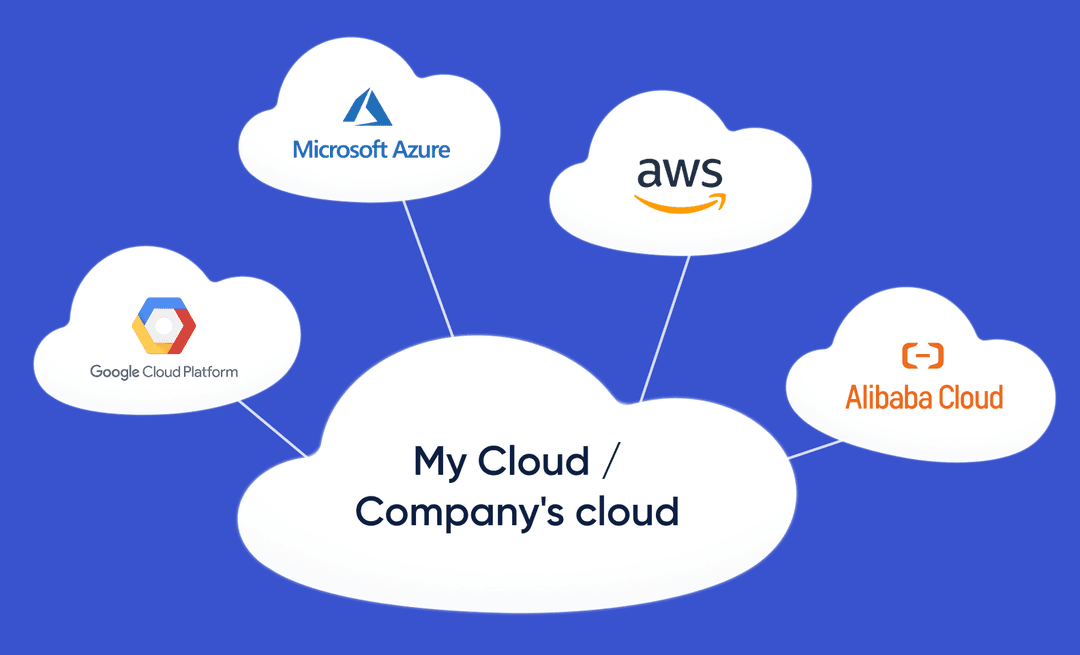
While hybrid cloud refers to mixing private and public environments, multi-cloud means using two or more public cloud providers simultaneously, often alongside private infrastructure.
This type of cloud infrastructure is useful for a couple of reasons. No single provider holds all your data hostage, so you can negotiate better pricing and avoid being stuck with a platform that no longer fits your needs. Multi-cloud also lets healthcare organizations cherry-pick the best services from each provider and blend them into a tailored solution. And if one cloud goes down, critical applications can keep running on another.
In short, the cloud levels the playing field in the healthcare industry. It gives clinics of any size the tools to deliver safer, smarter, more efficient care. But how exactly does it do that? Let’s take a closer look at some of the advantages cloud infrastructure has.
For a small clinic, patient volume can be wildly unpredictable. It’s quiet one week and hectic the next.
The cloud helps handle it and scale without spending more money. If you need more data storage for patient electronic medical records, you can get it in a few clicks without installing any new hardware yourself. This leads to greater cost savings and even better patient care.
When it comes to electronic health record management and storage, every dollar counts. Traditional on-premise IT comes with a long list of hidden costs, like buying servers, paying for software licenses, and hiring dedicated IT staff. That’s without mentioning electricity and cooling costs, as well as replacing hardware every few years when it inevitably becomes obsolete.
Cloud services change this. Instead of large upfront capital expenses, healthcare organizations can pay a predictable operational expense, like a monthly fee. No more buying storage you might never use or servers that sit idle 80% of the time.
It’s easy to think that keeping healthcare data on your own server is automatically more secure than any cloud technology. However, major cloud providers like AWS, Microsoft, and Google employ entire teams of security experts who do nothing but monitor threats, patch vulnerabilities, and test for breaches. They invest millions in enterprise-grade protections, and they also maintain rigorous compliance with healthcare regulations.
When your data and applications live in the cloud, you unlock a whole ecosystem of tools that plug right in. Take telehealth platforms: with cloud-based video conferencing and secure messaging, a small rural clinic can offer virtual visits as seamlessly as a big urban hospital. Even wearable device integration becomes possible: a patient's smartwatch data can flow securely into the cloud and alert their primary care doctor to irregular heart rhythms.
Moving to the cloud isn't all smooth sailing. While the benefits are compelling, healthcare organizations need to be mindful of several risks, which we’ve outlined below.
Many clinics have been running the same practice management software or electronic health record system for a decade or more. These legacy systems often weren't designed with the cloud in mind. They might run on outdated operating systems or rely on physical servers that are barely functional. When you try to move that data to the cloud, things can get messy fast.
Don't assume cloud adoption will be quick. A thorough audit of existing systems and a backup strategy for every file are essential to make the process as painless as possible.
You can buy the best cloud solution on the market, but if your front desk team doesn't know how to use it, cloud adoption is going to get more difficult. Healthcare clinics are busy places, and most staff members aren't tech specialists.
The key to solving this and speeding up cloud adoption is to think about onboarding well in advance. That means planning hands-on training sessions before going live, creating simple cheat sheets or video tutorials, and designating a few power users who can answer questions when things go wrong.
Some studies suggest this to be the greatest challenge when it comes to cloud migration. And for good reason: entrusting third parties with private patient care plans can seem daunting. A vendor that treats security as an afterthought puts the clinic at risk of data breaches, ransomware attacks, and HIPAA violations.
Look for independent reviews, case studies, or testimonials from other clinics. Be wary of vendors who are vague about data access and storage. If they can't tell you which data centers hold your patient information, walk away.
Identify your storage requirements and cloud computing needs, like capacity. How much patient data are you actually going to store? Will you need to handle video visits, high-resolution medical images, or thousands of daily transactions? Knowing these numbers upfront prevents you from overpaying for resources you don't need or underestimating and running out of space mid-launch.
Decide who's going to be in charge of cloud computing in your healthcare organization. Will it be an internal IT person, a dedicated cloud architect, or an outside consultant? Without a clear owner, decisions stall and data security gaps appear.
It's a journey that unfolds in distinct stages, each building on the last. Let's walk through each one in more detail.
It's tempting to assume that because a cloud-based healthcare platform seems brilliant, clinics and patients will naturally line up to use it. But that's a dangerous mindset. Desk research is your reality check, and it doesn't require expensive surveys or focus groups.
Look at industry reports, healthcare forums, regulatory announcements, and even social media discussions among doctors and nurses.
If desk research tells you there's a problem worth solving, product discovery helps you figure out exactly what to build and how to build it. This typically involves talking directly to the people who would actually use your platform: doctors, nurses, clinic administrators, billing staff, and even patients.
Ask your potential users about their daily frustrations. Watch them do their jobs if you can. What makes them roll their eyes? Where do they waste the most time? You might walk in thinking you need to build a fancy AI diagnostic tool, only to discover that what clinics really need is a simpler way to schedule follow-up appointments.
⭐Our experience
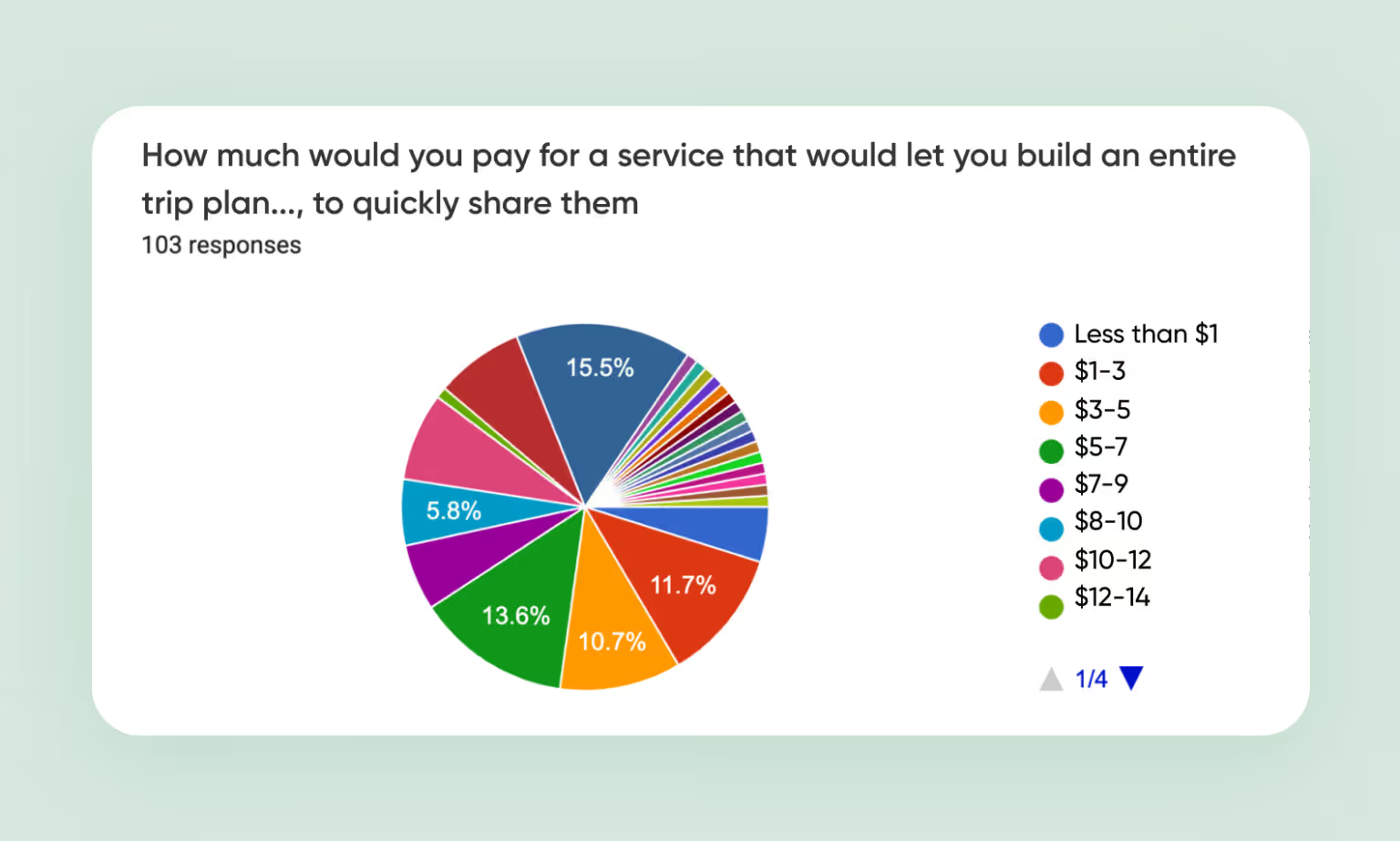
An entrepreneur came to us to validate an idea for a travel app.
MVP development can cost at least $40,000, and our client didn’t want to go in blind and release an app nobody wants, so they came to us to confirm if there is any interest in the concept. We did just that, so after product discovery was concluded, we proceeded to development.
UX stands for user experience, and in the healthcare industry, it's absolutely critical. A beautiful interface means nothing if a stressed-out nurse can't find the medication list in under five seconds, or if a doctor has to click through seven screens to send a prescription.
The goal of UX design is to make your platform intuitive, efficient, and even a little forgiving. This phase typically starts with low-fidelity wireframes, which are basically rough sketches of each screen.
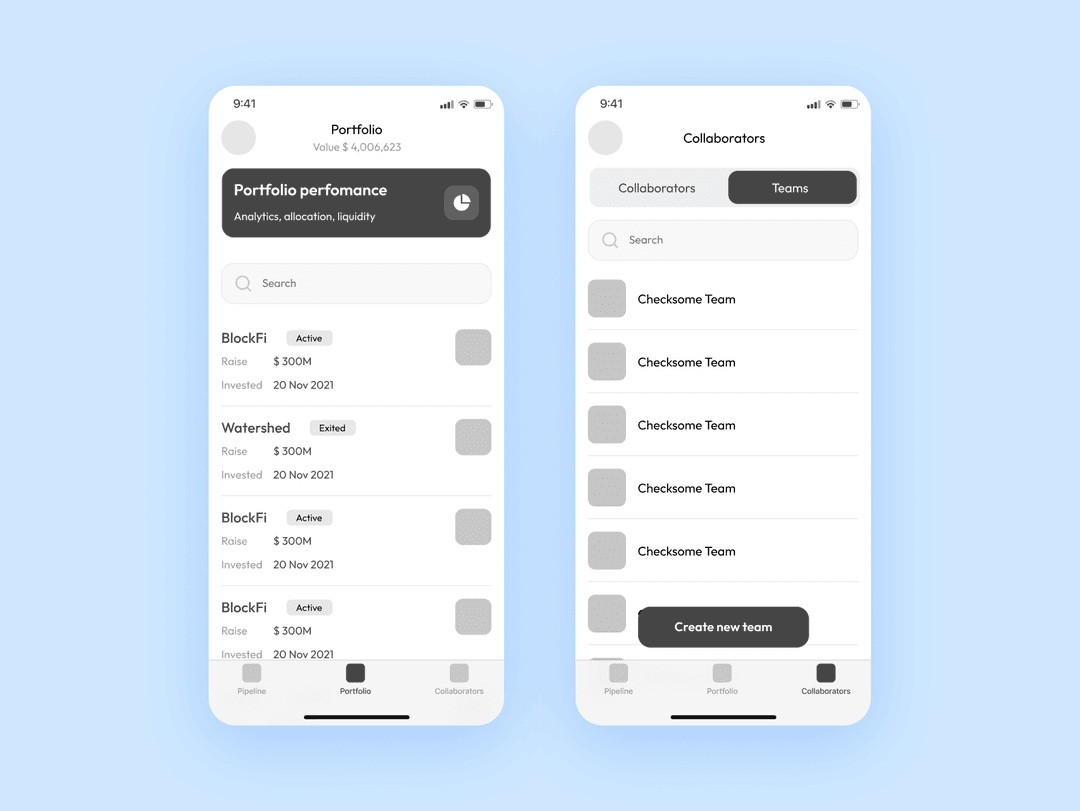
From there, you move to high-fidelity mockups that add colors, fonts, icons, and realistic content. This is where your platform starts to look like an actual product.
Instead of building the entire platform in one giant chunk, you break it down into small, shippable pieces. As soon as that piece is coded, QA testers immediately start trying to break it, entering weird data, clicking buttons in the wrong order, simulating slow internet connections. They log every bug, and developers fix those bugs before moving on to the next feature.
Launch day marks the start of a whole new phase. When you release your cloud-based healthcare platform, whether to a single pilot clinic or a broader audience, the real work of maintenance begins immediately.
Once you've decided to build a cloud-based product in the healthcare sector, one of the most important choices you'll face is selecting the right cloud architecture. That comes down to understanding three acronyms: IaaS, PaaS, and SaaS. Let's break down each one so you can decide which path makes sense for your project.
Infrastructure as a Service gives you the raw computing infrastructure over the internet, without forcing you to buy or maintain any physical hardware. Think of it like renting an empty apartment. In the healthcare sector, IaaS is a great fit for organizations that have a strong internal IT team and need maximum control.
Think of it like renting a fully furnished apartment where the landlord also handles cleaning, repairs, and utilities.
In the healthcare sector, the SaaS vendor takes care of everything: uptime, data backups, HIPAA compliance, software updates, and customer support. This makes SaaS incredibly appealing for small to mid-sized clinics that lack large IT departments. You can go from signing a contract to seeing patients in a matter of days, not months.
Platform as a Service is the happy medium between the raw control of IaaS and the hands-off simplicity of SaaS. You get a ready-to-use platform that includes everything you need to build, test, and deploy your own custom health systems. Think of it like renting a fully equipped kitchen. The oven, stove, refrigerator, and counter space are all there, maintained and ready to go. You just bring your own ingredients and start cooking.
In the healthcare sector, trust is built on limited data access and enhanced data security. If patient data gets leaked, no amount of sleek design can save a healthcare organization. That's why every healthcare cloud system needs to bake in certain protections from the ground up.
They're legally enforceable rules that govern how patient data must be handled, and violating them can result in staggering fines, lawsuits, and reputational damage.
Cloud backup means automatically creating and storing copies of your patient data in a secure, offsite location, separate from your primary healthcare systems.
Physical servers can fail, disgruntled employees can delete years of records before walking out. Anything can happen, so cloud backup gives you a safety net no matter the emergency.
In simple terms, encryption scrambles readable data into an unreadable jumble of characters using a mathematical algorithm and a secret key. Without that key, even if someone manages to steal your data, all they'll see is gibberish. Done right, encryption ensures that even if every other layer of defense fails, your patient data remains private.
UX and product design matter just as much as security and scalability. Designing for busy healthcare professionals requires a special approach, and three principles stand out above the rest.
Respect the limited time, attention, and cognitive load of your users. A typical nurse or doctor is juggling multiple patients and constant interruptions, and high-stakes decisions. They don't have the mental bandwidth to figure out why the app uses different terminology than their medical training.
Looking at the UI element, ask yourself: does it truly help someone complete a task faster? If not, cut it.
In healthcare, accessibility isn't just a nice gesture or a box to check. It's a moral and often legal obligation. Your cloud application needs to work for everyone, including healthcare professionals and patients with disabilities.
For example, a radiologist with color blindness needs to distinguish critical information without relying solely on color, and a nurse with a hand tremor needs to be able to tap small buttons accurately. Ignoring these needs can lead to medical errors, miscommunication, and even legal trouble.
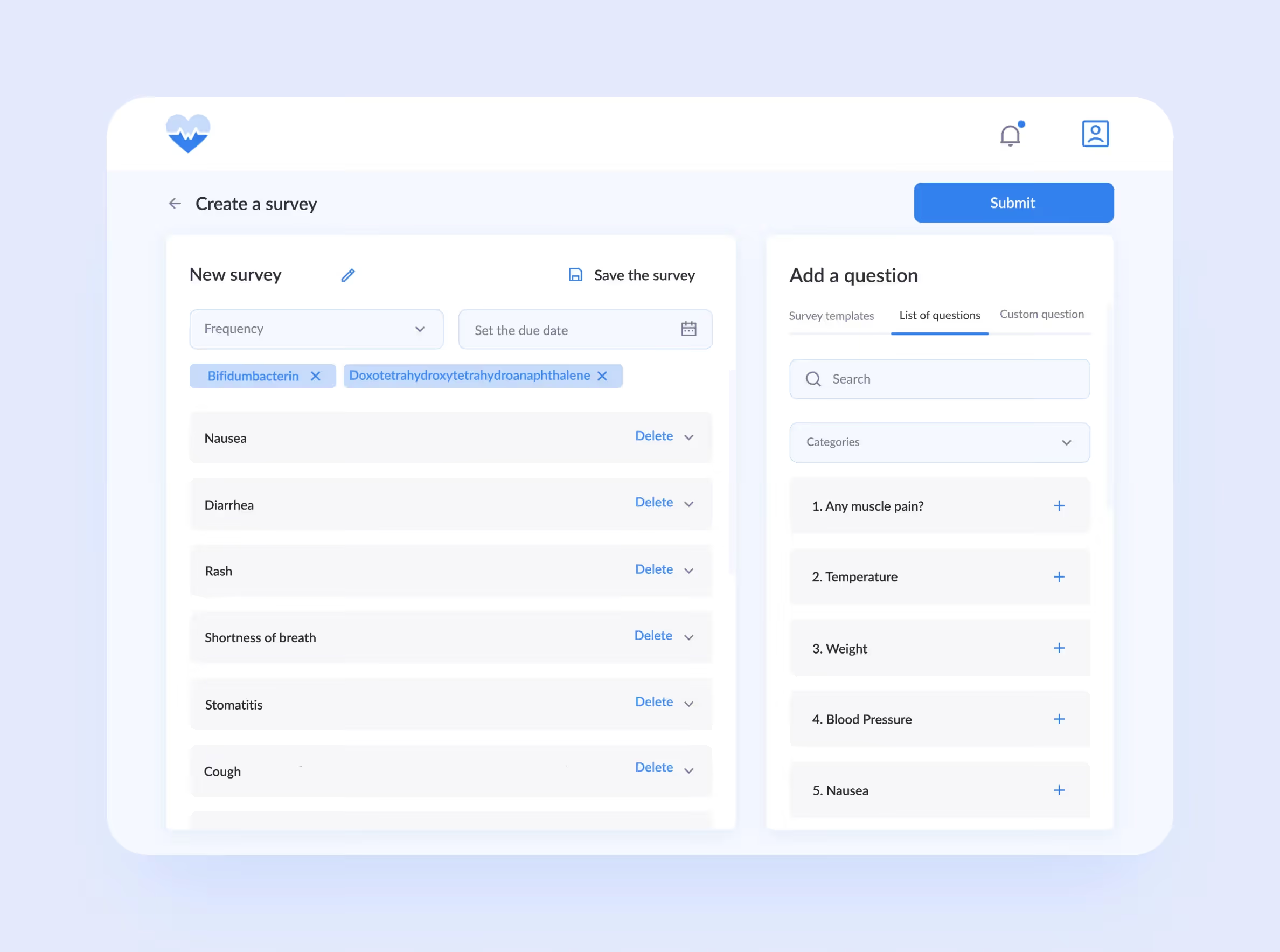
Your users come with years of experience using other software, both inside and outside the healthcare sector. If every other medical app puts the patient search bar at the top of the screen, don't bury yours in a menu. Fighting established patterns confuses users and slows them down.
Building a great healthcare cloud platform is one thing, but figuring out how to make money from it is another challenge entirely. As for cloud computing in healthcare, two main models dominate the landscape:
Unless you have an in-house team of developers ready to go, you're probably going to need outside help. Still, choosing the right healthcare software development partner can feel overwhelming. That’s why we’d like to share with you two tips on how to separate the contenders from the pretenders.
Building a clinic scheduling app is very different from building a social media platform. You need a partner who understands HIPAA, GDPR, and the unique workflows of doctors and nurses.
Don't just take a vendor's word for their skills. Look for proof from real healthcare organizations they've worked with. Have they successfully delivered similar projects? If so, it’s possible they’re a good match.
What's next for cloud computing in healthcare? According to Forrester, it will keep growing as healthcare becomes more digital. New rules and standards appear every day, making the cloud harder to ignore. Still, security remains a major worry, and that's why some healthcare providers still stay away from the cloud. But public opinion is slowly changing.
➡️If you're ready to jump in as the tide grows and build your own healthcare cloud platform, don't hesitate to reach out to us. We’ll return to you in 48 hours to discuss the project, timeline, and pricing.


.svg)