Explore

Need help with your project?

Oops! Something went wrong while submitting the form.
Imagine a medical practice where patient information is instantly accessible, no-shows are rare, and staff focuses on care instead of paperwork. This is what healthcare CRMs deliver. These systems work behind the scenes organizing patient data, automating routine tasks, and improving how you connect with patients.
This guide explains what these systems do, what features to look for, and how to choose the right one for your practice’s needs.
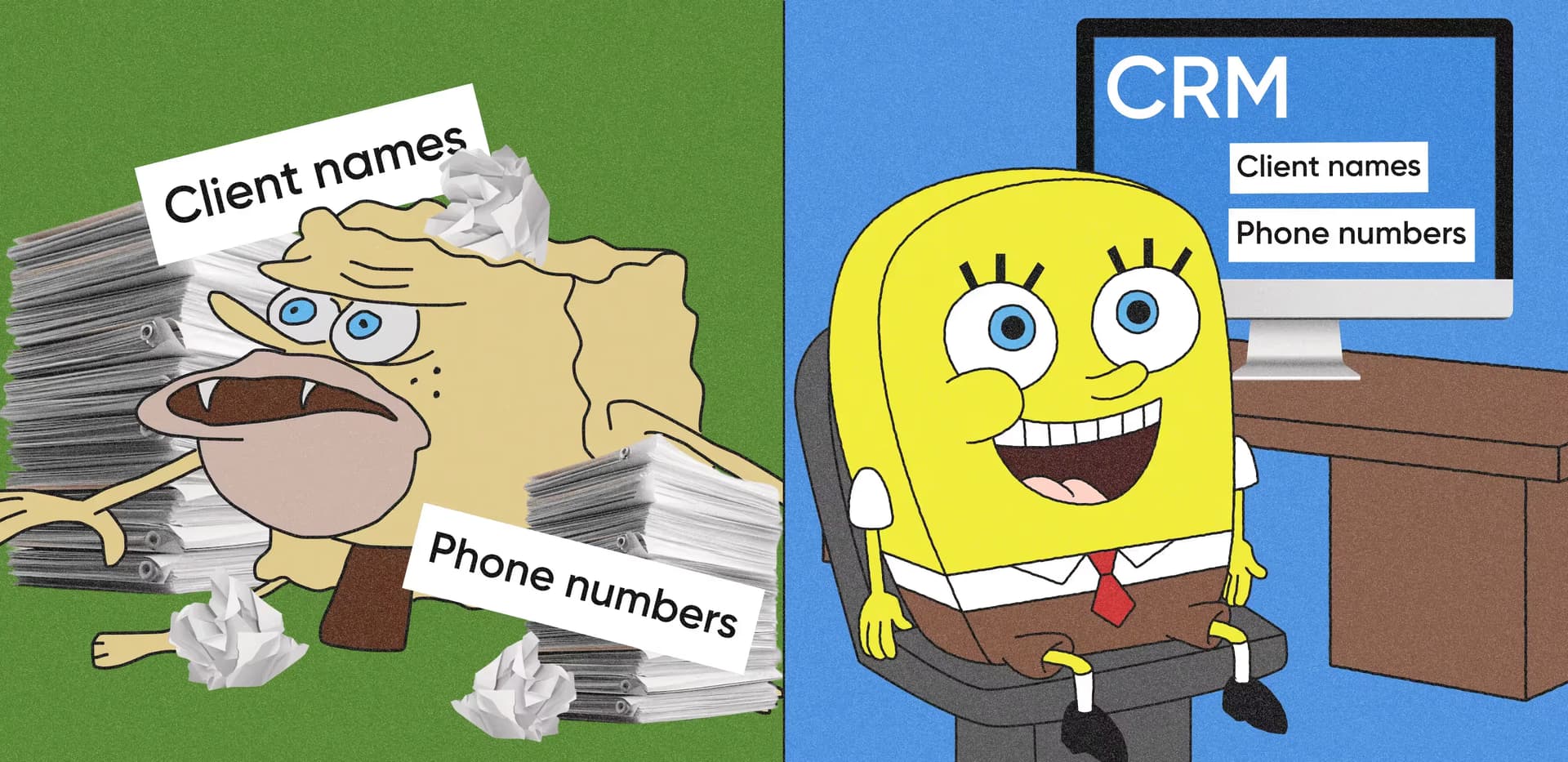
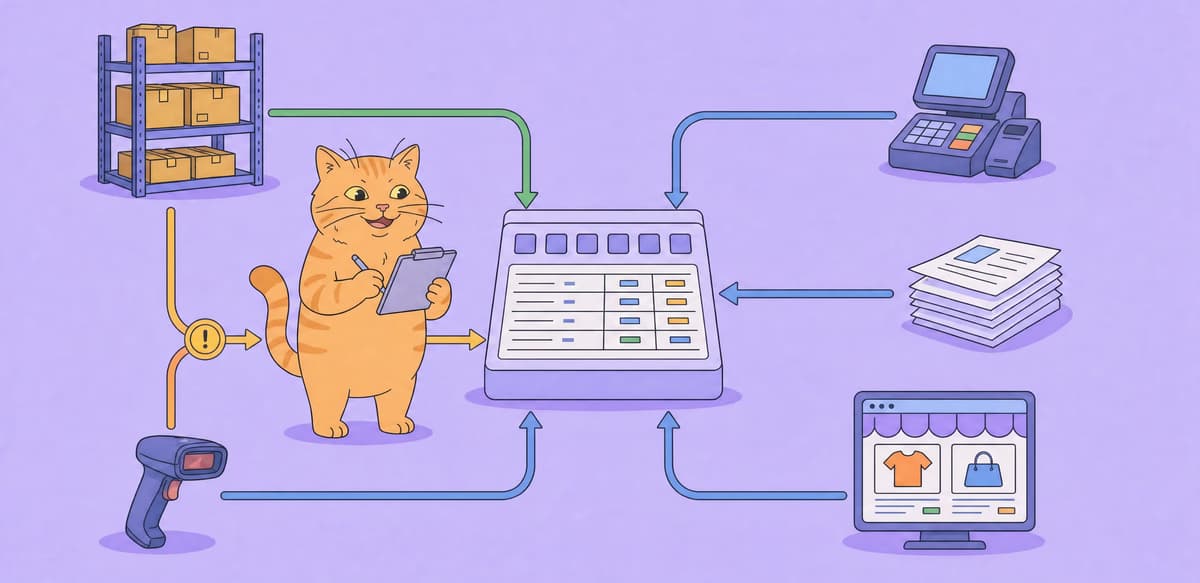
A healthcare customer relationship management system brings patient communication, scheduling, administrative data, and follow-ups into one workspace. Unlike a generic CRM for healthcare or a sales CRM, it supports patient relationship management and clinical workflows. Privacy, access controls, and care coordination are built into everyday operations.
Healthcare CRMs centralize patient data, give authorized staff a shared view of each patient, automate routine tasks, and turn service data into practical insights. The healthcare CRM market is valued at $18.76 billion in 2025 and forecast to reach $43.40 billion by 2034.
Must-have healthcare CRM features
Whether you buy a platform or plan medical CRM software development, the following capabilities form the baseline for a healthcare solution.
A CRM should combine contact details, demographics, insurance data, and interaction history in one patient profile. Custom fields let specialty practices record information that generic systems do not cover.
Encryption, role-based access, and audit trails protect sensitive data and show who accessed it. These controls are standard checklist items for vendors but require deliberate architecture in a custom build.
Shared calendars show available slots across providers and locations. Automated SMS or email reminders reduce no-shows, while online booking lets patients fill suitable openings without calling the front desk.
Secure messaging, follow-ups, and preventive care reminders keep patients engaged between visits. A CRM can personalize the message and timing based on patient history and previous interactions.
Integration with an electronic health record removes duplicate data entry and keeps clinical and administrative information consistent. Staff get a fuller view of the patient journey without switching between disconnected systems.
Care plans, medications, referrals, and follow-up appointments can be tracked in one place. Alerts tell healthcare providers when a milestone is missed, which is especially useful for chronic conditions and complex treatment plans.
⭐ Our experience
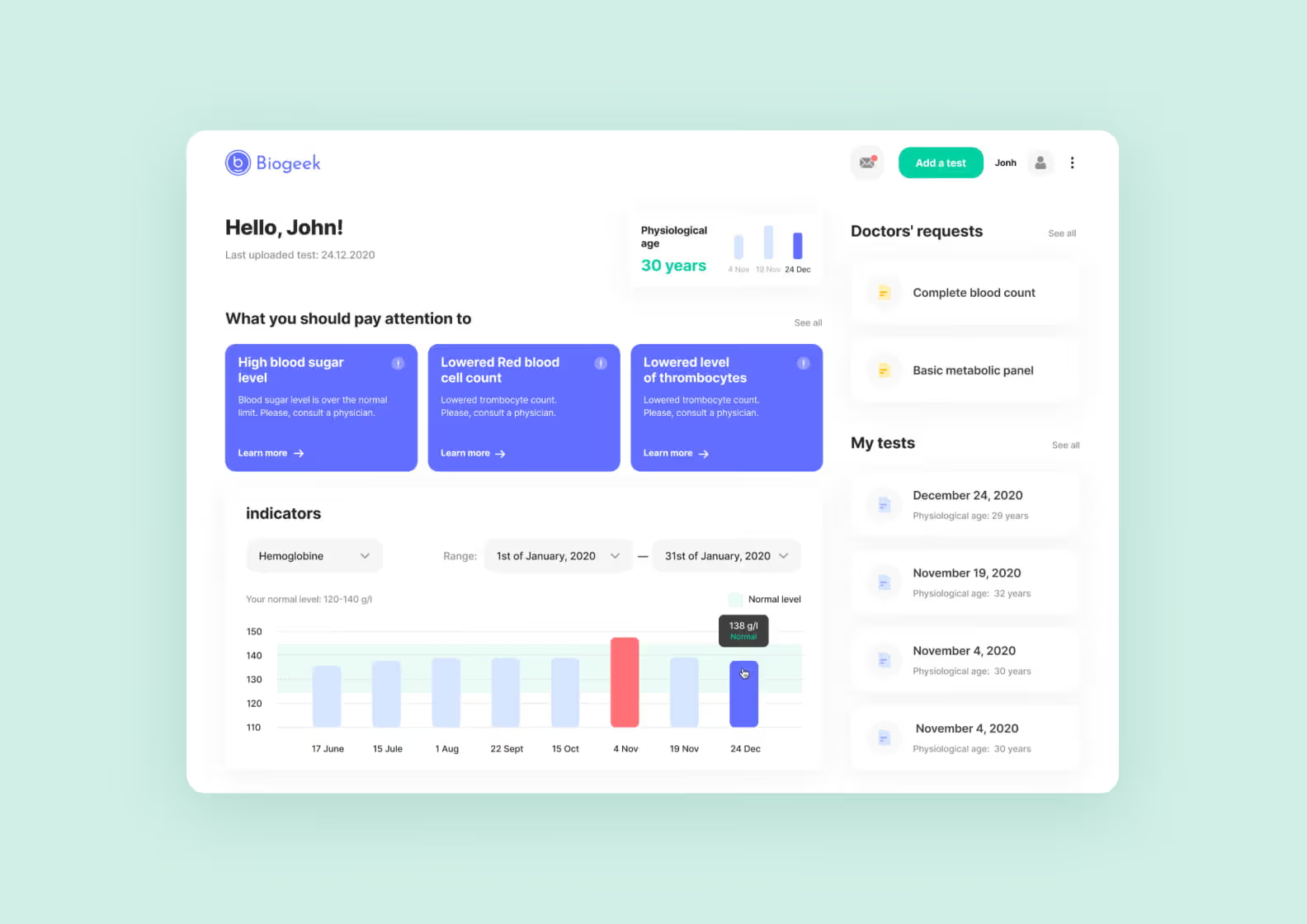
We built Biogeek so people could choose tests, visit a lab once, and understand the results on their phones or computers. The challenge was to simplify medical data without hiding details doctors need. We used plain-language explanations and clear status indicators, while keeping the full technical results available. The product launched in just under five months and lets users track health markers over time.
Billing features connect clinical documentation with claims, payments, and outstanding balances. This reduces incomplete submissions, speeds up payment cycles, and gives staff a clearer view of revenue.
Dashboards and custom reports reveal appointment trends, care gaps, patient feedback, booking behavior, and staff workload. These insights support decisions about scheduling, services, and patient engagement.
Mobile access helps providers review patient information during home visits or remote consultations. Integrated telehealth keeps virtual appointments and communication inside the same workflow.
Types of healthcare CRM fall into three groups: operational, collaborative, and analytical. Operational systems automate patient-facing workflows, collaborative systems share patient data across departments and healthcare providers, and analytical systems turn that data into segmentation and forecasts. Each type of CRM answers a different question, and CRM healthcare deployments rarely stay in one lane. CRM in healthcare usually spans all three, and most healthcare organizations end up needing elements of each, which is one reason a custom build often beats a single off-the-shelf CRM.
| Type | What it does | Best for |
| Operational CRM | Automates patient-facing workflows — scheduling, reminders, intake, and follow-ups | Practices offloading front-desk and routine work |
| Collaborative CRM | Shares patient data between departments and providers | Multi-provider networks that depend on care coordination |
| Analytical CRM | Analyzes patient data for segmentation, retention, and forecasting | Data-driven engagement and patient retention |
An operational CRM covers patient lifecycle management from the first inquiry onward. It handles patient acquisition, marketing automation, and the appointment reminders that keep no-show rates down. For research-active practices, the same tooling supports patient recruitment into trials. This is the layer most clinics feel first, because it removes work from the front desk and centralizes the daily schedule in one place.
A collaborative CRM matters once more than one provider touches the same patient. In a multi-site health system that is the norm, and the handoffs between healthcare providers and patients are exactly where information goes missing. Referral routing between healthcare providers, shared notes, and patient journey mapping all live here, and they’re what improve care coordination across a network rather than inside one office.
An analytical CRM builds the 360-degree patient view. It supports patient segmentation, predictive analytics, and the reporting that shows which service lines grow and which quietly lose patients. Analytics here answer which patient engagement work is worth repeating. This is where medical CRM software starts paying for itself in decisions rather than in saved clicks.
A well-configured healthcare CRM improves patient-facing service and healthcare management across a healthcare organization.
Centralized records help health care teams stop patients from repeating the same information at every desk. Timely reminders, shorter waits, and follow-ups based on patient history make each interaction more consistent.
⭐ Our experience
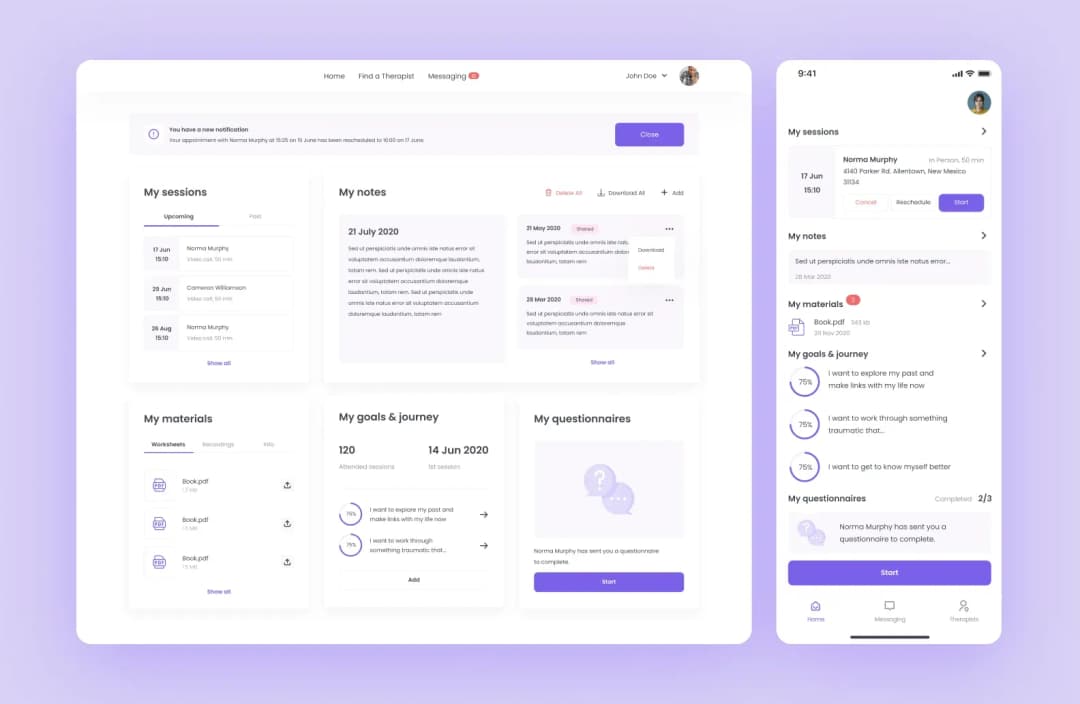
We built an online therapy platform that had to feel welcoming without weakening privacy. Patients needed simple booking and natural communication, while therapists needed secure access to schedules and sessions.
We created clear conversation flows, matched appointment times to both sides, and added multiple privacy layers behind a simple interface. The platform now connects hundreds of therapists with patients who may not have sought in-person care.
Automation reduces paperwork, scheduling gaps, and tasks that depend on staff memory. Teams can support more patients without adding the same amount of administrative work.
Reports reveal busy periods, popular services, and underused capacity. Managers can plan staffing and resources using actual demand instead of assumptions.
Fewer no-shows, faster billing, and less manual data entry protect revenue and reduce routine labor. The savings help offset implementation and maintenance costs.
Consistent follow-ups and relevant preventive care reminders show patients that the practice remembers their needs. This supports long-term engagement without relying on staff to track every interaction manually.
Healthcare-focused CRMs provide access controls, documentation, and audit trails that support the Health Insurance Portability and Accountability Act (HIPAA). They reduce reporting work and create accountability around sensitive data.
A ready-made healthcare CRM platform such as Salesforce Health Cloud or HubSpot for Healthcare suits practices with standard workflows and a need to launch quickly. Custom healthcare CRM development takes longer and costs more upfront, but it can match specialized processes and avoid growing per-seat license fees.
Across healthcare CRM projects, custom healthcare app development may offer better value over several years. This is especially true when integrations and workflow limitations make a generic platform expensive to adapt.
| Consideration | Ready-made CRMs | Custom CRMs |
| Cost structure | Lower upfront investment with ongoing subscription fees | Higher initial development cost but no recurring licenses |
| Implementation | Fast, usually weeks to three months | Extended timeline, usually 6–12+ months |
| Resource demands | Minimal IT involvement and vendor-managed updates | Requires a dedicated project team and technical support |
| Customization | Configuration within the platform’s existing parameters | Built around specific workflows and requirements |
| Scalability | Package upgrades and additional user licenses | Custom expansion that may require new development |
| Compliance and security | Pre-built HIPAA compliance features with vendor updates | Security tailored to the organization, with regulatory updates handled by the product team |
⭐ Our experience
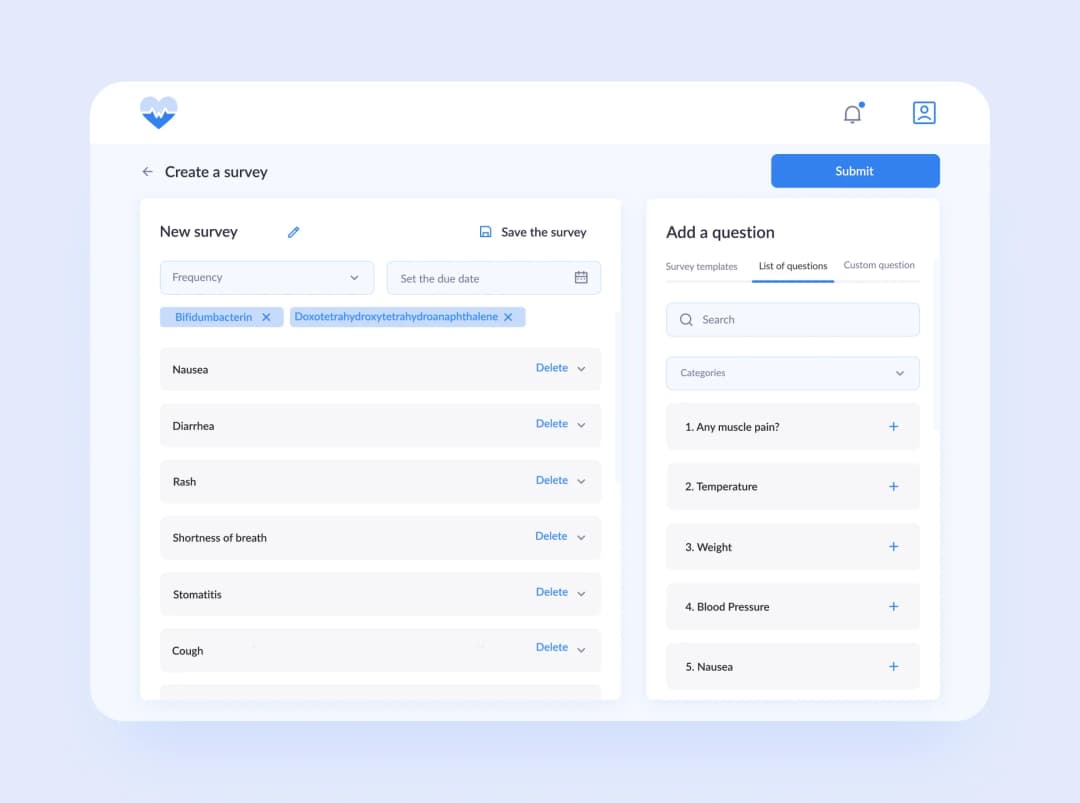
We built Medico for an oncologist who was spending too much time on routine check-ups. Patients answer health questions and upload test results in a mobile app, while doctors use dashboards that flag concerning changes. The main constraint was healthcare data security, not feature complexity. We spent about 18 months designing and validating the system so custom workflows did not compromise privacy.
Plans to build a healthcare CRM usually start with the timeline. Healthcare CRM software development runs about four to seven months from discovery to go-live, split across six phases. The exact timeline depends on how many systems you integrate with and how much of your clinical workflow is non-standard. A development project with one EHR integration and clean requirements lands near the low end.
| Phase | Typical duration | Key objective |
| Discovery & requirements | 2–4 weeks | Map every clinical workflow, role, and compliance scope |
| UX/UI design | 2–4 weeks | Prototypes for staff and patient flows |
| Core development | 8–12 weeks | Patient database, automation, dashboards |
| EHR/EMR integration | 3–6 weeks | HL7/FHIR sync of records and appointments |
| Testing & compliance | 2–4 weeks | Pen-testing, HIPAA audit, UAT |
| Deployment & onboarding | 1–2 weeks | Go-live and staff training |
Teams that develop a healthcare CRM for the first time underestimate discovery, and it decides more about the final cost than any other phase. Like any healthcare software development effort, it starts with reality rather than requirements. Your development team maps how patients actually move through your practice, which staff roles touch which data, and where protected health information enters the system. Skip it and you pay later, when a custom software development effort discovers in month four that referral handoffs work differently in each department.
Custom healthcare CRM software development follows these phases regardless of practice size. Core development is where the patient database, automation rules, and dashboards get built. This is the longest stretch, and it’s the one where a software development company with healthcare experience saves you real time — encryption, access control, and audit logging are architectural decisions, not features you bolt on in testing.
Testing and compliance is not a formality either. Alongside normal QA, you run penetration testing and a HIPAA audit, then user acceptance testing with the clinical staff who’ll live in the system daily. Plan the training in this window too, because staff adoption decides whether the system gets used or worked around.
Purrweb handles this as full-cycle custom CRM development, and healthcare CRM software development services follow the same phase structure. Whether you build CRM tooling for one clinic or any other medical software development project, the sequence holds.
A healthcare CRM integrates with an EHR through interoperability standards — FHIR over REST APIs for modern systems, HL7 v2 messaging for legacy hospital software. The integration syncs patient records and appointments in both directions, so a scheduling change made in either system shows up in the other. Without it, your CRM becomes an island of duplicated data.
This is the most underestimated risk in the whole project. Staff will not maintain two copies of the same patient information, so they quietly pick one system and the other rots.
| Standard/approach | When to use it | What to watch for |
| HL7 v2 | Legacy hospital systems | Dated message format, custom parsers needed |
| FHIR (REST API) | Modern EHRs, new integrations | Preferred path — Patient and Appointment resources |
| Direct API / connector | Point-to-point syncing | Depends entirely on your EHR vendor |
Start by listing what actually needs to flow. Most builds integrate medical records, medical histories, and appointment scheduling first, then add lab results, medical diagnosis codes, and billing once the core loop is stable. Every additional healthcare system you connect adds integration and testing time, so sequence them rather than doing all of them at once.
FHIR is the path you want where you have the choice. It exposes clinical data as REST resources, which means your developers work with a documented API instead of parsing pipe-delimited messages. Older hospital installations often still speak HL7 v2 only, and a connector layer is the usual bridge between the two.
Vendor cooperation is the variable nobody controls. Some EHR vendors publish open APIs, others gate access behind partnership agreements that take weeks to clear, and a large healthcare institution may need its own sign-off before you integrate at all. Confirm this before you commit to a timeline, and see our deeper guide to EHR integration for what those healthcare workflows look like in practice.
A healthcare CRM is HIPAA-compliant when its architecture enforces compliance — encrypted protected health information, role-based access, audit logging, a signed BAA with your cloud provider, defined retention rules, and breach procedures. It’s designed in at the start, not certified at the end. There is no HIPAA compliance checkbox to tick after the fact.
The stakes are financial. Any healthcare CRM solution that stores PHI inherits this exposure. HIPAA penalties run per violation and scale with how long the problem went unaddressed, which means a permissions bug that quietly exposes healthcare data for months costs far more than the same bug caught in review.
Six architectural requirements separate compliant CRM systems from hopeful ones:
Regulatory compliance also shapes hosting. HIPAA-eligible does not mean every service in a cloud account qualifies, so the architecture has to keep protected health information inside the services that are covered. Our guide to building HIPAA-compliant software goes through the same decisions at the application layer.
CRM software development for healthcare picks a stack on two properties above all others: what encrypts cleanly, and what integrates with the healthcare systems you already run. Language preferences matter less than either when the solution for healthcare has to survive an audit.
| Layer | Recommendation | Why |
| Backend | Node.js / Python | Mature integration libraries, ML/AI frameworks |
| Database | Encryptable (PostgreSQL) | Protects PHI at rest |
| Cloud | AWS / Azure / GCP + BAA | HIPAA-eligible infrastructure |
| Integration | HL7 / FHIR layer | Syncing with EHR/EMR |
Node.js and Python both work well on the backend. Python pulls ahead when the roadmap includes analytics or predictive models that healthcare providers will act on, Node.js when the software solution is integration-heavy and mostly moving data between services. Either is a defensible choice for a custom software build, and both are common in healthcare software development.
The database decision is narrower than it looks. You need column-level or transparent encryption, row-level access control, and audit-friendly logging, which is why PostgreSQL shows up in most healthcare solutions of this kind. Managed database services from the major clouds cover this, provided they sit inside the BAA.
Cloud computing choice follows compliance, not price. AWS, Azure, and GCP all publish lists of HIPAA-eligible services, and staying inside that list is what keeps the architecture defensible. Our overview of healthcare cloud solutions covers how those platforms differ in practice.
Add up the phases and a healthcare CRM development project takes four to seven months. Development cost follows the same curve as any healthcare software development engagement of that length. Cost tracks complexity rather than a fixed price list — the drivers are feature scope, how deep the EHR integration goes, and how much compliance work the build carries.
| Complexity | Timeline | What it covers |
| Basic | 4–5 months | Patient database, scheduling, reminders, basic reporting |
| Mid-range | 5–7 months | Above plus one EHR integration, automation rules, role-based dashboards |
| Advanced | 7–10+ months | Multi-system integration, advanced analytics and predictive models, multi-facility access control |
Three things move healthcare CRM development costs more than anything else. Integration depth comes first — one FHIR connection to a cooperative EHR vendor is a different investment from four connections across legacy systems. Compliance scope comes second, since audit logging and penetration testing are real line items, not overhead. Third is workflow customization, where every process that differs from the standard model is design and development time. Practices with a wide range of medical services and layered health administration rules land at the higher end for this reason.
Where does that leave the budget? Practices comparing options usually find the crossover sits somewhere between year two and year four, when accumulated per-seat fees on a ready-made platform pass the one-time cost of a custom build. We’ve broken down how much a custom CRM costs to build phase by phase, including the hidden costs that rarely appear in initial quotes.
Teams that build healthcare CRM systems rarely fail on code. They fail on adoption, scope, and integrations with systems nobody fully documented. Five risks account for the majority of it, and each has a countermeasure you can apply during discovery rather than after go-live.
The pattern across all five is the same. Each one is cheap to handle during discovery and expensive to handle after launch, which is why the discovery phase earns its two to four weeks.
⭐ Our experience
When we built Medico, a remote monitoring platform for oncologists, the hardest constraint wasn’t clinical logic. It was scope discipline around a drug and survey database that had to stay editable in real time, where one medication could link to several surveys and each survey to different answer sets.
Building that as a full in-app admin system would have added months and budget to an MVP that hadn’t proven itself yet. Our developers proposed external editing through Excel instead, with the app syncing from it. Basic functions covered what the first version actually needed.
The other lesson was about timing. Development moved fast — the design took roughly 150 hours — but the release slipped from mid-2021 to December 2022 because the Privacy Policy and Terms of Use took far longer than expected for a healthcare service. Legal work belongs in the timeline from day one, not at the end.
Compare each option against your CRM needs and the way your staff and patients actually work.
Document problems such as no-shows, fragmented communication, or limited reporting. Include clinical and administrative staff because they see workflow gaps that may not appear in management reports.
Check whether the CRM connects directly to your EHR and other healthcare systems or requires middleware. Ask vendors to demonstrate integrations with the tools you use, including how data is synchronized and errors are handled.
⭐ Our experience
We built Talk to Me for patients booking video sessions with therapists. The interface had to remain easy to use for people experiencing anxiety or depression. We reduced booking to a few clear steps and showed available times without clutter. Instead of building video calls from scratch, we integrated Agora, which met the product requirements while protecting the timeline and budget.
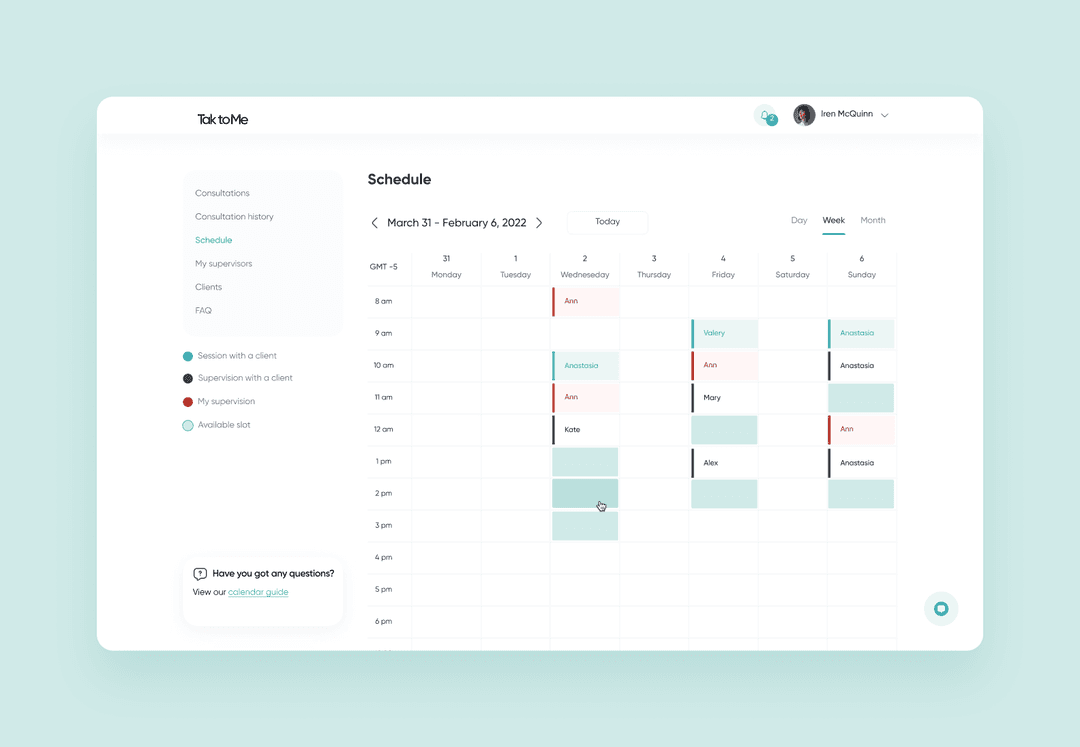
Review healthcare experience, client retention, support terms, and demonstrations based on your requirements. Compare ready-made products with custom development when your workflows do not fit standard configurations.
Let staff from different roles test the interface. Check mobile access, training needs, and whether common tasks can be completed without workarounds.
Include implementation, licenses, customization, training, support, and infrastructure. Compare those costs with expected gains from fewer no-shows, faster collections, and less administrative work.
Healthcare CRMs help healthcare professionals keep track of patient information and improve both how they work and the patient experience they deliver. Choosing between healthcare solutions on the market and a custom build depends on what your practice needs most and how far you need to personalize it. As the healthcare industry adopts more technology, these systems help practices take better care of patients while making daily work smoother.
If you go the custom route, plan for four to seven months and treat HIPAA architecture and EHR integration as starting conditions rather than later additions. That is what separates a healthcare CRM your staff actually use from another system they work around.
➡️ Purrweb is ready to create a healthcare CRM system for your medical practice. Fill out the form and get a free project estimation in 48 hours!
Most healthcare CRM projects take 4–7 months from discovery to go-live, depending on the number of integrations and workflow complexity: discovery 2–4 weeks, UX/UI design 2–4 weeks, core build 8–12 weeks, EHR integration 3–6 weeks, testing and HIPAA audit 2–4 weeks, and deployment 1–2 weeks.
Cost is driven by feature scope, depth of EHR integration, and compliance requirements rather than a fixed price tag. Budget a realistic range and see our detailed custom CRM development cost breakdown for a phase-by-phase estimate.
Compliance is architectural, not a checkbox: encryption of PHI at rest and in transit, role-based access control, audit logging, a signed Business Associate Agreement with your cloud provider, defined data-retention rules, and breach procedures. It is designed in from the start, not added at the end.
Ready-made platforms are faster and cheaper to launch but limit workflow flexibility and control over PHI. A custom build pays off when you have unique clinical workflows, need deep EHR integration, and want a lower total cost of ownership over three to five years.
Through interoperability standards: the modern path is FHIR via REST APIs using resources like Patient and Appointment, while legacy hospital systems often rely on HL7 v2. Integration typically syncs patient records and appointments, and sometimes billing or lab data.
Use encryptable, HIPAA-eligible layers: a Node.js or Python backend, an encryptable database such as PostgreSQL, cloud infrastructure with a signed BAA (AWS, Azure, or GCP), and an integration layer built for HL7 and FHIR. Choices are justified by security and integration needs, not trends.


.svg)