Explore

Need help with your project?

Oops! Something went wrong while submitting the form.
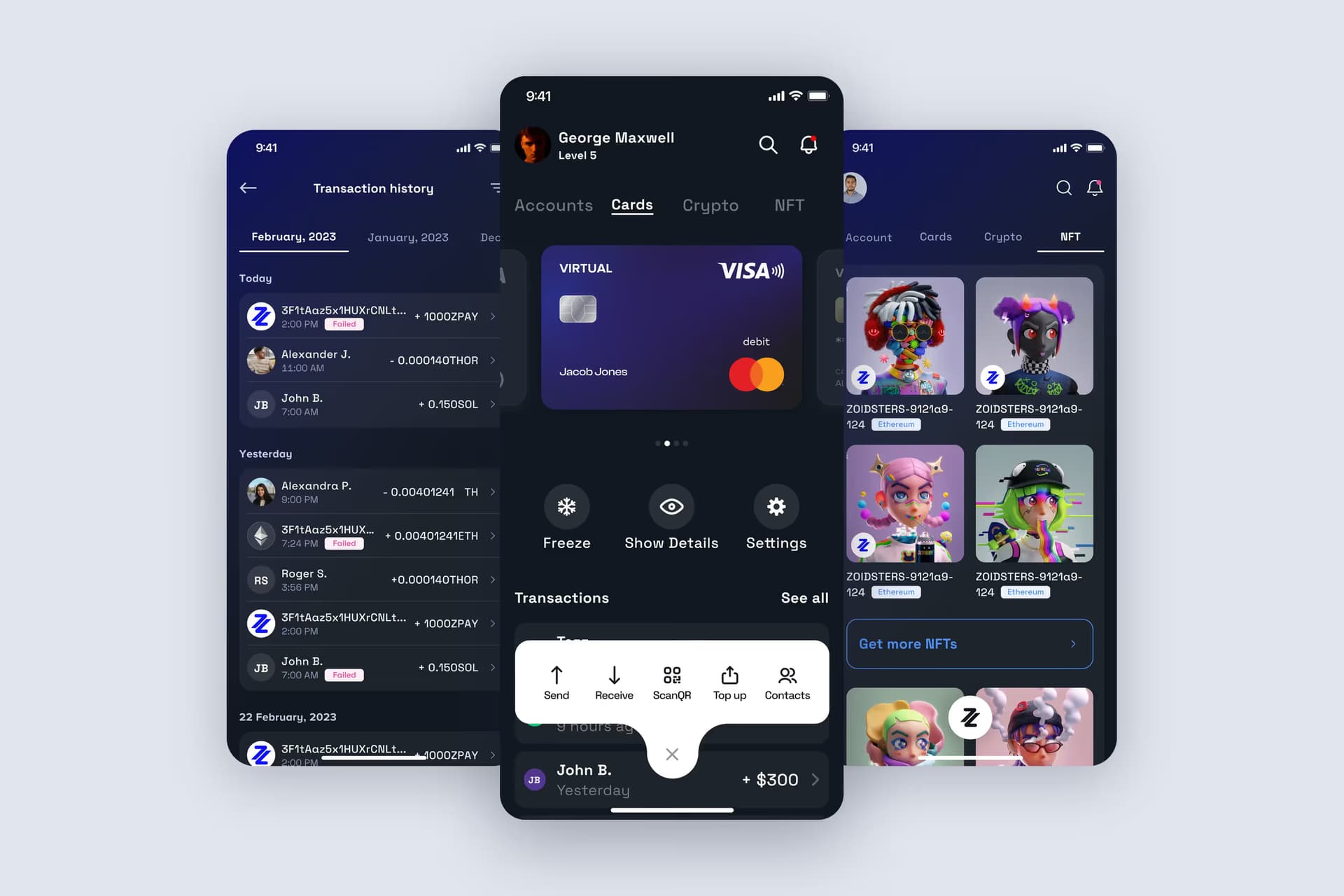
ZoidPay brings crypto wallets, a bank account, cards, and currency exchange together in one mobile app. We explain how we designed the interface, developed the app, and resolved its cryptographic dependency issues.
Fintech | Crypto wallet | Web3 | Mobile app | Multichain | Cards
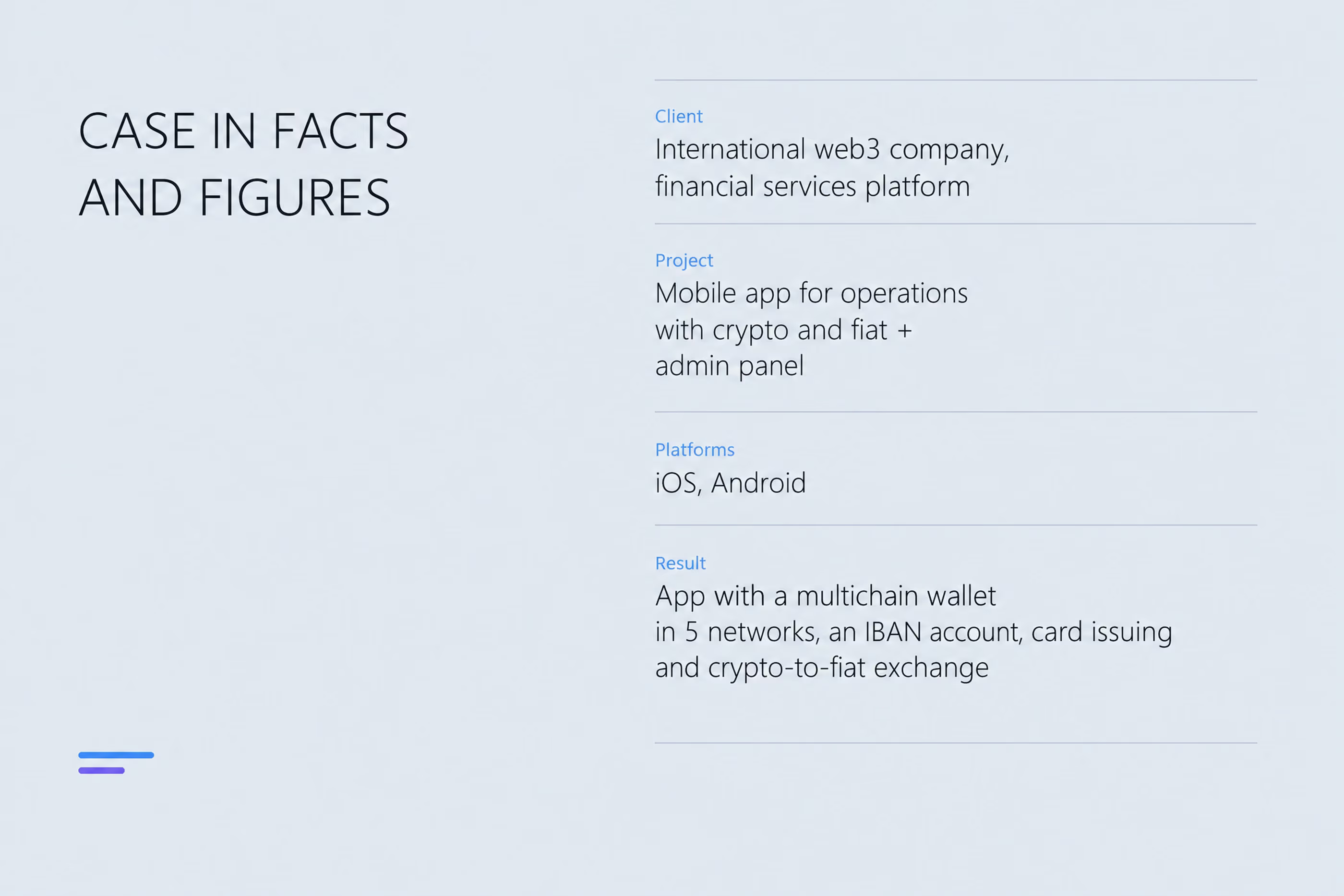
What happens when an app is already in the stores, but its founders aren't happy with it? The clients behind this project chose to rebuild rather than patch the existing app. From the start, they planned for what the product would need to become a year later.
The team that approached us had been working in Web3 finance for several years and had already released the first version of their app. But they wanted to go beyond a crypto marketplace. Their idea was a platform where using Web3 services felt as routine as everyday banking.
The clients named their reference right away: Revolut. The idea was similar: one app to hold and manage all your money and cards. Here, though, crypto wallets sit alongside fiat balances, with money moving freely between them: crypto→crypto, crypto→fiat, fiat→crypto, and fiat→fiat.
The business priorities were to:
Crypto cashback was another idea the clients wanted to include from the start. Users top up their accounts and earn rewards in the platform's own token, which they then claim to their wallets.
The client serves both retail and B2B customers. From the outset, we designed the product as a foundation for growth rather than a one-off solution.
The client's team developed the backend. We handled everything else:
We began without a functional specification. We had an idea, a reference app, and a shared understanding of the intended result. Our systems analyst first mapped every user process in BPMN. This covered wallet creation and import, sending and receiving tokens, crypto-to-fiat exchange, card management, sign-in, and Know Your Customer (KYC) verification.
The diagrams became a checklist of unresolved questions. Mapping the flows exposed situations nobody had considered yet. What happens to a payment request if the recipient doesn't respond? We agreed it would expire after 5 days and be canceled on both sides. What does the user see if the connection drops while they're sending funds?
The design brief had a tension built into it. The clients wanted something "like Revolut," which gave us a clear reference. But the feature set went beyond Revolut: multichain wallets, seed phrases, addresses on different networks, fees, and 4 types of exchange transactions.
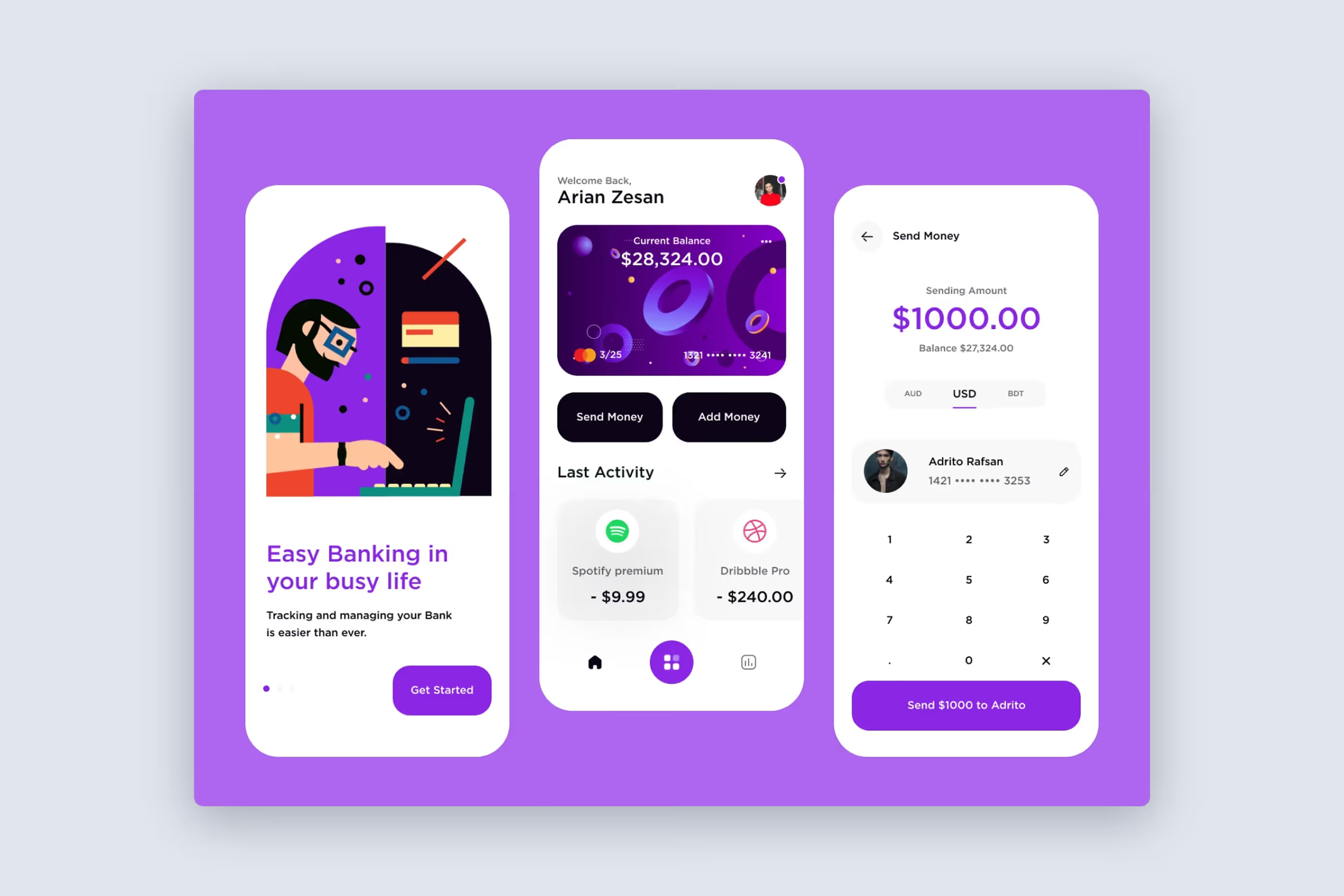
We needed an interface where crypto wouldn't intimidate someone who had come for a regular bank account. At the same time, the fiat features couldn't feel oversimplified to experienced crypto users.
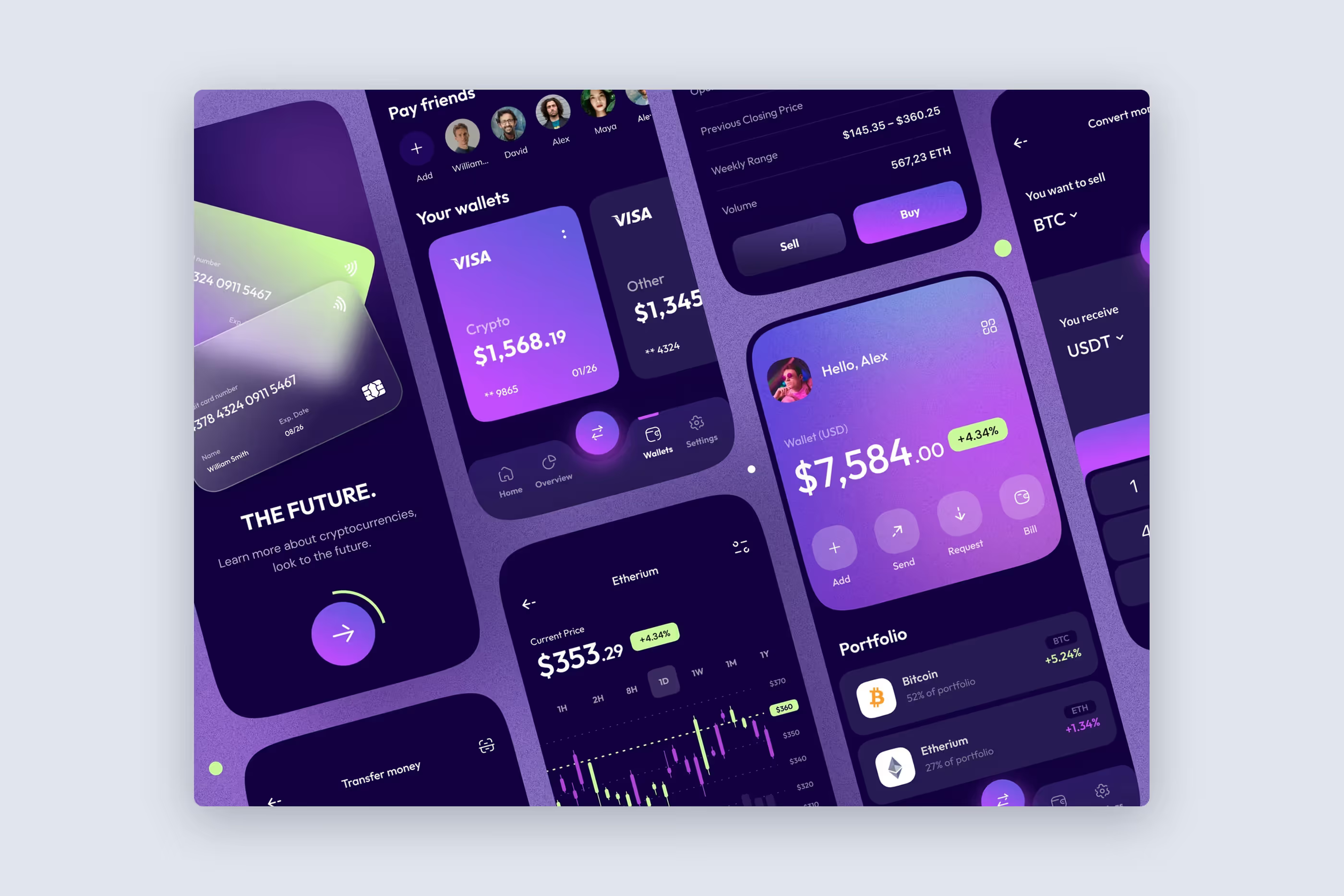
Our design process. Design ran alongside systems analysis and continued throughout the project. We started with black-and-white wireframes for the key flows. This let us agree on the logic before investing hours in detailed screen design.
Next came a color concept. We then designed the main screens and all their states, including empty lists, loading, errors, and no connection.
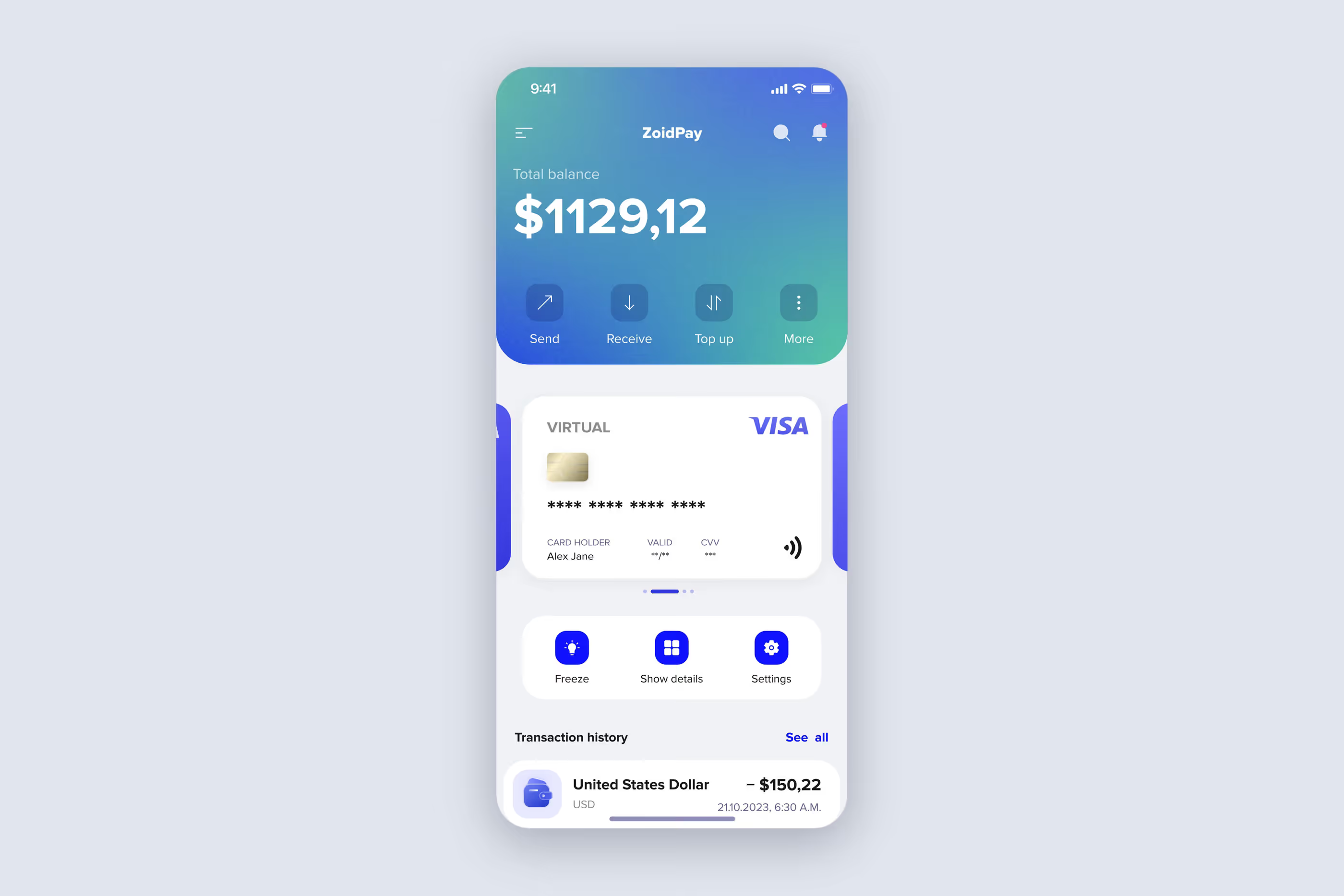
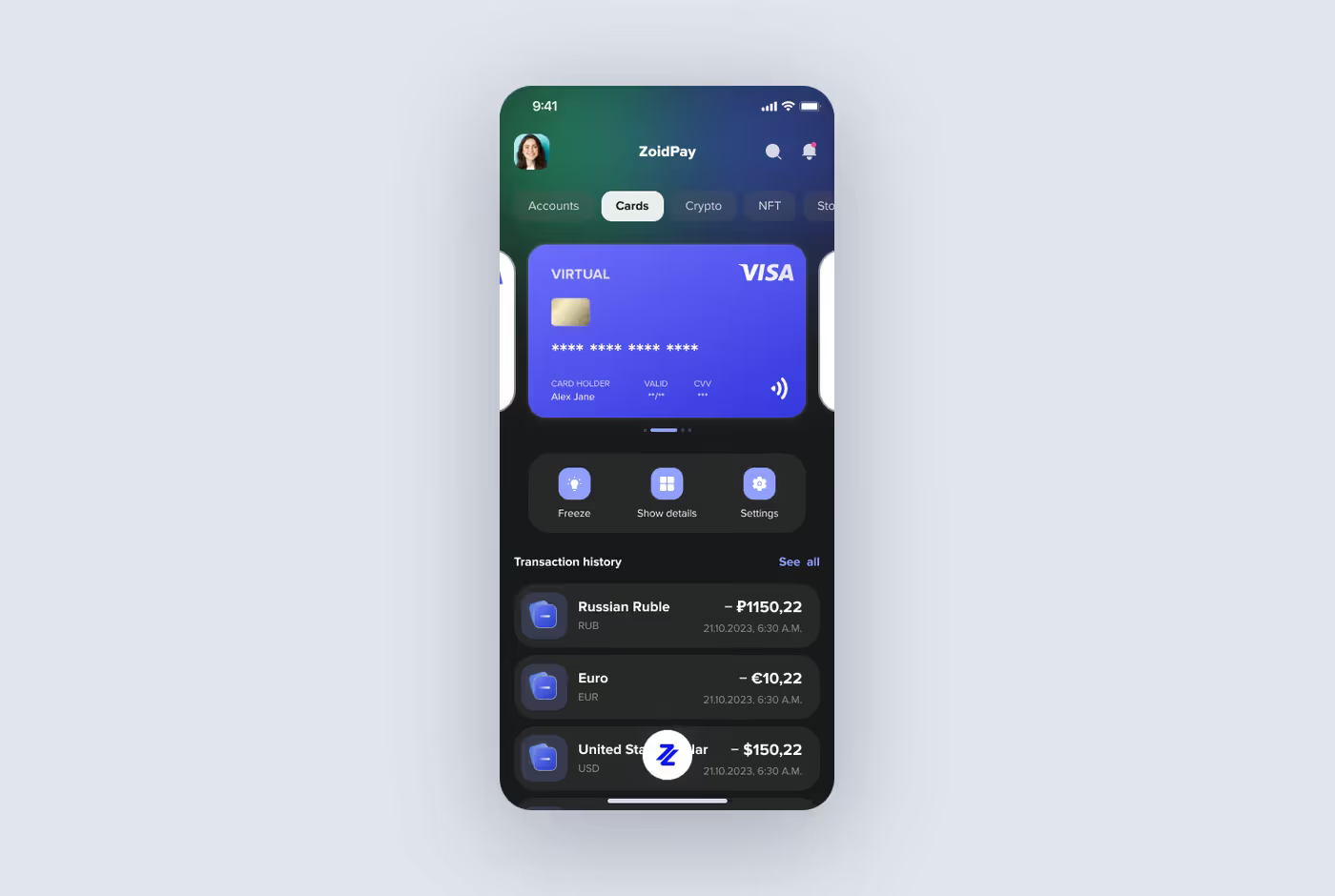
Work in progress: the first concepts
The wireframes followed the same BPMN diagrams the analyst had prepared. That might sound like a formality. In practice, the designer didn't have to guess what happened after a button press: the client had already agreed on the answer.
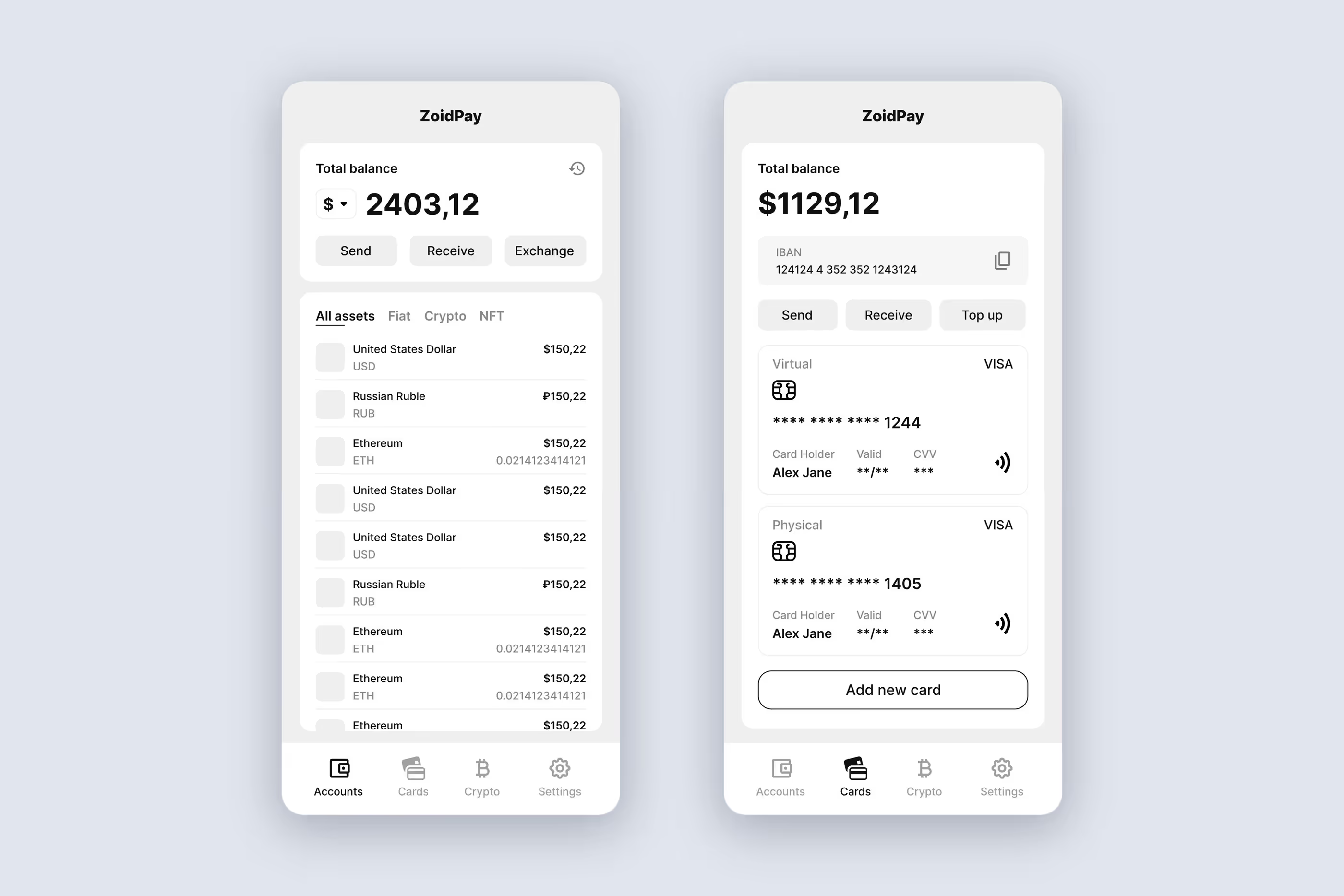
A floating button instead of an overloaded tab bar. The app has 5 main actions: send, receive, scan a QR code, top up, and open contacts.
Then there are the sections themselves: accounts, wallets, cards, and profile. Putting everything in the bottom bar would create a row of crowded icons that users struggle to tap accurately.
We grouped all the actions under one button in the center of the bottom bar. Tapping it opens a menu, keeping the tab bar short and leaving the home screen for balances and transactions.
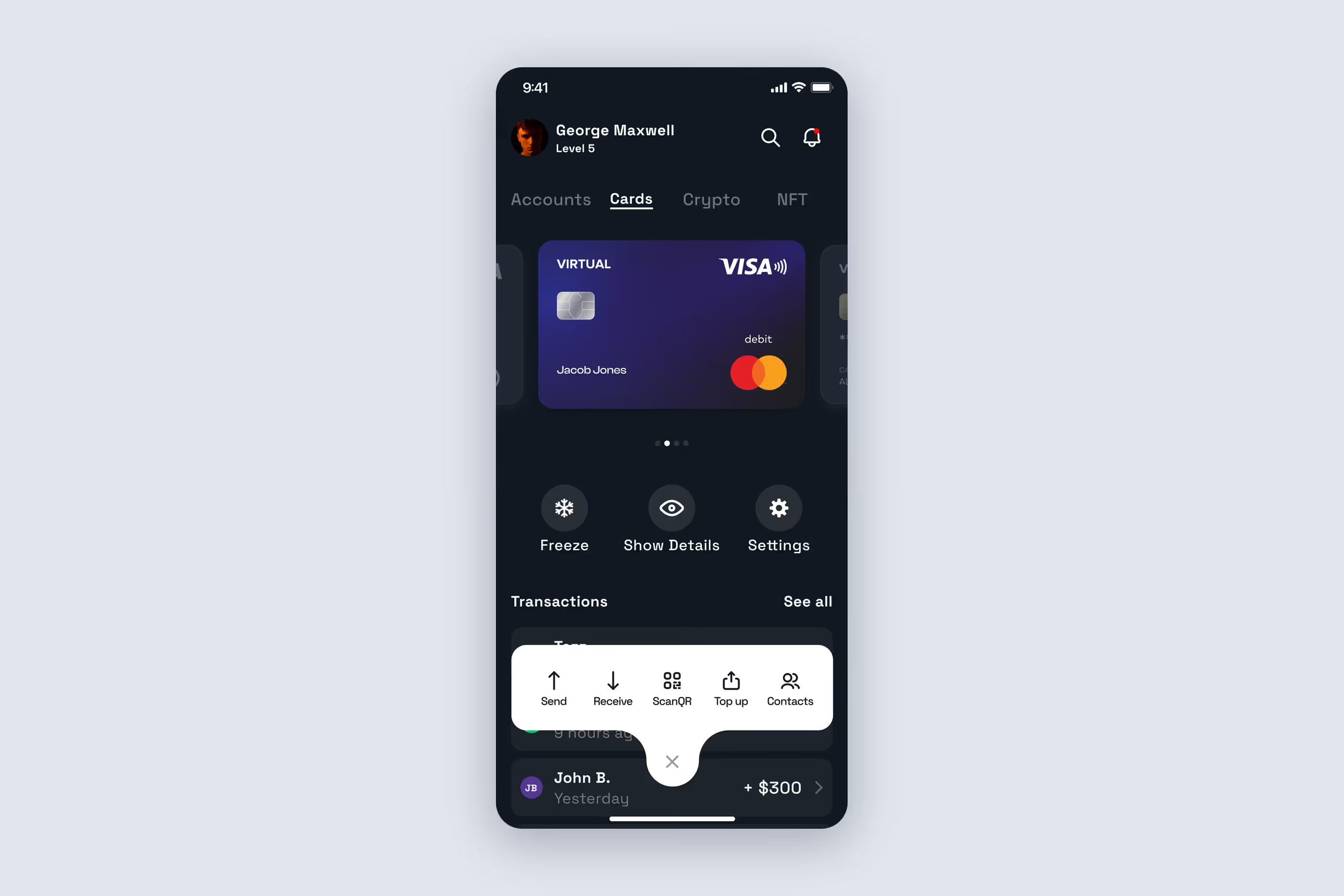
One screen, one question. Crypto mistakes are costly: use the wrong address or network, and the money is gone. Rather than squeezing complex transactions into a single form, we split them into steps.
To send funds, users choose a wallet, a coin, an amount, and then a recipient. Before confirming, they see a summary: the amount, its dollar equivalent, the fee, the recipient's address, and the network transaction ID. They make one decision at a time, then review everything before the irreversible step.
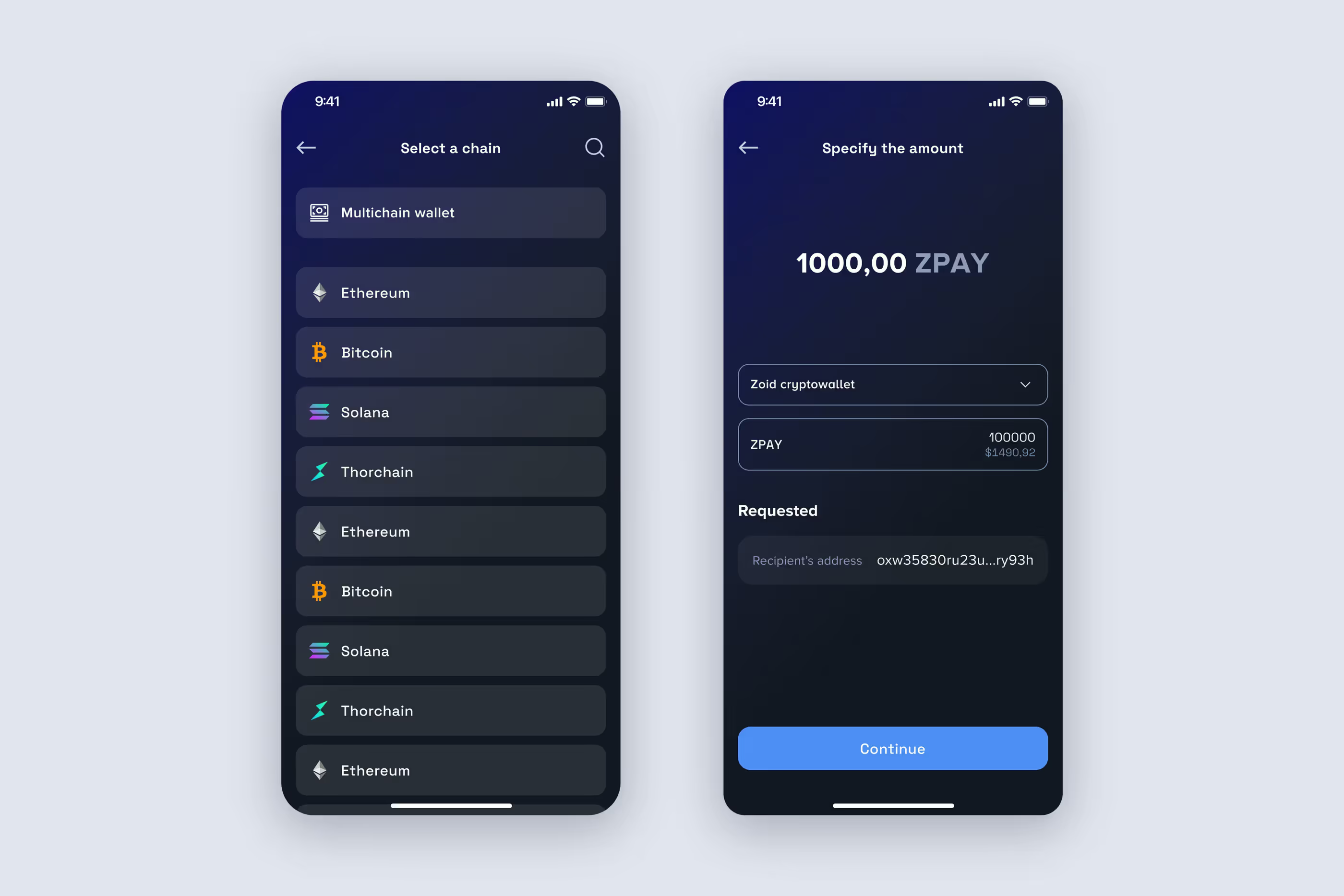
Making crypto familiar. People opening a crypto wallet for the first time face unfamiliar terms and long strings of characters. We tried to remove anything from the interface that needed a separate explanation:
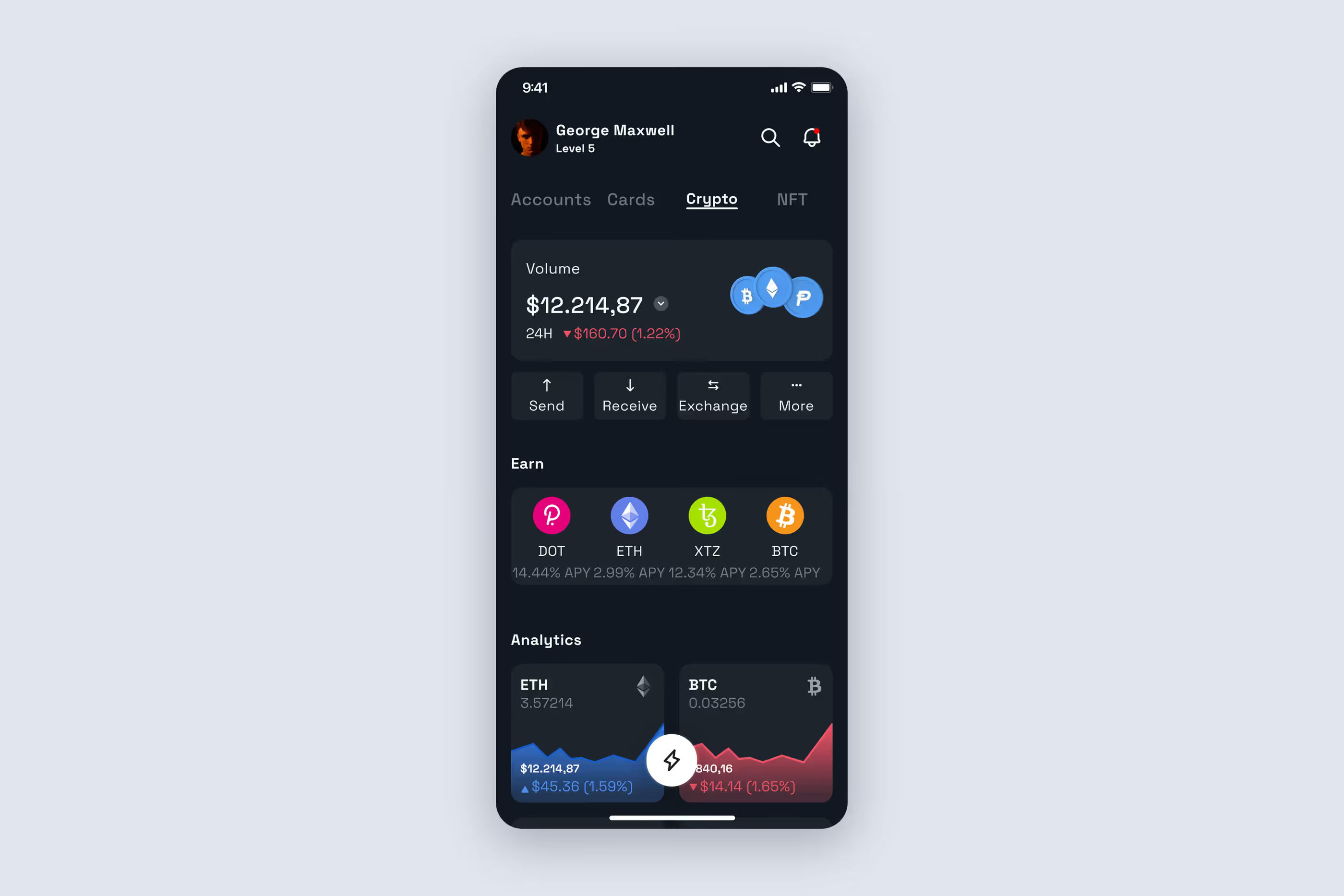
Numbers that don't break the layout. Crypto interfaces have another complication: a balance might read "5,389.87" or "0.462189075."
We defined display rules: fiat amounts use up to 2 decimal places, and the font size for crypto balances shrinks as the character count grows. The layout holds together with both long and short values.
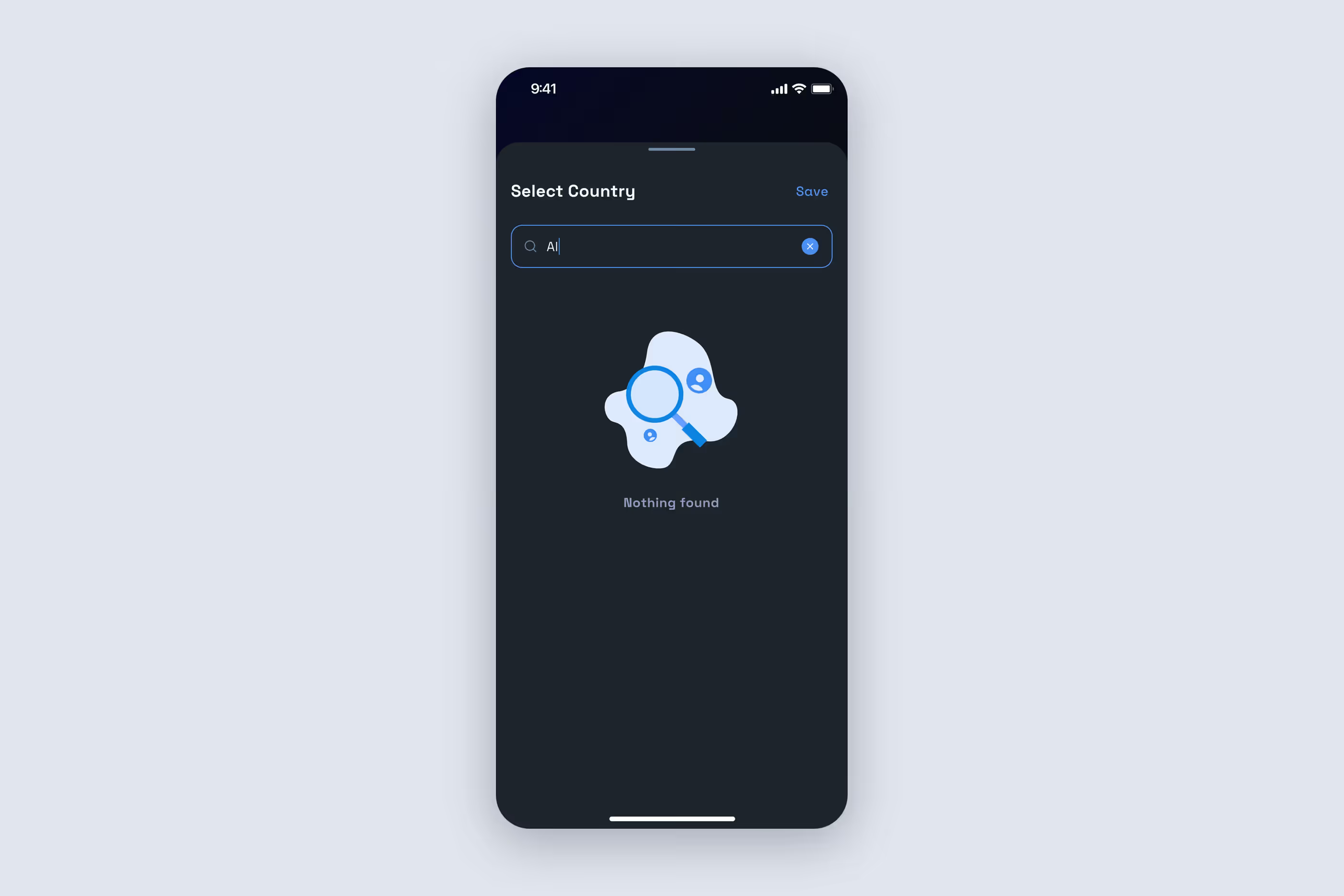
More than the happy path. Financial apps tend to worry users when something goes wrong, not when everything works. We designed the offline states with disabled buttons and notifications. The send screen also has a dedicated alert, so users don't assume a transaction went through and send it again.
The app was intended to replace several others: a banking app, a crypto wallet, and a currency exchange.
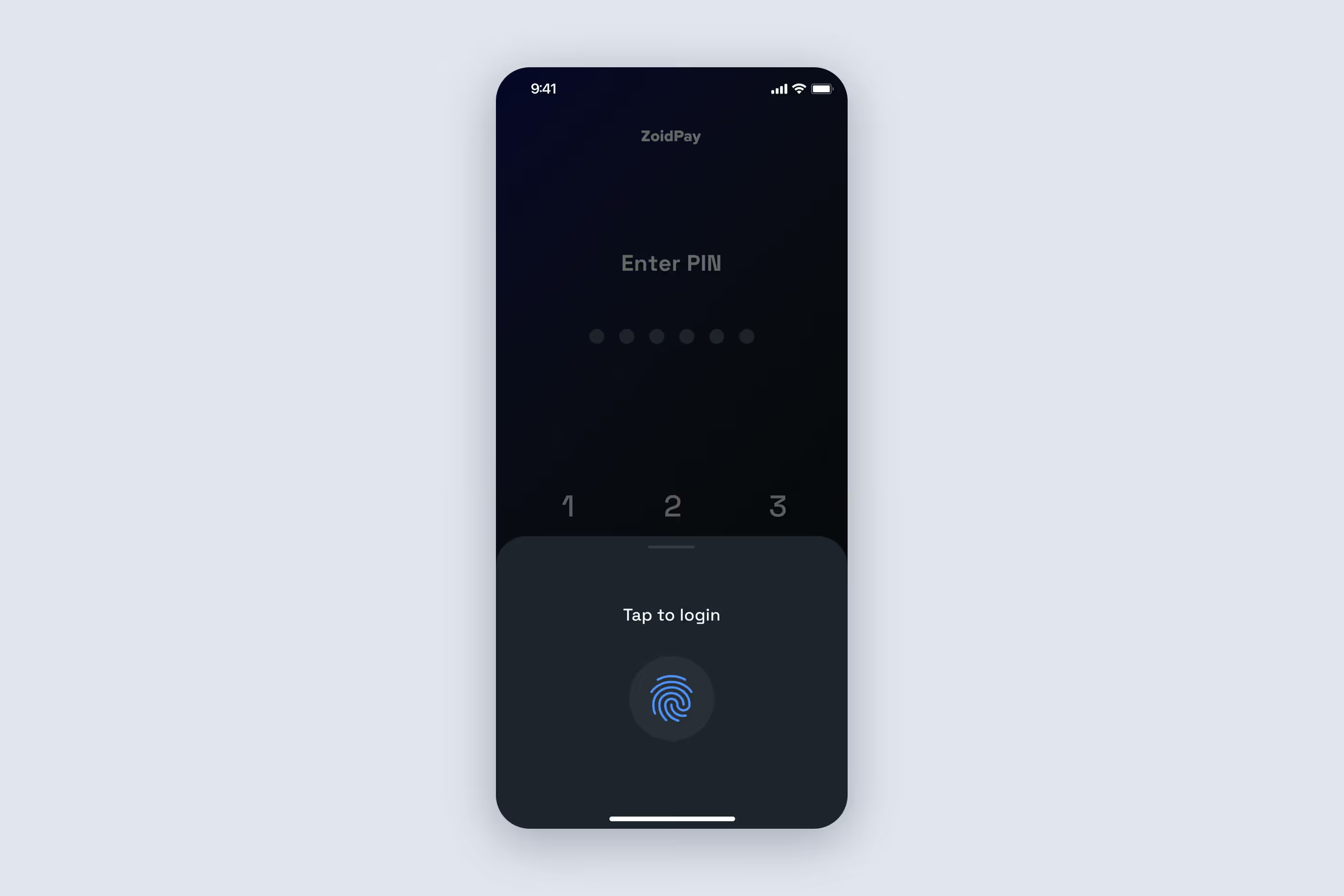
Sign-in and security. Users register with a phone number and a verification code, then add an email address later. Next, they set a PIN and enable biometrics. At sign-in, the app first offers fingerprint recognition or Face ID, with the PIN as a fallback.
After 5 incorrect PIN attempts within 2 minutes, PIN entry is locked: first for 2 minutes, then 5, then 10. A third-party provider handles KYC using a photo of an identity document and a selfie.
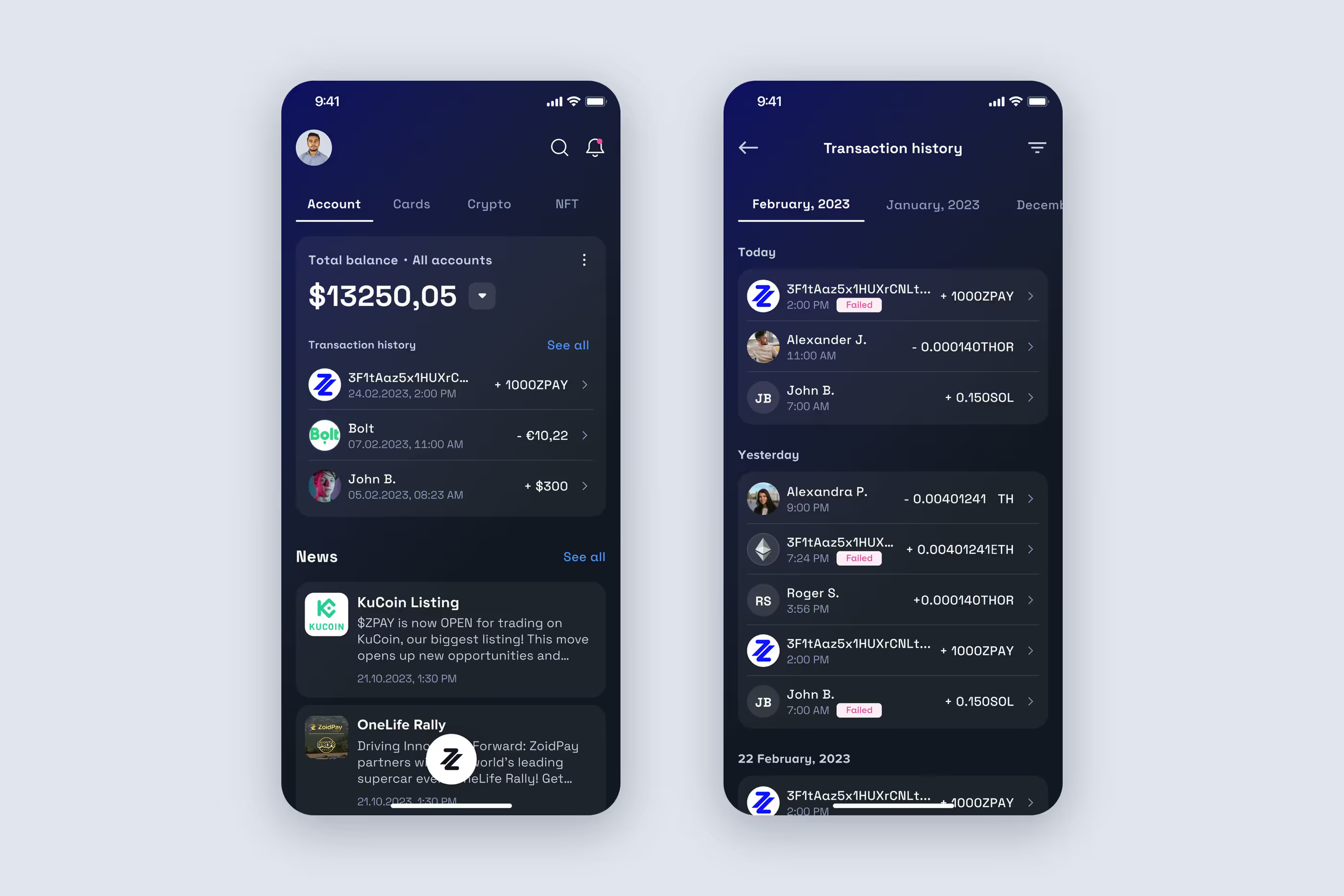
Home screen. The home screen shows the total balance, with switching between currencies and accounts. It also includes the account list, news, notifications, and recent transactions. An IBAN account is created at registration. Account details, SWIFT/BIC codes, and a PDF statement sit in the three-dot menu to save space on the home screen.
Transaction history is grouped by date. Users jump to a specific month and open a detailed view of each transaction.
Crypto wallet. Users create a wallet in the app or import one with a 24-word seed phrase. The default is a multichain wallet: 4 wallets sharing one seed phrase, with different addresses on different networks. When importing, users choose between a multichain wallet and a single network.
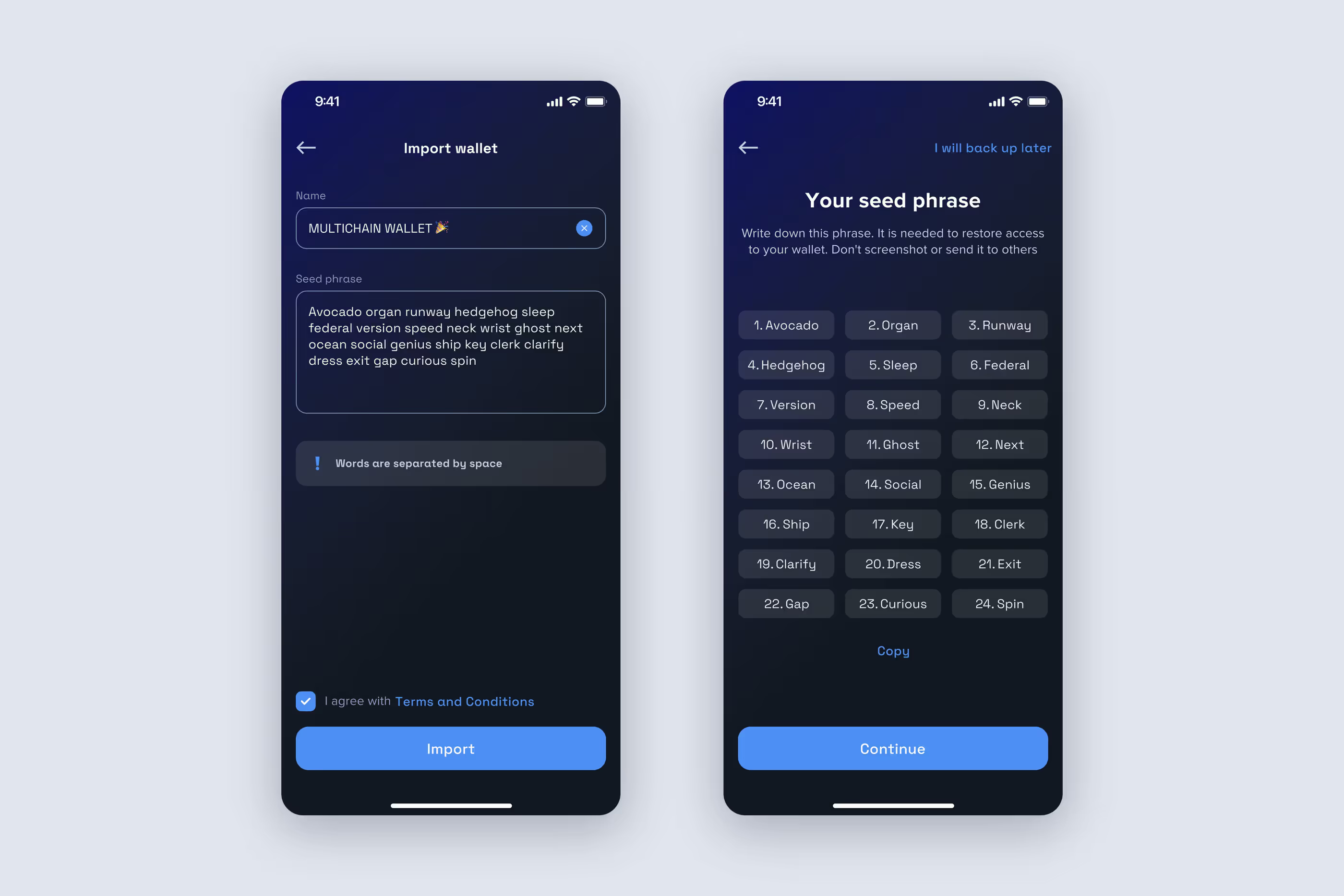
At launch, we supported 5 blockchain networks, including Bitcoin and Ethereum. We also added a mainnet/testnet switch in the profile.
We also planned secure access to the seed phrase after backup. Users view it from the wallet menu, but only after fingerprint confirmation.
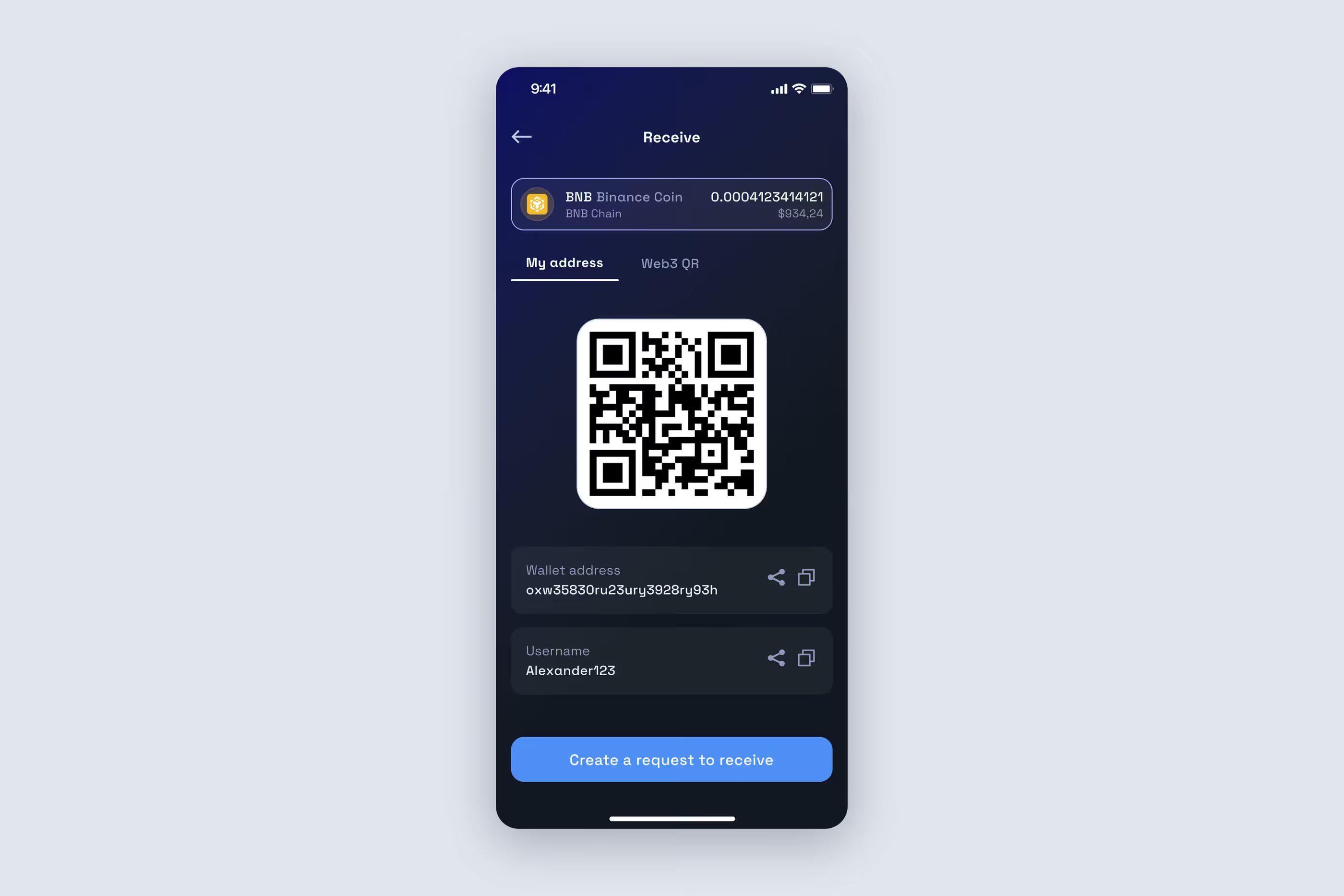
Sending and receiving. Users send tokens in 4 ways: to a wallet address, via QR code, to another platform user's username, or to a phone number or email from their contacts. A PIN or biometrics confirms the transaction. Larger amounts require a second factor: a code sent by SMS or email. Users set that threshold themselves.
Receiving uses a QR code. For a multichain wallet, users first select a wallet, then a token, and get a QR code containing the address. We also added Web3-QR support so external wallets read the codes, not just the app itself.
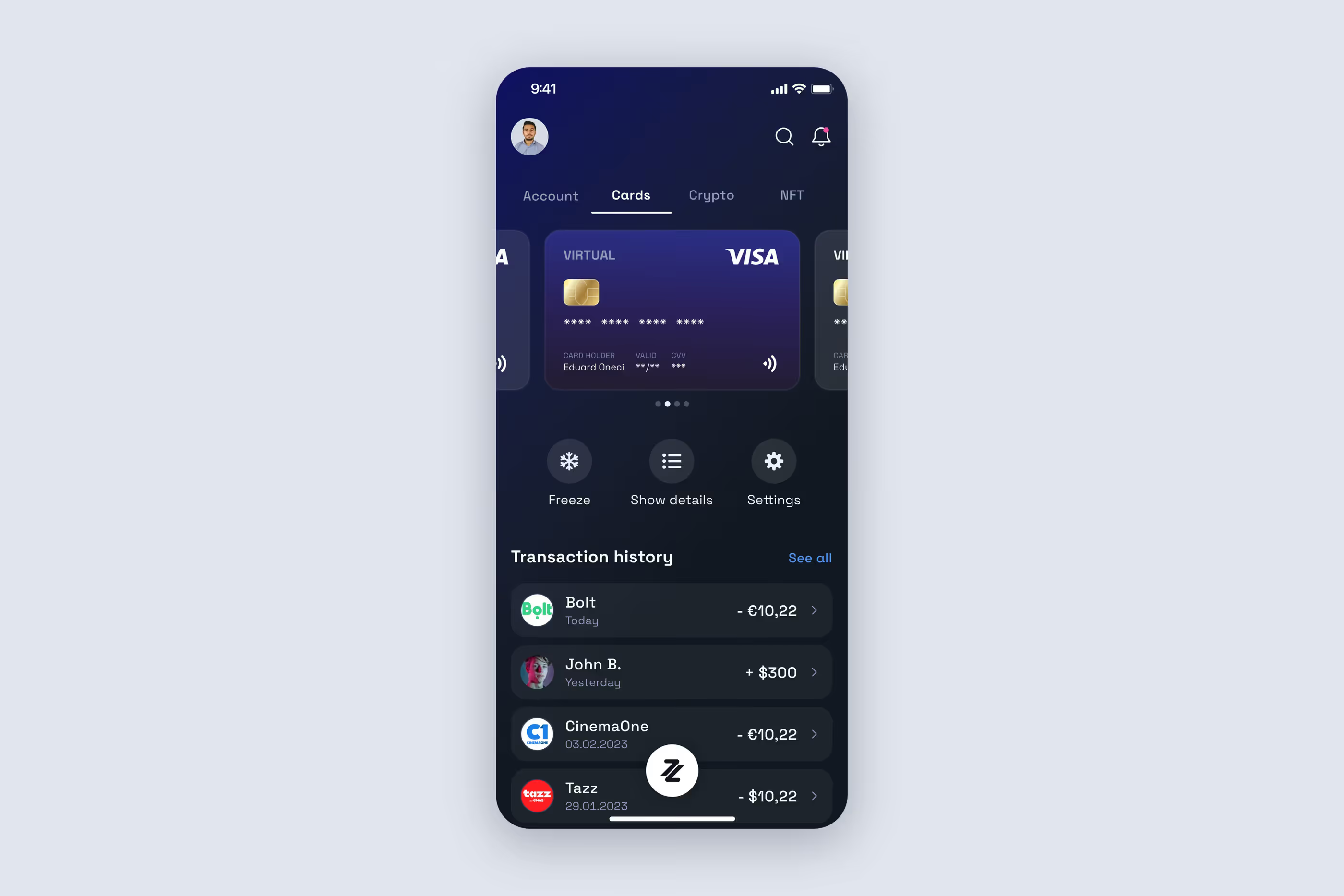
Cards. Users order virtual cards, with several allowed per IBAN account, or a physical card delivered to their address. They freeze a card in the app: its details blur, and the button changes to "Unfreeze." They also view its PIN and CVV, rename it, or terminate it. The card limit applies to online transactions.
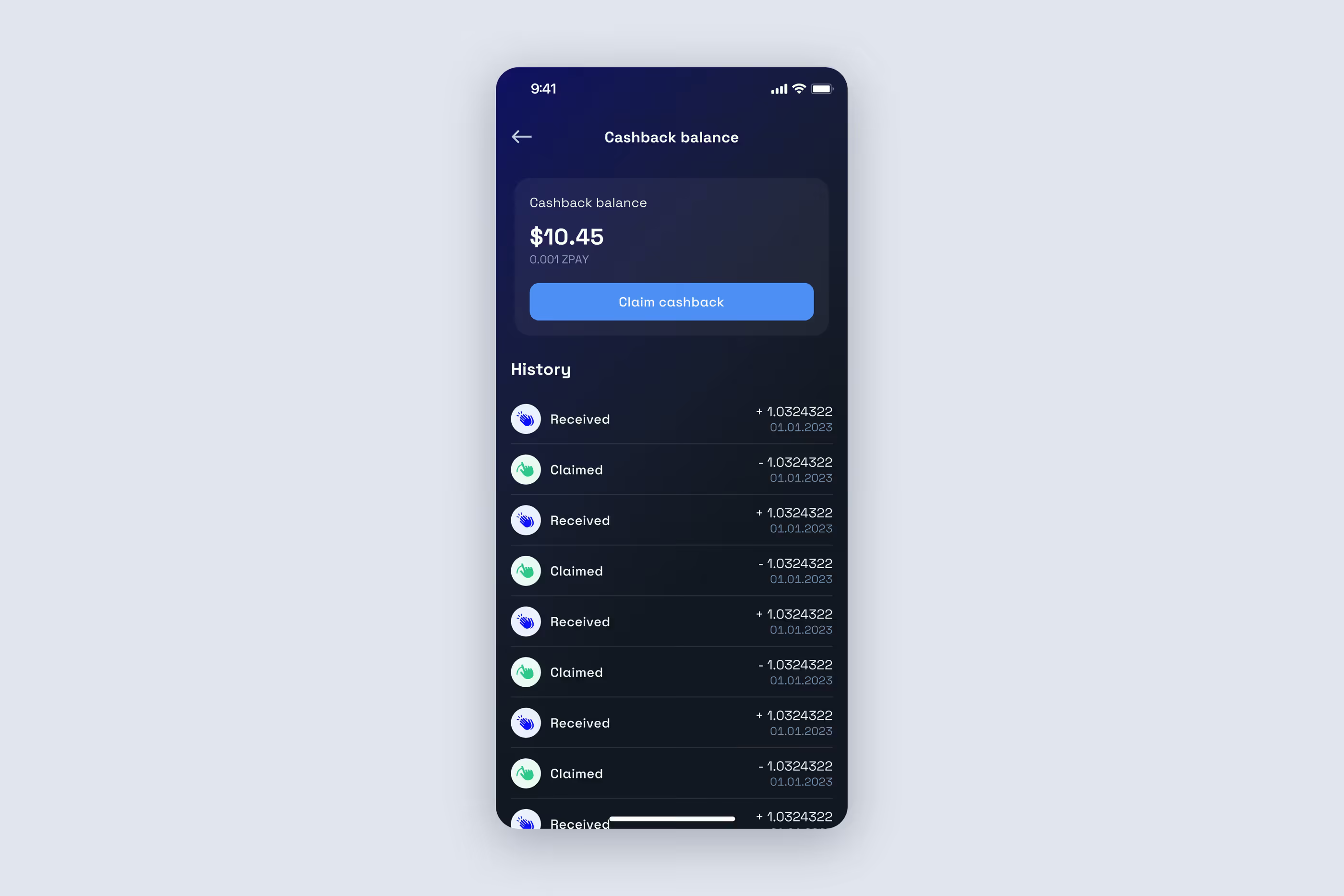
Exchange and cashback. Crypto-to-fiat exchange takes place within the app. Crypto-to-crypto swaps and fiat-to-crypto purchases open the provider's webview. Cashback accumulates in the platform's token. Users claim it to the default wallet with one button, keeping network fees from eating into the reward itself.
At one point, the app stopped building anywhere except on one developer's machine. The cause was Node dependencies in the cryptography module, which handles wallet generation and wallet operations.
There are usually 2 ways to approach this: keep adjusting the environment and hope it works, or rewrite the whole module. We estimated the rewrite at 16 hours, agreed on it with the client, and built a native wrapper around Trust Wallet's Wallet Core.
The results:
That last point mattered most. We kept adding networks throughout the project, and each new integration cost less than the previous one.
The other technical issue was the crypto provider's rate limits. Balance and transaction-history requests were capped, and the wallet-list screen kept hitting the limit. We reworked the loading logic. The app stayed within the request limit and stopped lagging on one of its most frequently visited screens.
The clients expanded the scope during the project. We followed the same process: map the flow, create wireframes, then design the screens. This included branches for "link inactive," "insufficient funds," and "second factor required."
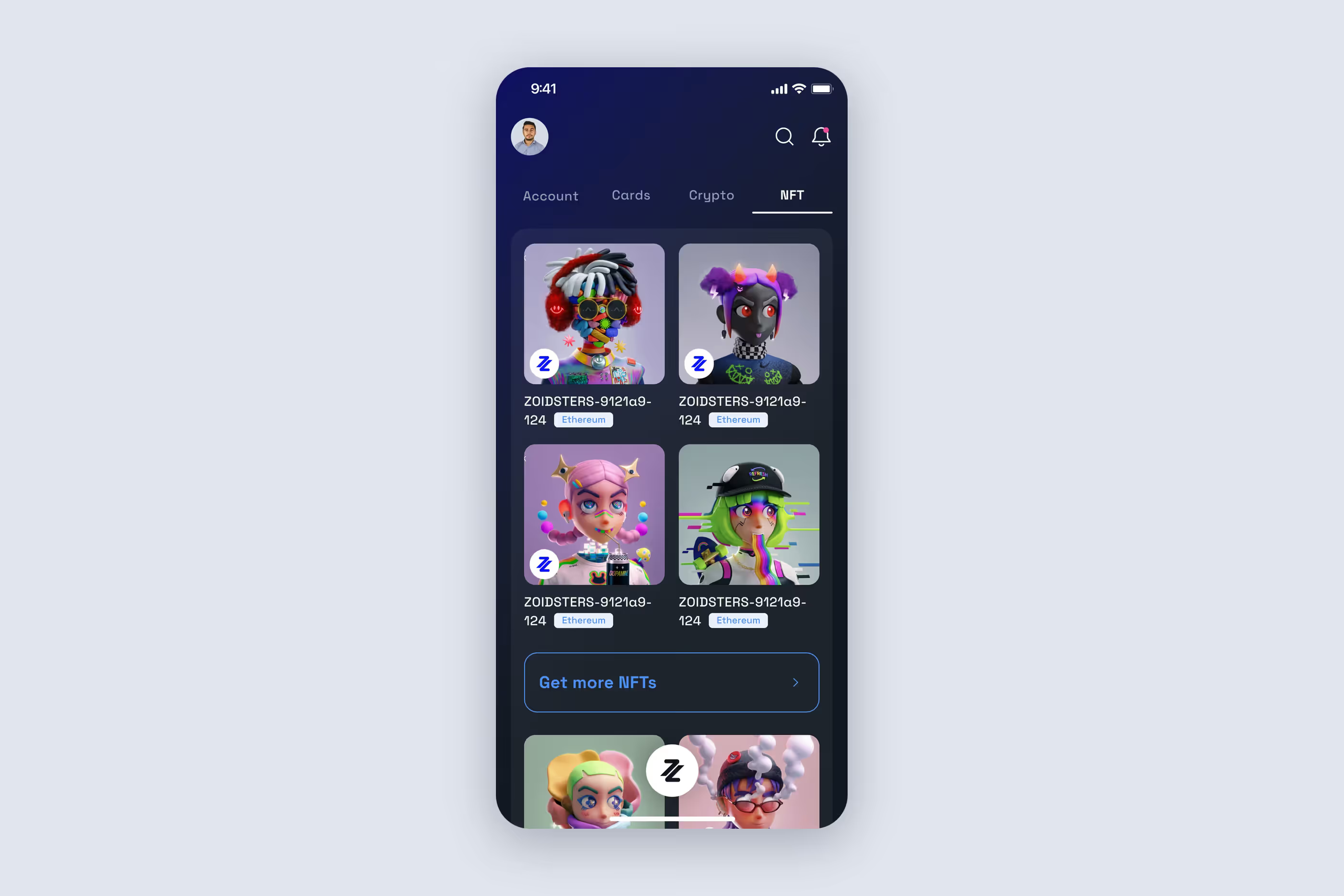
NFTs. This section displays tokens from all the user's networks, with the platform's own branded collection at the top. Each NFT has a detailed view. Users send it via QR code, wallet address, username, phone number, or email, confirming with a PIN or biometrics. The "Buy" button opens a webview.
Referral program. A profile button generates a link and an invitation. When an invited user registers, the system connects them to the person who invited them and credits a reward.
Payment links. Users create a link to send or receive tokens by choosing a wallet, a token, and an amount, then share it with anyone. The recipient opens the link and follows the usual transaction flow, with confirmation and a second factor for large amounts.
By the end of the project, the client had an app where users:
The client also had an admin panel for managing users and content.
The project began with a reference app and a general idea, without a functional specification. It ended with a product that brings crypto and fiat together in one interface. Users don't have to figure out where one ends and the other begins.
Experience in crypto and fintech. We've worked with blockchain networks, crypto wallets, banking APIs, and regulatory requirements. Over the years, we've gained experience across more than 550 projects, from mobile services and marketplaces to Web3, IoT, and internal systems. On this project, that experience helped us recognize when the cryptography module needed rewriting and propose a solution with an estimate.
Defining requirements when there aren't any. The project started without a functional specification. We mapped the product's user flows in BPMN, identified unresolved questions, and turned the idea into a plan both teams understood.
Working as part of the client's team. The client developed the backend. We organized our work so that this didn't slow development down: documenting agreements after each call, tracking risks, working with mocks, and sharing builds regularly.
➡️ Planning a fintech or Web3 app? Let's discuss your user flows, integrations, and what it will take to bring the product to release. Fill out the form for a free project estimate within 48 hours.


.svg)