Explore

Need help with your project?

Oops! Something went wrong while submitting the form.
At Purrweb, we like stepping outside our comfort zone and taking on unfamiliar, unconventional tasks. When a client asked us to design an interface for a thermal imaging scope, we didn't hesitate. We'd never done that before, and we wanted to try.
In this case study, we show how we designed for an unusual device with minimal controls. We worked through complex workflows and borrowed techniques from game design to distinguish the client's product from competitors.
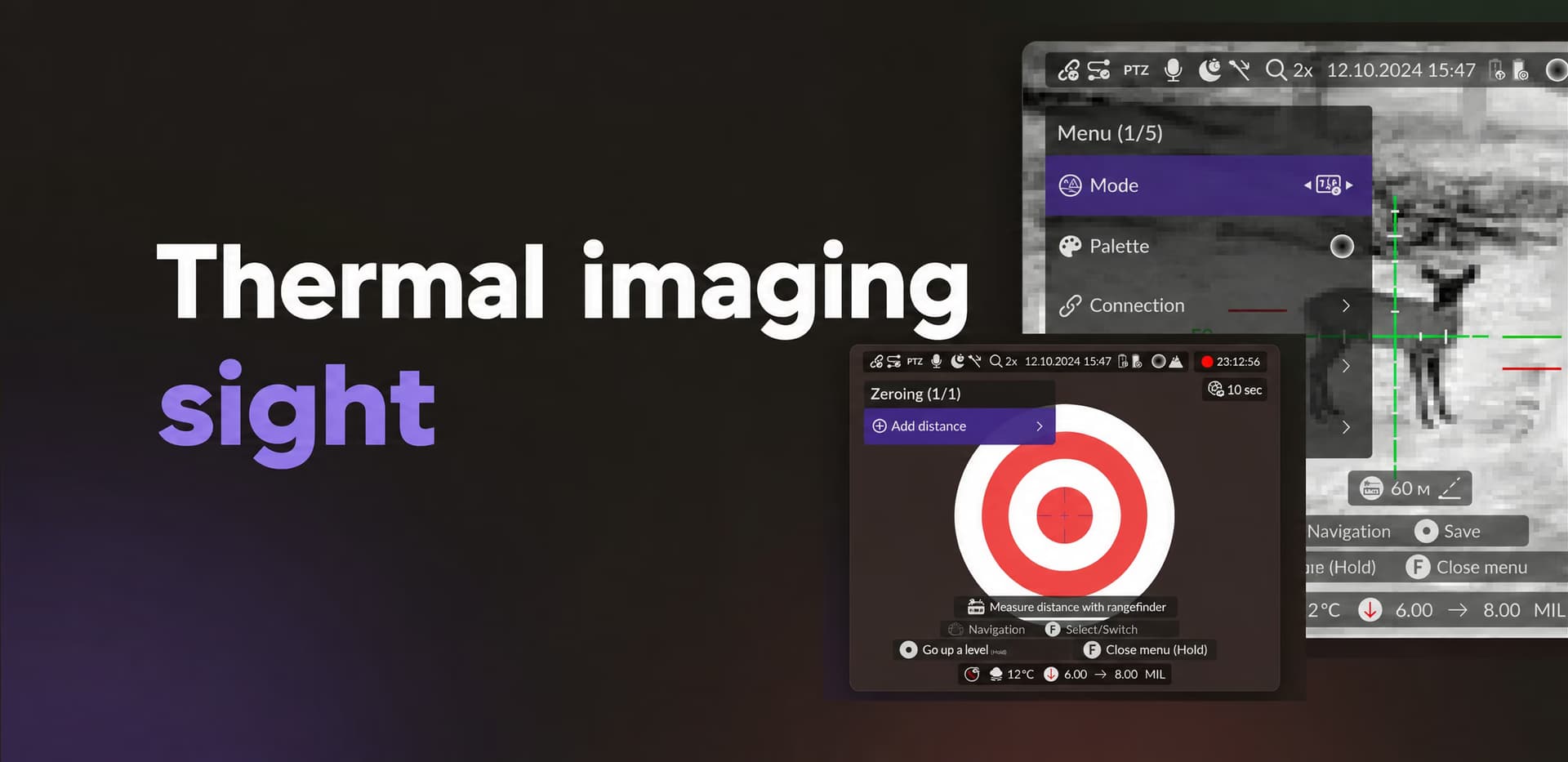
We worked with a Russian manufacturer of thermal imaging devices on a new scope model. The device hadn't reached the market yet, but its interface needed to be designed in advance. It had to scale with the hardware and support future versions.
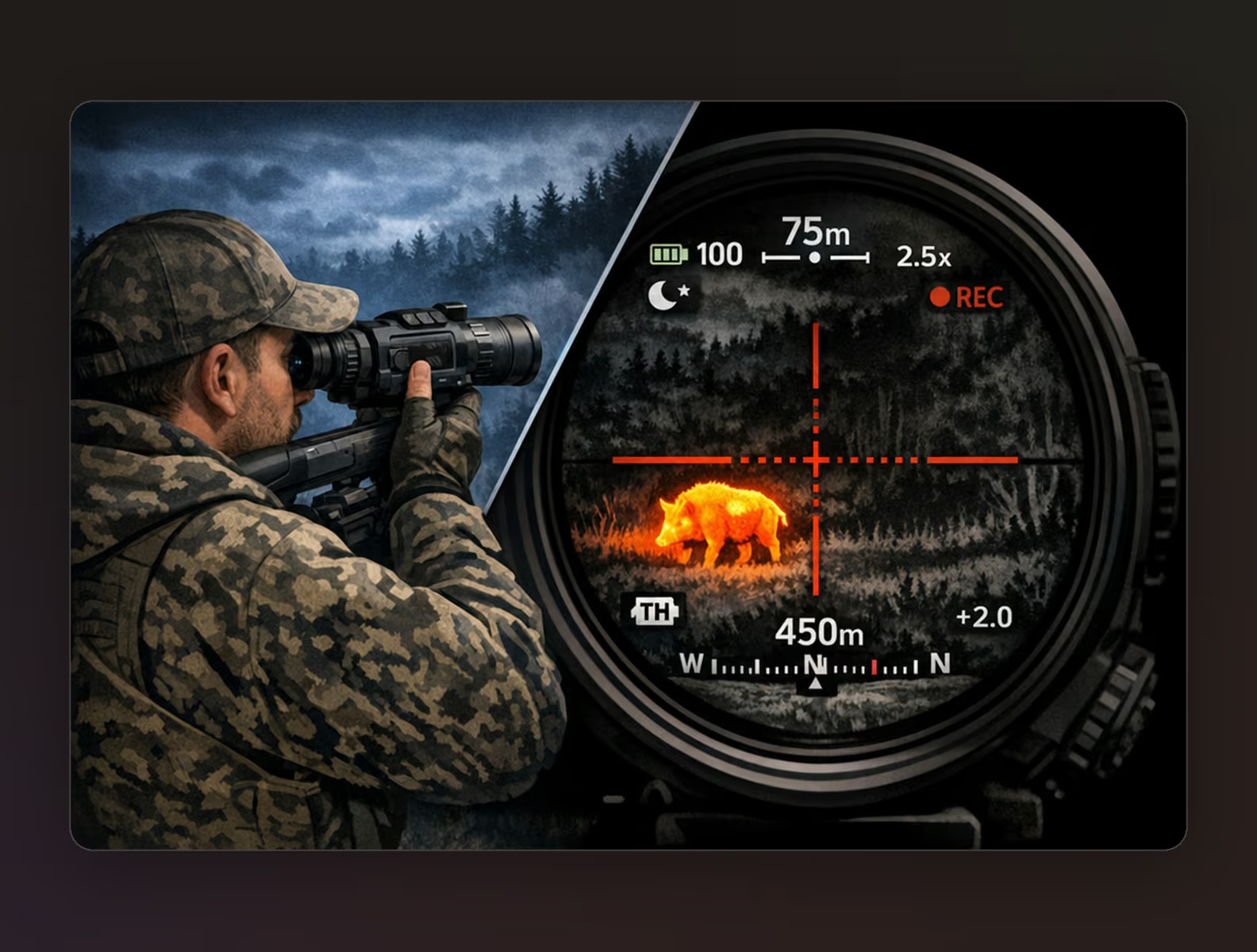
🎯 What exactly is a thermal imaging scope? It's an optical device for observation and aiming in limited visibility, such as darkness, poor lighting, or difficult weather. The user looks through an eyepiece and sees a thermal image of the scene. The entire interface appears over that image.
Here's what it looks like:
We were responsible for the device's interface design, visual system, and user experience.
The controls add another constraint. The scope has just a few physical controls: buttons and an encoder, a rotary control. Yet its internal logic is complex, with display modes, color palettes, zeroing, ballistic profiles, and connectivity settings.
We needed to:
Since the device was still in development when we started, we had to allow for changes to its screen specifications, resolution, and proportions. We designed the interface to adapt to these changes without reworking its logic.
As we've noted, physical devices have their own characteristics. These constraints guided our design decisions on this project.
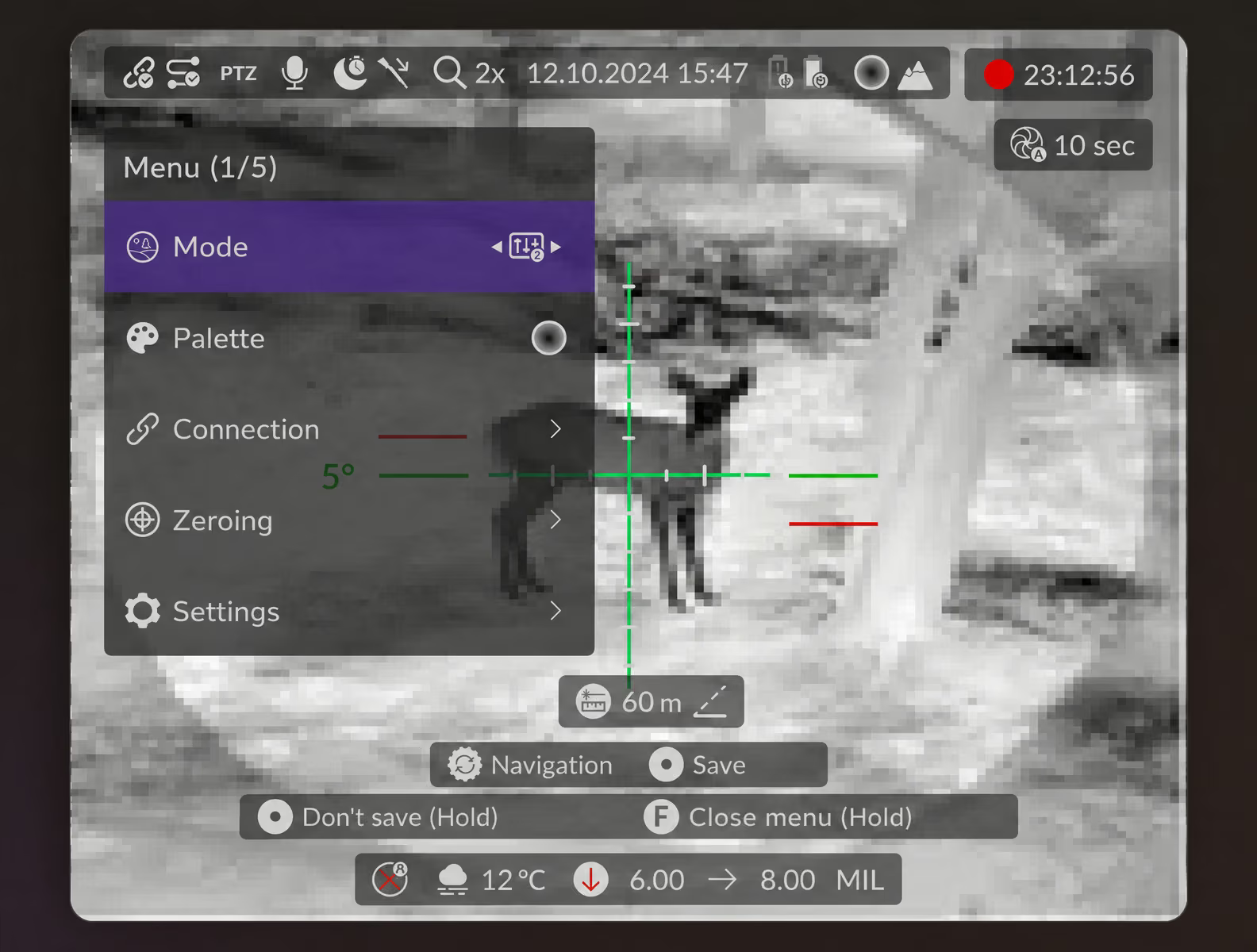
Viewing format. Users see the interface through an eyepiece, much like a door peephole. Elements that look clear and tidy in mockups might appear too small or distorted in the device. We checked every element, from text to icons, for how it would look through the eyepiece. This brought the mockups closer to real conditions, even without a finished device to test.
Minimal controls. Just a few buttons control the device, and each has to perform several functions. This limits menu depth, the number of actions, and navigation options. The interface couldn't be complex.
Context of use. The scope is used at a shooting range or in the field, where there's no time to figure out an interface. Users act from memory rather than study menus. Predictable logic matters here.
High cost of error. Choosing the wrong mode or setting affects how the device performs. For this reason, we focused on unambiguous states, a clear hierarchy of elements, and restrained visuals.
We built navigation around simple control patterns that support the key use cases. The basic principle was straightforward:
🔄 rotate the encoder to move through menu items.
▶️ press to select an action.
⏸️ press and hold to go back a level or exit.
This logic applies throughout the interface, so users only have to remember the basic pattern. The buttons also perform context-specific actions. Single presses, double presses, and long presses expand the available actions without adding physical controls. In effect, 3 buttons provide a range of logical actions.
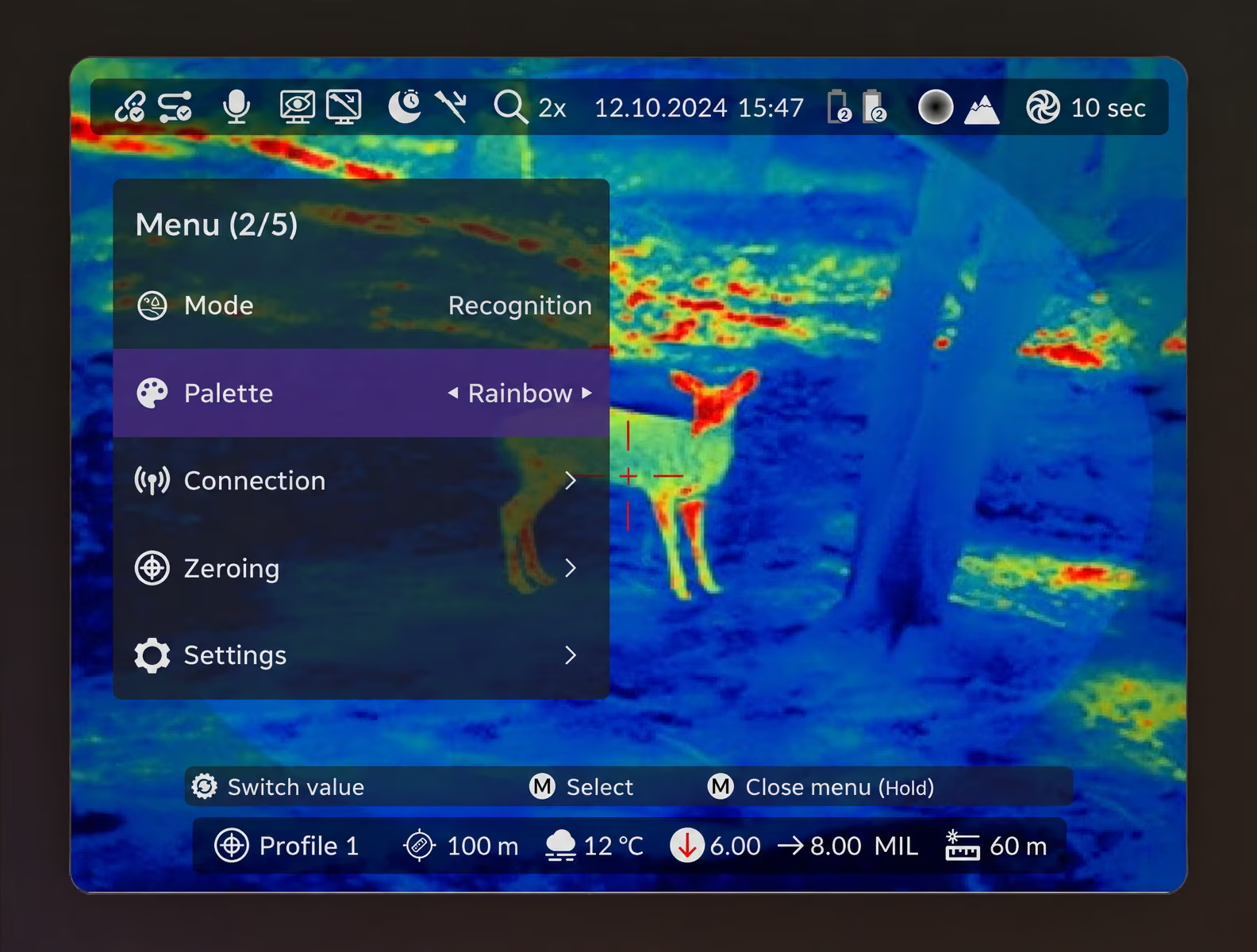
The resulting navigation system is easy to remember and doesn't require visual hints during use. It also accommodates new functions without changing its basic structure.
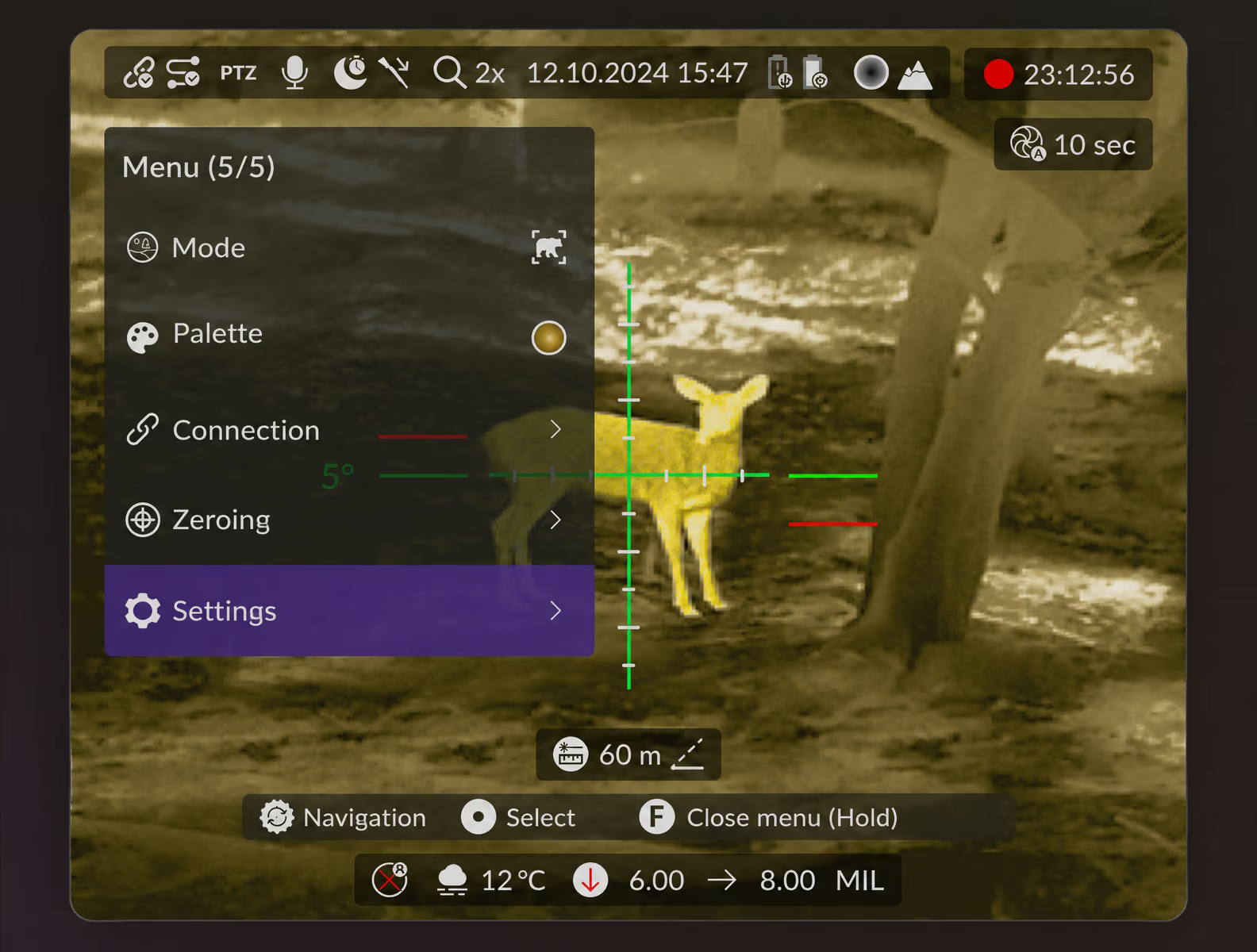
Next, we designed the menu structure. We needed to fit in every required function without creating a complex, deeply nested menu that users would get lost in.
We arranged the menu so that frequent actions were quick to access, while less common settings didn't get in the way of everyday use.
The structure has several key sections.
Display modes. These determine how users see the image, including its detail, contrast, and behavior at different distances. These are the most frequently used settings. We placed them near the top level of the menu so switching between them would be quick.
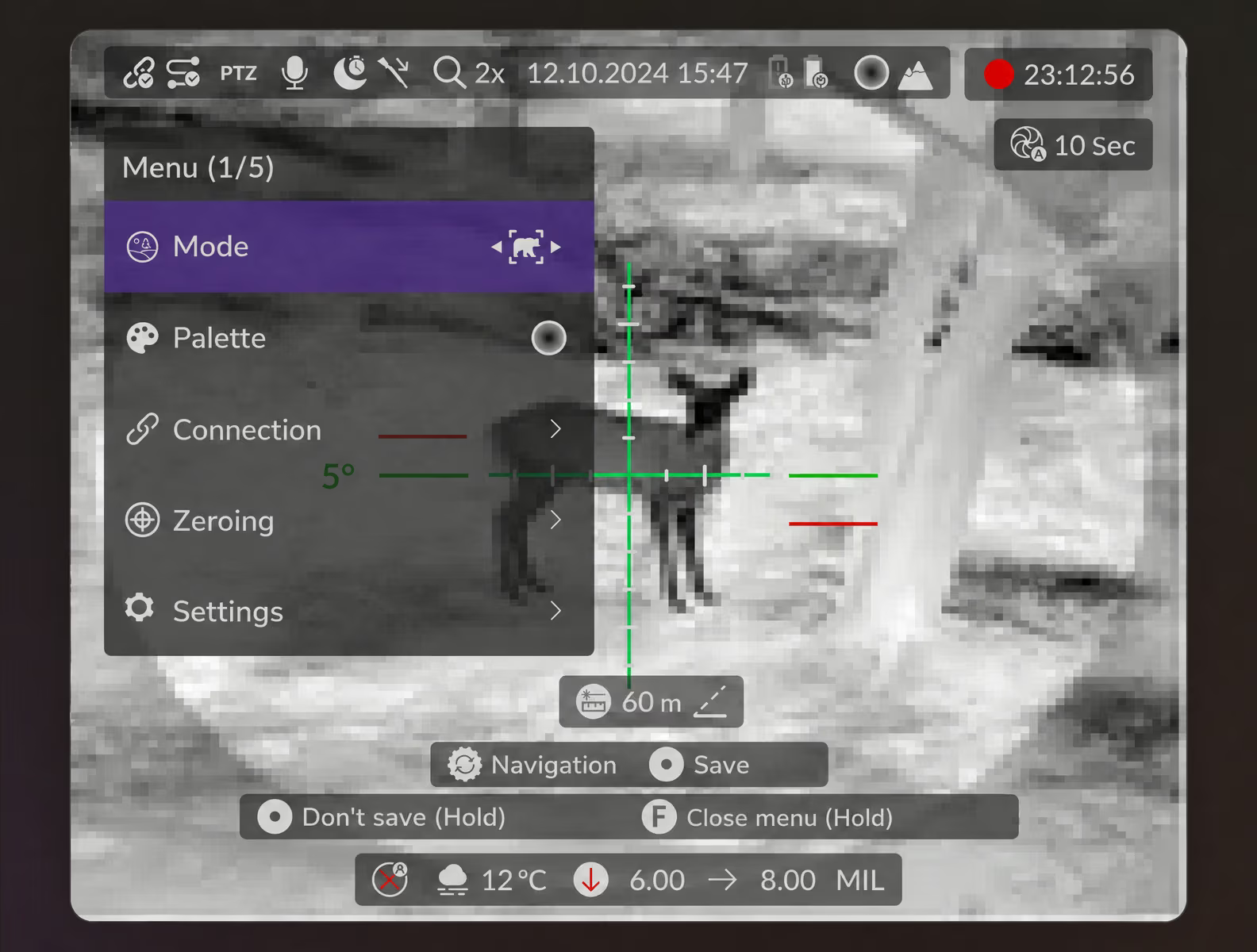
Color palettes. Thermal imaging uses temperature gradients, and the palette directly affects how clearly users read the scene. The client supplied the palettes. We integrated them into the interface with distinct visuals and clear icons that are easy to read through the eyepiece.
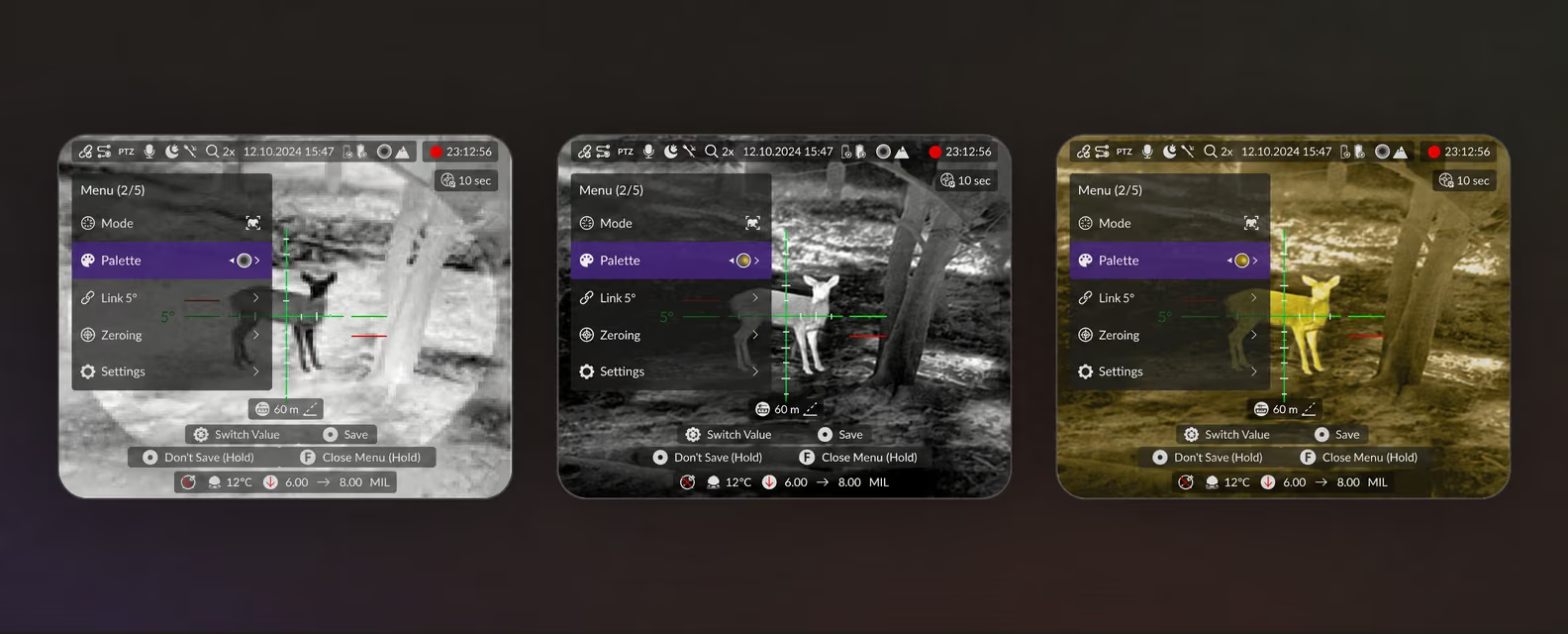
Connectivity and role settings. A scope might be rented out rather than used only by its owner. Therefore, we provided different access levels for owners and guests. This section also contains settings for pairing with external devices.
The overall menu is compact and logical. Users always know where they are and can go back a step with a single action. This system became the foundation for individual workflows, including the most complex one.
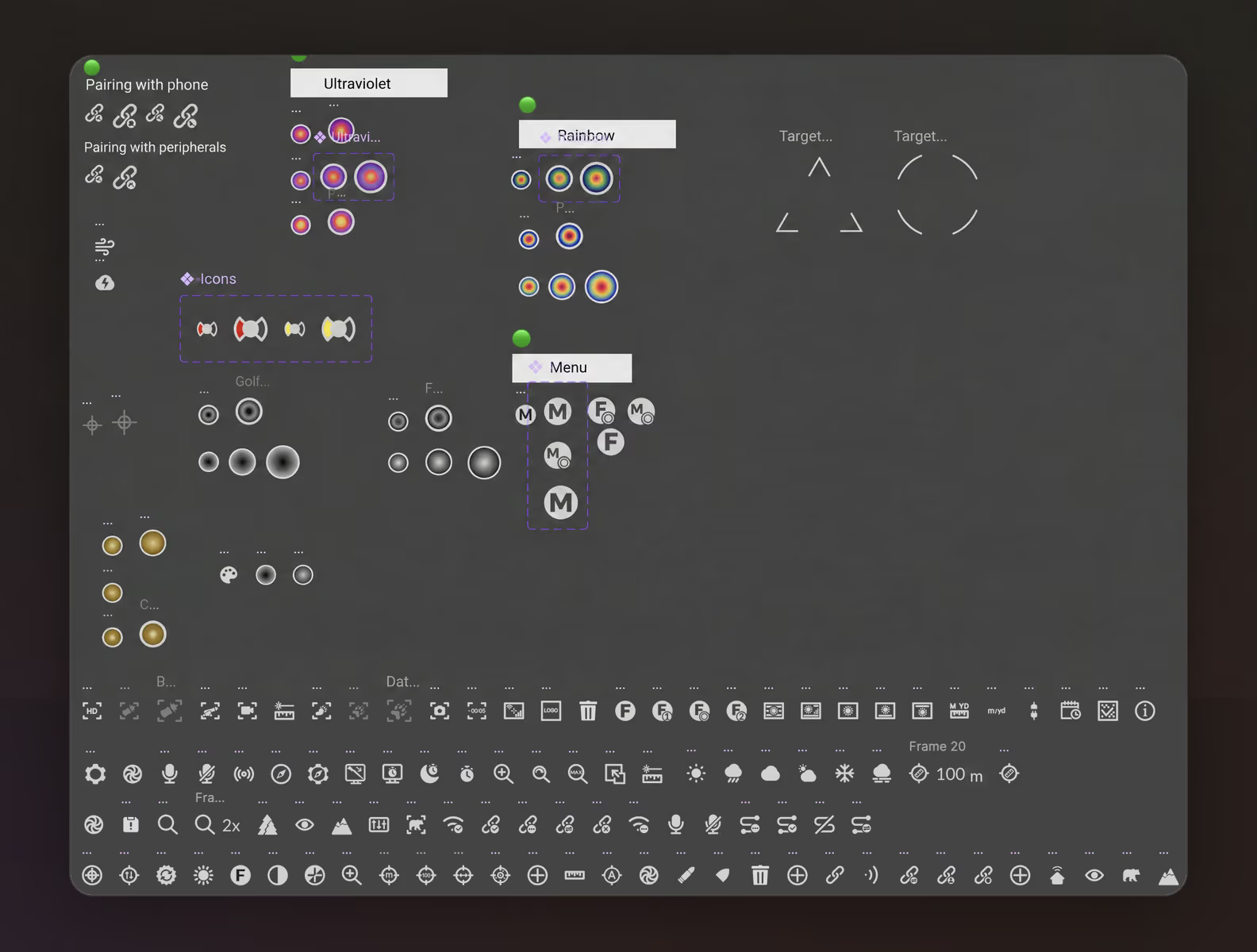
Icons. We created more than 120 icons to help users find their way around the interface faster.
Zeroing was the most complex workflow in the interface. It's used less often than palettes but requires precision and a step-by-step sequence. We gave it a separate section with its own structure and visual hints.
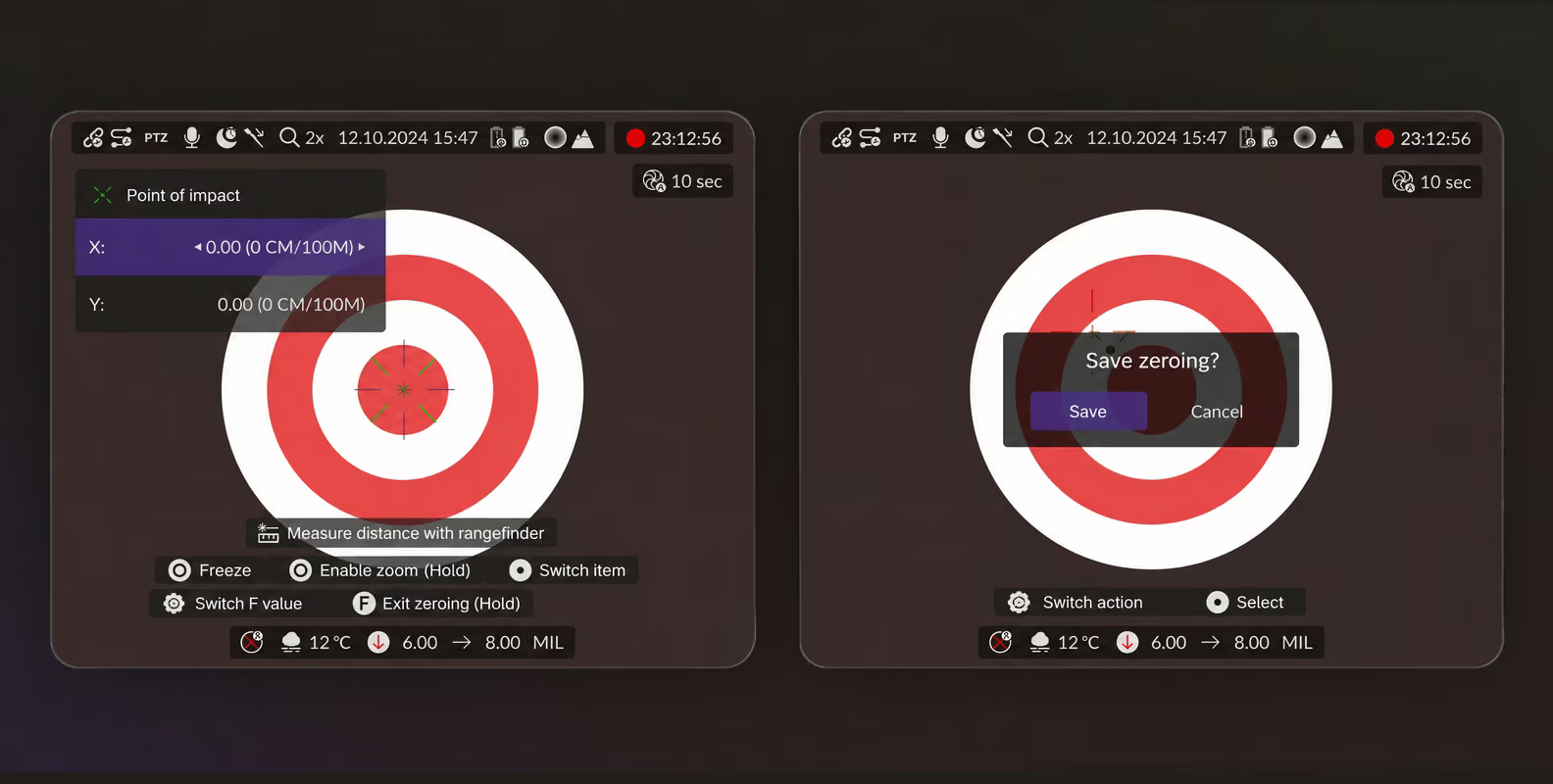
The cost of error is particularly high here. Users are handling a firearm and setting the scope for a specific distance. They expect the interface to be precise.
Zeroing takes place in a calmer setting, usually a shooting range, rather than during a hunt. That gave us more room for step-by-step interactions. The interface still had to stay simple.
We designed this workflow as a sequence. The user:
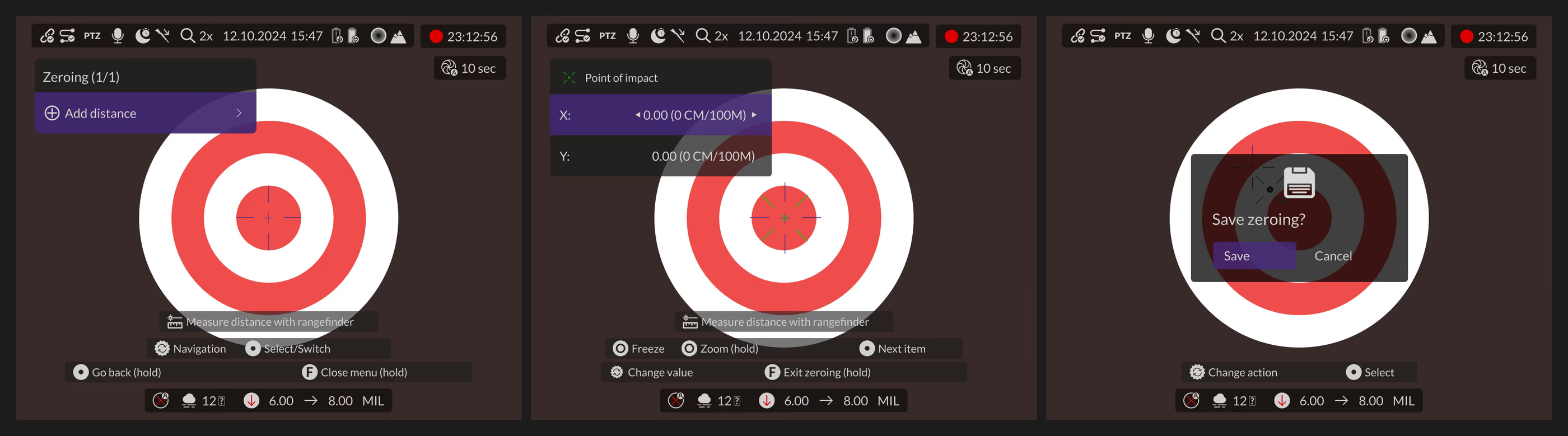
The key task was to distinguish these states visually and prevent confusion. Every action has clear context. Users know where they are, what's expected at the current step, and what comes next.
During zeroing, the user doesn't physically move the scope. The adjustment happens electronically within the interface by shifting a marker. We made this logic explicit in the design so users wouldn't question what happens during setup.
We also accounted for manual zeroing, zeroing for a specific cartridge, different distances, and saving multiple profiles.
The interface supports these scenarios step by step. They all use the same control pattern users already know from other menu sections.
Screen specifications changed during the project, including resolution and aspect ratio. Plans for device versions changed too. The client initially considered several scope variants, then focused on a single version with different screen specifications. All these changes directly affected the interface.
Designing the UI as a system allowed us to:
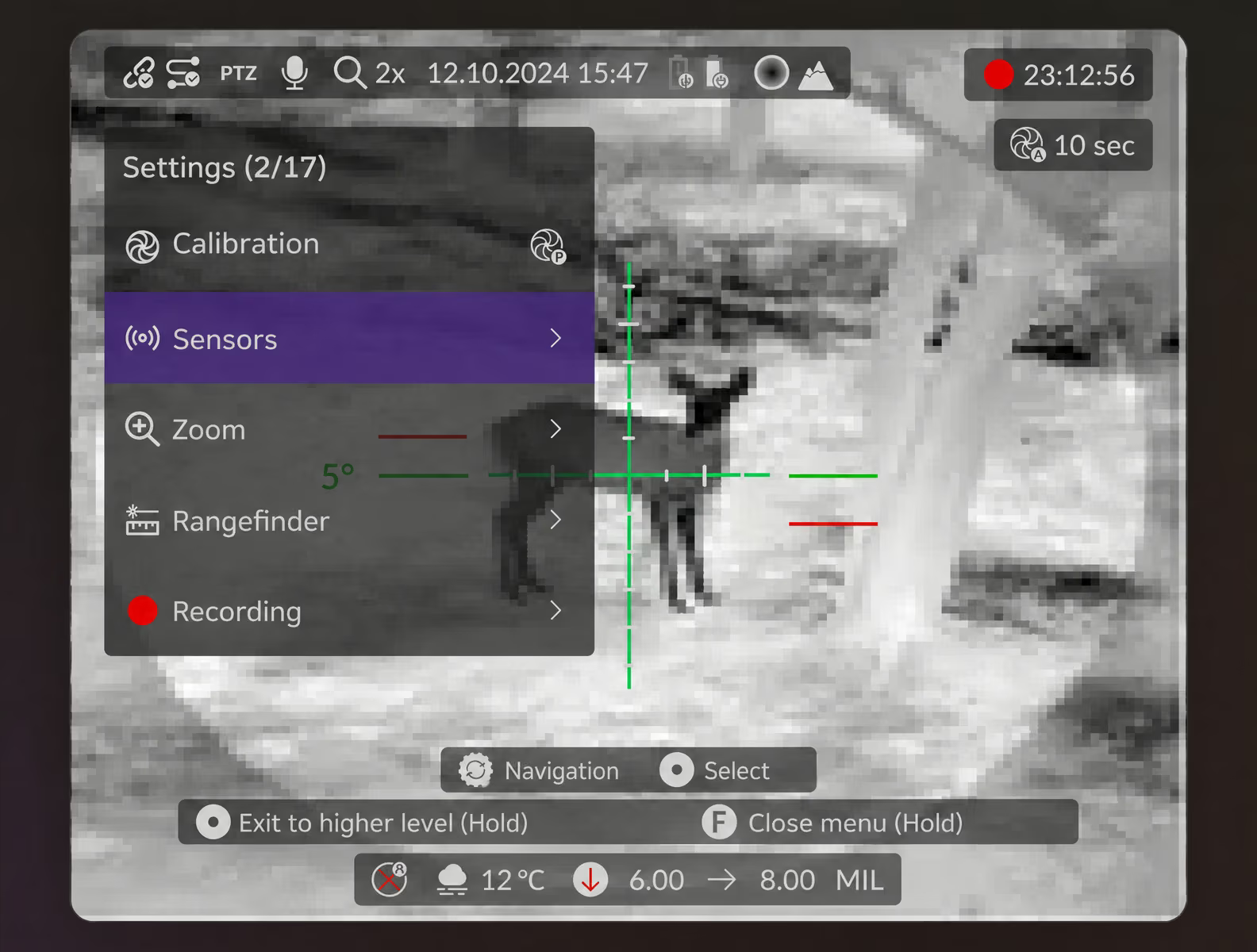
We kept some functions for future device versions. We designed screens and workflows to help the client develop the product further and gradually expand the interface's capabilities.
The lack of a finished physical device for testing added another challenge. We worked with specifications, diagrams, and constraints that changed as research and development progressed. Regular communication with the client and quick iterations were essential. We discussed hypotheses, made adjustments, and checked our decisions again.
The resulting interface accommodated hardware changes and was ready to evolve with the device. Each specification update no longer meant starting the design from scratch.
For this project, we designed a thermal scope interface. This physical device combined complex logic with constraints on its controls and use.
We worked with real conditions: a small screen, optical distortion, minimal buttons, and a high cost of error. These called for a different approach to user experience (UX), focused on function and repeatable actions.
The resulting interface:
This case showed us how UX/UI design principles work beyond conventional screens. In a physical device, the interface becomes part of a precision instrument.


Design expertise
Our portfolio includes more than 550 projects, from educational platforms and marketplaces to Internet of Things (IoT) products and embedded interfaces. We adapt design to the task, environment, and audience.
Working as one team
We fit into the client's processes and work with developers, product teams, and engineers.
Turning ideas into products
We don't need a detailed brief or a 100-page specification. An idea is enough. We'll help you articulate it, clarify the details, and propose practical design solutions.
➡️ Planning an interface for a physical device? Share your device's controls and use cases, and we'll outline the design scope, timeline, and budget. Fill out the form for a free estimate within 48 hours.