Explore

Need help with your project?

Oops! Something went wrong while submitting the form.
How to make money from a free app? To make up for mobile app development expenses, you need monetization. One of the options is in-app advertisements. Let’s look at the examples of ad types and consider how to choose the right one that won’t put off app users.
Lately, more and more people have switched to smartphones from PCs. Smartphones are more convenient: always on hand, cheaper, and the mobile Internet speed is comparable to wireline service or Wi-Fi. Following users, advertisers are switching to smartphones too. There, one can place an ad in both a browser and an app. The first option is the same in mobile and desktop versions, but the second one exists exclusively on smartphones. Let’s straighten it out: how can you use app advertisements?
In-app advertising refers to the ads the audience sees while using a mobile application. Mostly, they come as banners, videos, and clickable games integrated into the product.
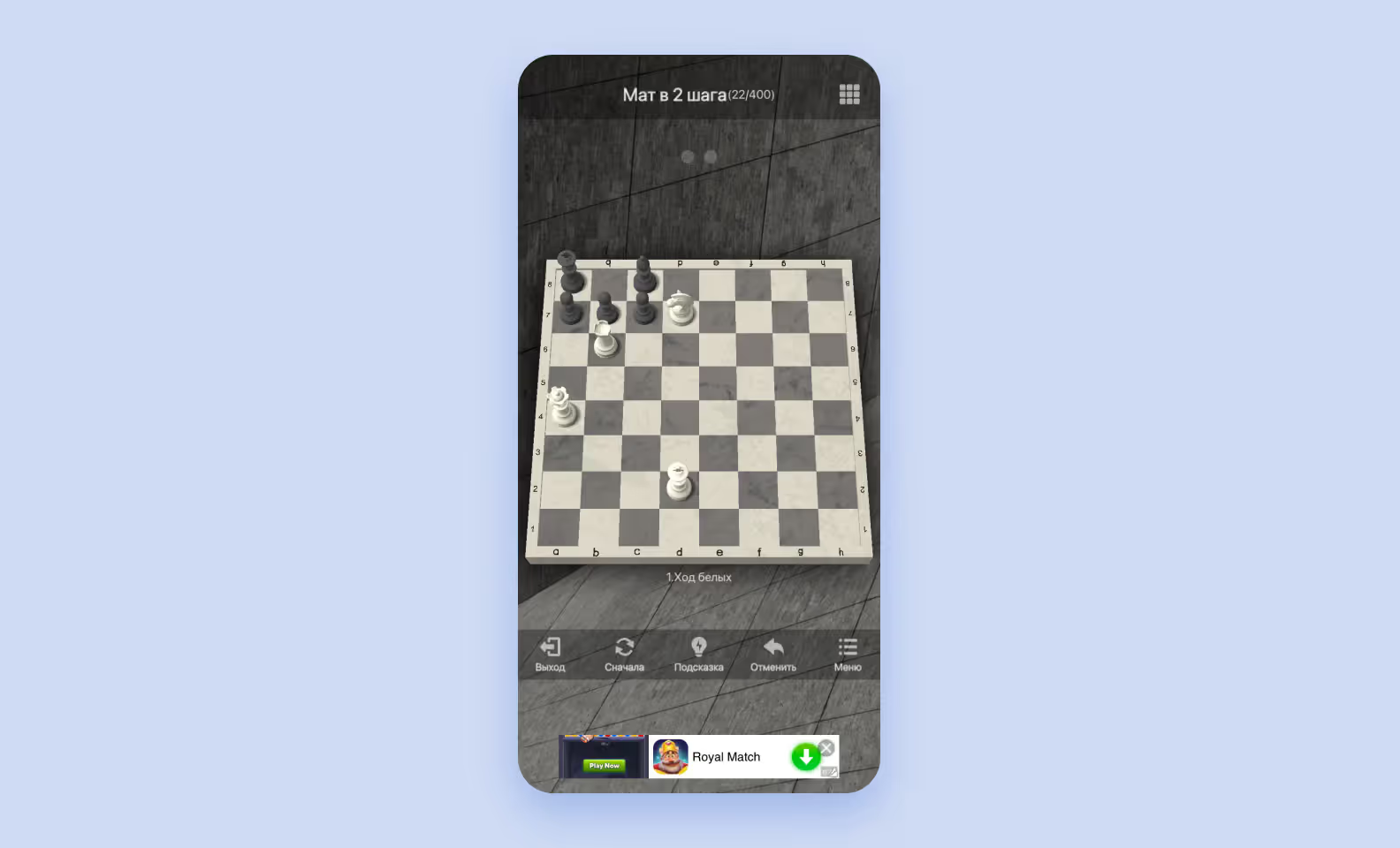
To display paid promotions, advertisers buy space within the product from app publishers. The two parties are connected through a mobile ad network, which is a platform for buying spots for promotions. Ad networks use algorithms to show the most engaging videos and banners to the user.
In-app ads enhance the chances of user engagement, as they help reach out to a more relevant audience. The point is that ad networks offer better options for targeted campaigns compared to other similar tools.
Ad placement is one of the ways to make up for custom app development services and get some profit. If your free app is becoming popular among users, all you need is to enable ads and make money on views. As a result, it's a win-win for everyone:
| Participant | Primary benefit | Secondary benefit |
| App owner/publisher | Direct revenue from impressions/clicks | Increased user engagement |
| User | Free or freemium access to the application | Receiving relevant offers, thanks to precise targeting |
| Advertiser | High Return on Investment (ROI) and conversion rate | Growth in brand awareness and access to a loyal mobile audience |
Statistics show that smartphone owners spend about 4.5 hours on their phones every day. The trend is unlikely to change, and the mobile apps’ popularity will grow more in the future. Today, in-app advertising is an opportunity for efficient targeting. It stands out for flexible settings and high efficiency due to the fact that users don’t usually share smartphones with their family or colleagues as they do with personal computers. Thus, an app advertising campaign will always get a higher return rate than a browser ad.
To place an in-app advertisement, you need an ads network. It’s a kind of bridge between a publisher and an advertiser. An ads network allows a brand to attract its target audience via Apple App Store or Google Play apps.
For app advertisements to a make profit, it’s essential to set them right. The key characteristics for ad targeting are a user’s gender, age, and geolocation. Besides, you can use the audience’s interests and behavior. For instance, an ads network can show a sports goods shop advertisement in a fitness app. In most cases, apps, social networks, and search engines collect this user data by default. However, lately, people tend to show concern about details that corporations may know about them and thus bother about keeping their personal data private.
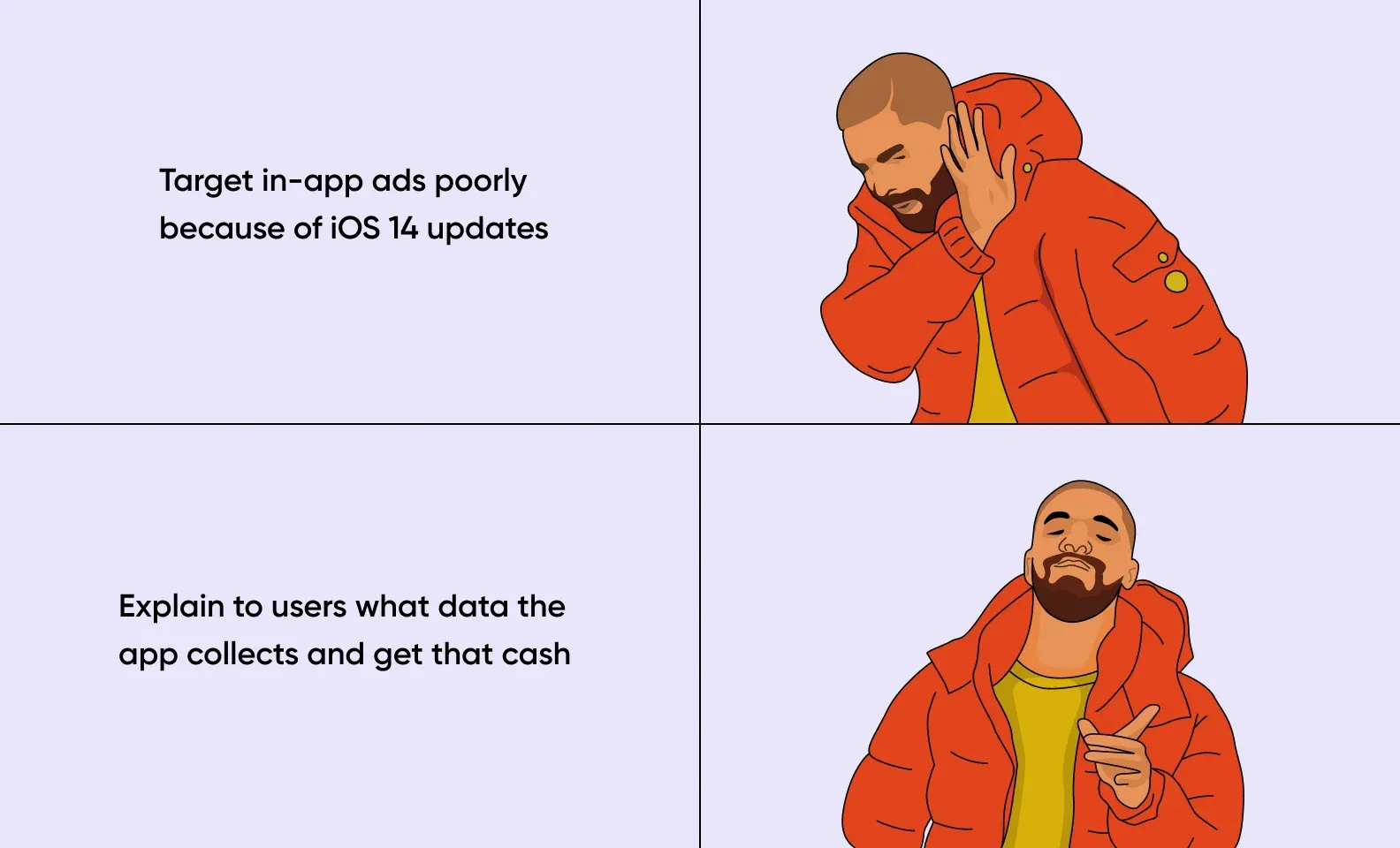
With iOS 14, Apple released an updated privacy policy. It allows users to choose whether to provide the app with their data or not when they download it. The app would get consent for collecting and processing personal data by default in the previous iOS versions.
The mentioned changes in Apple’s privacy policy prove a trend for a conscious attitude toward using private data. This trend will make life tougher for app owners and advertisers but won’t collapse the whole in-app advertisements: it’s enough to explain to a user what data you collect and how you will use it.
Less data ➡️ weaker targeting setting ➡️ an add misses the Target Group
There are several app advertisement types. We'll consider the ones that are popular with advertisers and thus guarantee a maximum profit for publishers.
One of the simplest in-app advertisement types. A banner is a block on top or the bottom of a screen. You can set a banner in a way to make them change from time to time.
Advertisers like banners for their low prices, so they often buy them. Thanks to an easy app integration process, banners work well for short-term advertisement campaigns. The key thing is to avoid an ad block overlaying the main content: it drives users mad.
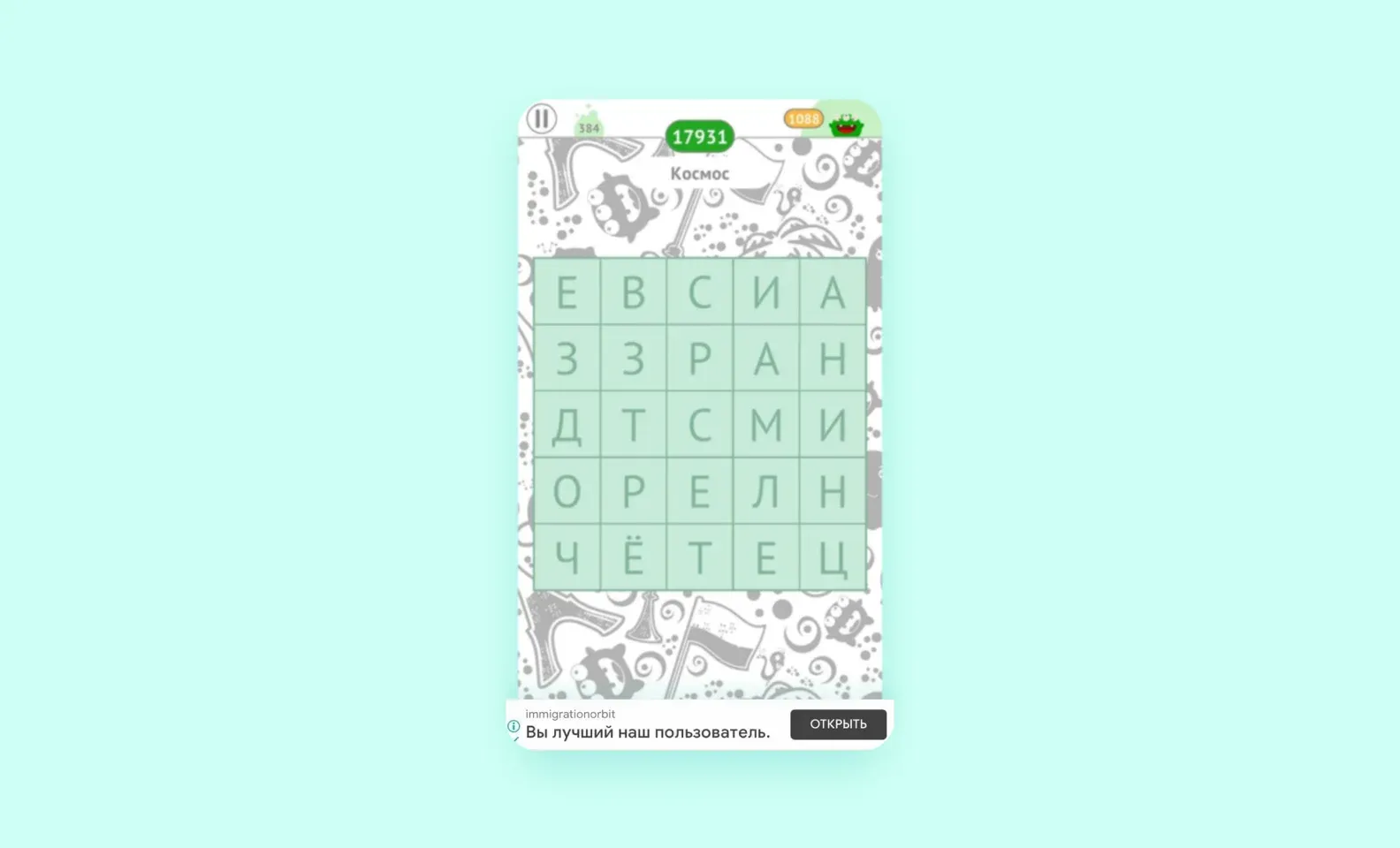
A fixed position of banners makes the user remember where they can see an ad on their screen and start ignoring it. This effect is called "banner blindness". To avoid a user ignoring ads, it’s better to seamlessly integrate them into the main app content as they do with the next ad type.
It's the most discreet type of app advertisement. Ad content seamlessly blends into an app fitting its design as much as possible. An advertisement looks like a part of the interface, so it’s considered the most informative one. Besides, it rarely frustrates users. A banner will look like just another item of sale in an online shop and pretend to be a regular post on a social network.
For instance, native ads are often integrated into messengers. In our example below, an ad looks like a chat.
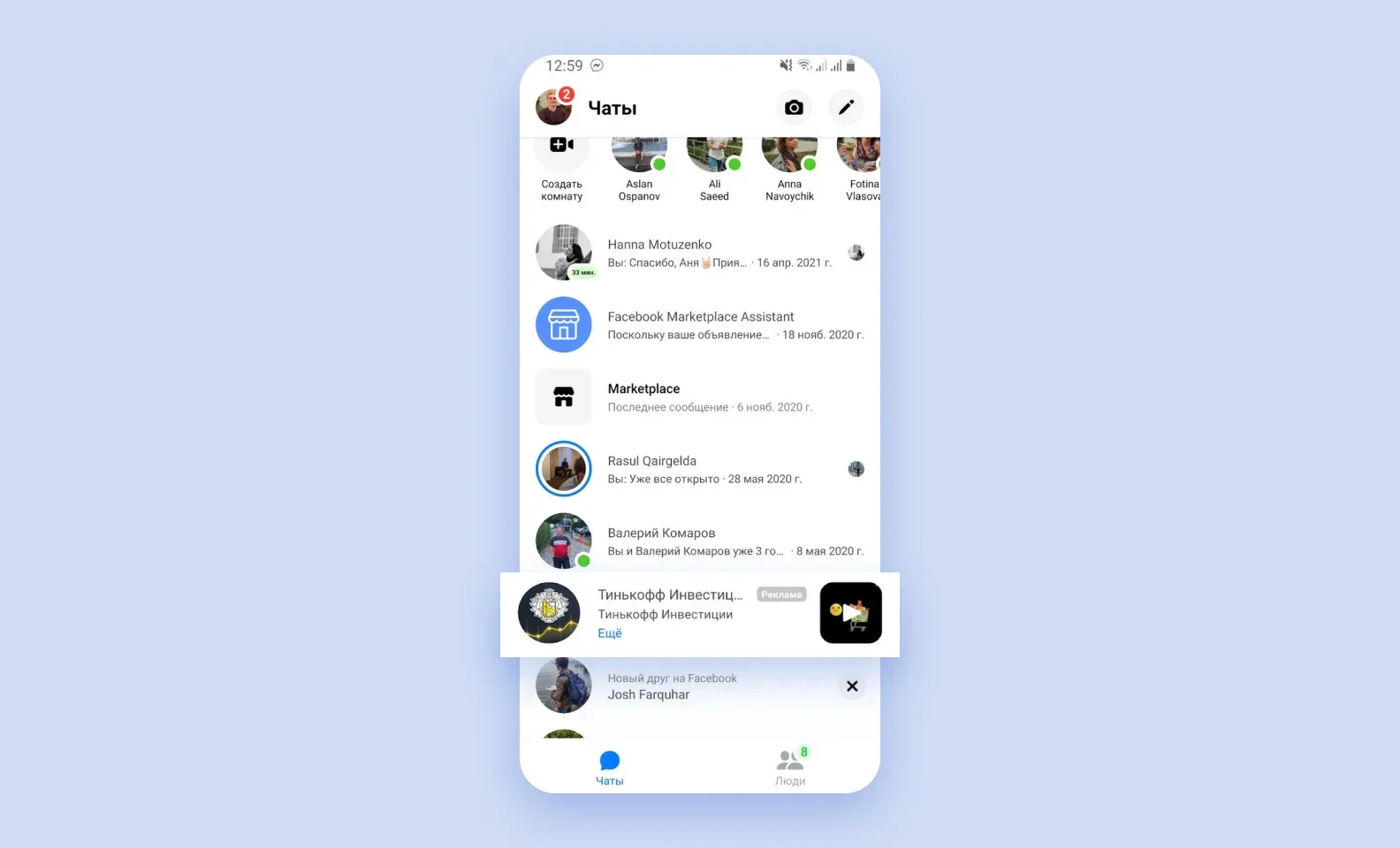
Native ads integration requires more effort compared to placing traditional banners. It’s not enough to just insert an image into an app: you need to consider its interface and design. At the same time, native ads are thought to be a more efficient solution since it doesn’t jump out at users like regular banners and thus annoy them less.
It's a full-screen app advertisement that covers an app’s interface. It comes as static images, video clips, or animated content that pops up after a user finishes some activity, like completing a game level or switching between the screens.
For instance, a user finished editing a video in an app and wants to save a final clip. After hitting the "Save" button on their smartphone screen, the user sees a video commercial that fully covers the app interface. Such a video lasts for 30 seconds, the countdown is shown in the lower left corner. If the user finds a promoted product interesting, they can click the "Go" button in the lower right corner.
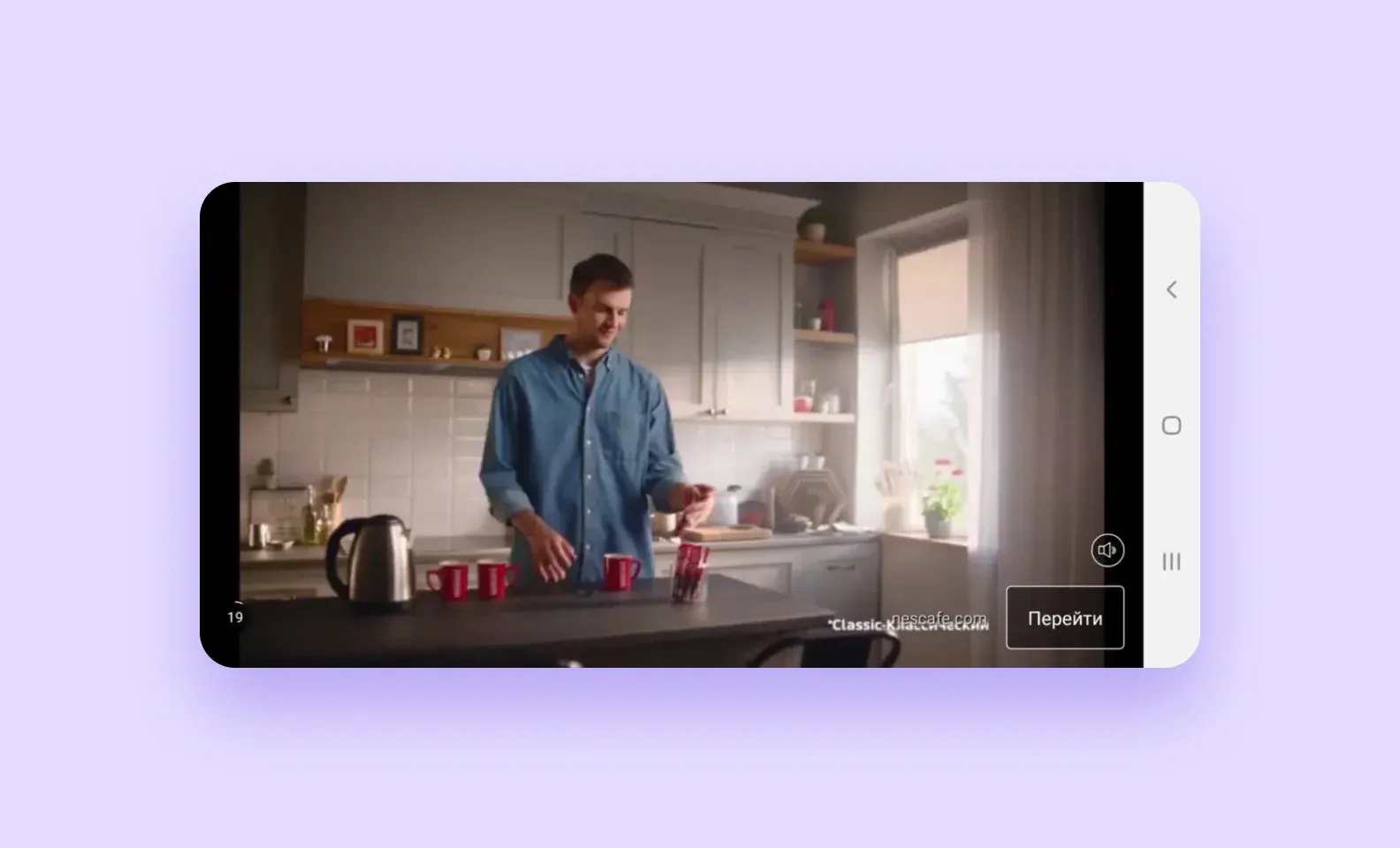
Depending on settings, a user can interact with interstitial ads in the following ways:
Such ads allow for placing more product information compared to banners or native ads. It also gives more space for creative ideas: unlike the previous ad types, limited by text and graphical formats, interstitials can come as videos or animations. Another advantage is that it’s hard to ignore such an ad, so a message will definitely reach the target user. Still, despite these advantages, interstitials are one of the most high-pressure mobile app advertisement types. Users don’t know when to expect the next clip to pop up and can’t ignore it like they can with native or banner ads.
Another full-screen video advertisement option. In this case, a user gets a reward for watching an ad. This ad type is mainly widespread in the gaming industry, where players are offered to watch a video in return for in-game currency.
For example, a Dragon Hills player can resurrect their dragon by watching a 30-second ad video. When the next high score is on the line, a player will be just happy to get such an opportunity.
Dragon Hills offers a player to resurrect a dragon for watching an ad.
While people try to mask off ads in regular apps so as not to annoy a user, they place them in the foreground in mobile games and back them with in-game currency, extra hit points, or other bonuses. The method works out: players don’t only willingly watch another video but even get disappointed if it’s not there. What is more, people are ready to watch an ad once more to get a reward.
The key feature of Rewarded Video ads is that a user switches on a video clip themselves. Thus, they must know in advance that they'll get a reward.
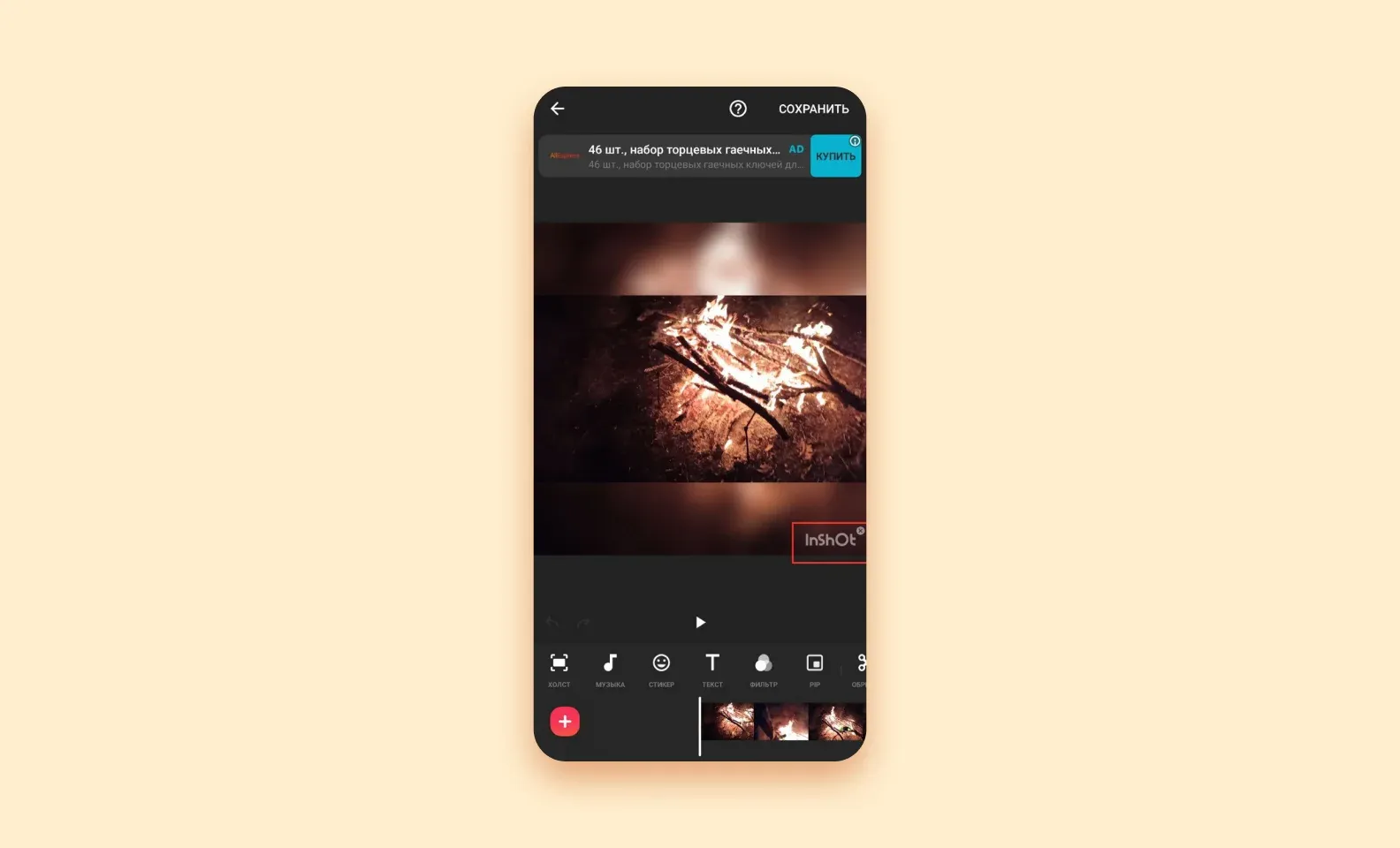
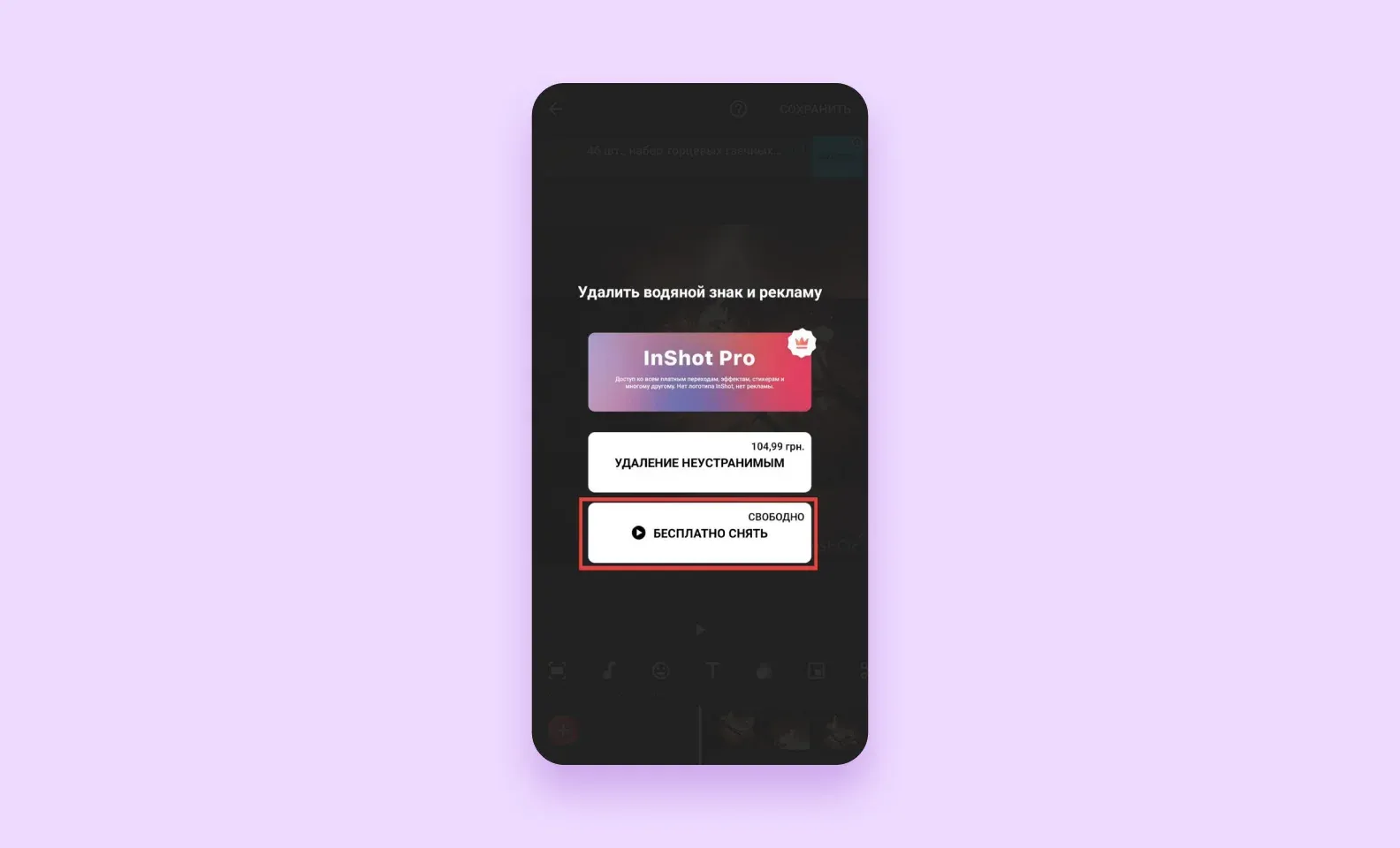
The Rewarded Video concept doesn’t work exclusively for games — it can be applied to any other app. However, a developer must choose the right award so that a user doesn’t get annoyed with this mobile app advertisement type. For example, the InShot app offers to watch an ad video to remove a watermark in the right corner of a clip.
For that, a user needs to do the following:
1. Click the watermark.
2. Click the Free Remove button.
Besides, Rewarded Videos can also give access to exclusive content in non-gaming apps. This type of app advertisement works with free and paid versions of the apps. For instance, free users can read only three articles per month in a magazine app. When they open the fourth article, the app offers to subscribe to a paid plan or watch a video ad to unlock access to the extra article.
It's the most complex but the most elegant type of app advertisement: it allows users to interact with content. In this case, a user is offered to play a mini-game. This format came from the gaming industry but soon gained ground and was adopted by other verticals.
For example, a playable ad on the Ruli.ru website allows a user to magnify car parts with a lens. When you look at a car part through a magnifying lens, it triggers a pop-up window containing information about the technical condition, run, car owner’s number, and other essential parameters. Such an ad is a great way to attract someone planning to purchase a car.
Interactive advertising content ensures the audience’s attention.
The major advantage of Playable Ads is that such app advertisements are unusual. Most users, sick and tired of aggressive pop-up windows, willingly involve themselves in simple gameplay.
Besides, this type of app advertisement shines out for its high involvement level: a user is no longer a viewer but takes part in what is happening on a screen. What is more, Playable Ads are the best way to tell a user about a product: people can interact with content instead of waiting until another ad clip is over.
However, such commercials are pretty pricey: an advertiser will require custom app development services. Such mini-games are usually created from scratch which boosts an ad campaign price.
Before starting any marketing campaign, advertisers pick the strategy for paying for traffic within an application. There are 3 main pricing models that app publishers usually offer for paid promotions.
Mille is a Latin word for “a thousand”. So, cost per mille refers to the price paid to showcase in-app ads 1000 times. CPM takes each viewer into account regardless of their clicks or reactions to banners. For app publishers, this is the safest path to take, as it guarantees ad revenue anyway. Though, the price for the placement is often low.
The next pricing model for in-app advertising is when publishers get money for every click on banners or videos. СPC drives better results in attracting a target audience, as just interested users do the click. This model remains well-liked among advertisers as it brings conversions, ad revenue, and brand awareness in one shot.
Unlike CPC, CPA counts not clicks but completed actions users take as they interact with the advertised product. Say, in-app ads promote some marketplace, and app publishers display banners on CPA terms. Then, advertisers generate ad revenue only if someone installs their app, signs up, or makes a purchase. Developers shoulder the risks associated with user engagement, and as a result, this model is the most expensive.
There are several advantages of app advertisements over browser ads. We highlighted 3 major ones: a high click-through rate, better targeting, and ad blocker bypass. Let’s look at each in more detail.
According to ad networks and marketing agencies, the click-through rate — the number of ad clicks to the number of views ratio — is higher for mobile ads, particularly for app advertisements. This advantage is the result of the other in-app advertisement features: accurate targeting and independence from ad blockers.
Unlike PCs, which several people can share, smartphones are personal devices. People usually purchase a single PC for the whole family, and thus people of different ages with different interests and life goals use this PC. For instance, a teenage daughter, a housewife mother, and a father, who is an engineer, use a PC daily. Their retired grandfather visits them on weekends and also sits at the computer to read some fishing articles. It negatively impacts targeting: it’s not clear who of the four family members is the key audience.
It works the opposite with a smartphone. This device has only one owner and the apps on this smartphone are tightly connected with the personal life and habits of this particular user.
Thanks to the first-person data, the app advertisements guarantee an accurate reach to the target audience. While setting an ad campaign, a marketer can use such parameters as gender, age, and geolocation.
Geolocation data gives the following advantages to an advertiser:
Many users install special extensions blocking ads in browsers — for instance, Adblock. If an advertisement is integrated into a mobile app, such a blocker will be ineffective. Thus, a user will see an ad anyway, no matter if they want it or not.
Usually, the only way to remove ad videos is to purchase a paid app version. However, not every app has such an option.
Whereas in-app advertising displays banners within some products, mobile advertising delivers them through the web browser. Customization capabilities and campaign performance differ correspondingly.
| Mobile advertising | In-app advertising | |
| Targeting options | Reaches out to a vast audience, but at the same time, you can personalize and target it at a specific group. | Usually highly targeted to a specific age, gender, and interest to ensure an effective campaign. |
| Ad formats capabilities | Diversity of ad formats and designs, including video ads, banner ads, etc. | Owing to customization, in-app advertising provides a better experience of product interaction. |
| Rewarded ad placement | Almost impossible to deliver gamified ads and engage users with them. | In-app configuration allows highly engaging rewarded ads along with standard videos and banners. |
| Reaction to ad blockers | Often bumps into ad blockers that prevent prevent users from viewing the promotional materials. | Less vulnerable to ad-blocking software, as most people have no clue about how to ban ads in apps. |
| Accessibility to viewers | Accessible without any downloads. | Seen by the audience only if they install the application. |
| Cookie collection | Cookie-friendly, which, as a result, helps identify users and improve their experience. | Impossible to gather cookie data, so advertisers have to prioritize other means of data analysis. |
| Costs | Less consuming in terms of mobile ad spending, as you don’t need to resize ads to fit multiple devices. | More money-consuming but cost-effective at the same time. |
To sum up, both in-app and mobile advertising have proven effective in helping companies reach their business goals. You can launch app advertising and then top it off with web promotion to make the most out of mobile ad spending. Though the in-app option promises a more engaging dialogue with users, we recommend giving it a priority.
When product owners integrate in-app advertising, they should keep in mind that, for the most part — people don’t like ads. Make sure to run promotional campaigns carefully so you don’t irritate your audience. Here are the best practices to consider.
When developers forget about UX and focus only on in-app advertising revenue, they lose their audience. To avoid it, observe the behavior of product users. This will help you adjust ad formats, frequency, and length of ads in a way that won’t ruin the user experience.
Always remember that in-app ads should enhance user experience, not spoil it.
This way, you can be sure that they reach out to specific user segments. Collect data about your product audience and group them based on age, gender, interests, and behavior patterns. Such insights allow developers to display in-app advertising that is most relevant to a specific user.
You can’t predict if your audience likes interstitial ads or video ads more, but you can run some tests to figure it out. Say, use A/B testing to compare how users react to interstitial ads or banner ads. Integrating the formats people find convenient and enjoyable helps boost conversions and the overall performance of the marketing campaign.
Positioning of in-app advertising within the app also influences user reaction to it. Like someone mistaking banners for CTA buttons if they're placed too close to each other. You can experiment with ad placement using the above-mentioned A/B-testing approach. These tests show which spots are the most effective for app advertising within the specific product.
Things like excessively long ads or dozens of banners within one screen overwhelm users. We recommend measuring out app advertising and integrating promotional materials carefully. Ads shouldn’t be an obstacle, so don’t make people work their way through banners and videos. This will negatively impact the overall user experience of your product.
To successfully balance revenue generation with user satisfaction, you should adhere to format-specific frequency and placement best practices. The following table outlines the key considerations for each ad type:
| Ad format | Recommended interval | Risk of excess | Optimization strategy |
| Banners | Continuous, passive | Banner blindness and high rate of accidental clicks | Dynamic renewal, ensuring placement is far from main CTA buttons |
| Native ads | Frequent, blended into content | User mistrust if the ad is not perfectly integrated or clearly labeled | Prioritize seamless design that matches the app's native look and feel |
| Interstitial | 1 show per 5–10 minutes of active use or 1–2 times per defined user flow/session | High irritation level and sharp increase in user churn | A/B test precise intervals during natural, non-critical transition points |
| Rewarded video | Limited by user demand | Diminished perceived value of the reward if offered too frequently | Ensure the reward is valuable and proportional to the time spent watching |
| Playable ads | Infrequent due to high cost/complexity | High development cost is wasted if shown to the wrong, non-converting audience | Precise targeting and placement in high-engagement areas where the user is focused |
As you see, the best practices aim to make the interaction with in-app ads equally effective for everyone. When users positively react to banners, advertisers meet business goals, and developers integrate ads hassle-free — consider the mission accomplished.
Let’s put it all together. Ads integration is a popular way to monetize apps. It helps attract the part of a target audience that doesn’t want to pay for downloading a program or subscription.
Here is what you need to remember when you integrate advertisements into your mobile app.
At Purrweb, we believe that the best monetization model is a subscription. This approach allows for keeping the app’s visual side neat and clean. Still, ads integration is also a good way to make money for a publisher.
➡️ Want to integrate ads into your app? Contact us, and we'll help you with integration.
Mobile app advertising works through a real-time pipeline between three parties: the app publisher, an ad network or exchange, and the advertiser. When a user opens an app, the app sends an ad request to the network. The network runs an auction — often in under 100 milliseconds — and selects the highest-paying ad that matches the user's profile. The winning ad is then rendered inside the app. Publishers earn revenue from each impression or click; advertisers pay only for the placements they win. Google AdMob, Meta Audience Network, and Unity Ads are among the most widely used networks for this process.
The four formats used most often are banner ads, interstitial ads, rewarded video ads, and native ads. Banner ads sit at the top or bottom of the screen and stay visible while the user interacts with the app — they generate low CPMs but consistent impressions. Interstitials are full-screen ads shown at natural transition points, such as between game levels. Rewarded video ads offer users an in-app benefit (extra lives, premium content) in exchange for watching a video — they typically produce the highest eCPMs and opt-in rates. Native ads match the app's visual style, appearing as part of a feed or content list, and tend to achieve higher click-through rates than banners.
Three models are common. CPM (cost per mille) charges the advertiser for every 1,000 impressions delivered — standard for brand-awareness campaigns. CPC (cost per click) charges only when a user taps the ad — suited to campaigns focused on traffic. CPI (cost per install) charges only when a user installs the advertised app after clicking — the default model for user-acquisition campaigns. Publishers generally prefer CPM because revenue is predictable regardless of user behavior, while performance advertisers prefer CPI because spend is tied directly to measurable outcomes. Networks often run hybrid auctions that blend all three signals to maximize publisher yield.
Ad networks target users using a combination of device-level signals and behavioral data. Key signals include the device OS and model, geographic location, app category, time of day, and — where consent is granted — advertising identifiers such as Apple's IDFA or Google's GAID. Networks also use contextual targeting, matching ads to the content or category of the app rather than individual user history. Since Apple's App Tracking Transparency (ATT) framework launched in 2021, IDFA access requires explicit opt-in, which has pushed networks toward probabilistic and contextual methods. Advertisers can also upload custom audience lists or use lookalike modeling to reach users similar to their existing customers.
When a user reaches an ad placement inside the app, the app's SDK (provided by the ad network) fires an ad request to the network's server. The server evaluates available demand — direct deals, programmatic buyers, and mediated networks — and runs a real-time bidding (RTB) auction. The winning creative is returned to the SDK and rendered natively inside the app's view hierarchy. The entire process typically completes in 30–100 milliseconds. Impression and click events are logged server-side and passed to both the publisher's dashboard and the advertiser's attribution partner (such as Adjust or AppsFlyer) for measurement and fraud filtering.
Google AdMob and Meta Audience Network (MAN) are the two largest in-app ad networks, but they suit different situations. AdMob integrates directly with Google Play and supports all major ad formats; it performs well for utility, productivity, and gaming apps with global reach, and its mediation layer lets publishers add other demand sources alongside Google's own inventory. Meta Audience Network draws on Facebook's interest and behavioral graph, which historically produced higher CPMs for apps with social or consumer audiences — particularly in markets where Facebook usage is high. Many publishers run both through a mediation platform (such as MAX by AppLovin or AdMob Mediation) so that each impression goes to whichever network bids highest in real time.
Revenue depends on the number of active users, ad format mix, and the geographic market served. Apps with roughly 10,000 monthly active users typically generate $500–$2,000 per month from ads, while apps reaching 100,000 MAUs can see $5,000–$20,000 monthly — figures that vary significantly by category and region. Gaming apps using rewarded video often achieve eCPMs of $10–$30 in US/UK markets; banner ads in the same markets typically range from $0.50–$2.00 CPM. Publishers in tier-1 markets (US, UK, Australia) earn substantially more per impression than those in tier-3 markets. Choosing the right ad format and network mediation strategy has a larger impact on revenue than raw download numbers alone.


.svg)


%20(1)%20(1)%20(1)%20(1)%20(1)%20(1)%20(1)%20(1)%20(1)%20(1)%20(1)%20(1)%20(1).png)
%20(1)%20(1)%20(1)%20(1)%20(1)%20(1)%20(1)%20(1)%20(1)%20(1)%20(1).png)
%20(2)%20(1)%20(1)%20(1)%20(1)%20(1)%20(1)%20(1)%20(1)%20(1)%20(1).png)