Explore

Need help with your project?

Oops! Something went wrong while submitting the form.
AI features in CRM often look promising until a team tries to connect them to its actual sales process. The real question is whether an existing CRM feature covers that work or whether the product needs a tailored solution.
In this guide, we'll look at how AI changes customer relationship management work and when workflow fit calls for a packaged feature or tailored implementation.

AI in customer relationship management uses customer data to produce predictions, recommendations, or generated content. It helps teams work with leads and customers beyond simple record storage or fixed workflows.
A fixed rule runs when its stated condition occurs. When a deal reaches a stage, it automatically creates a follow up task. The rule does not learn from outcomes.
Machine learning, the basis of predictive analytics, enables an AI tool to analyze customer data and estimate a likelihood, such as whether a lead will convert. Generative AI uses that context for content creation, such as a draft message for a salesperson to review.
Those are different jobs, even when a single CRM product presents them together in one workflow for the same team each day.
Unlike traditional CRM software, an AI-powered CRM system uses AI capabilities to turn approved CRM data and customer interactions into a prediction, recommendation, or bounded action. Traditional CRM stores the same information and follows configured rules. Machine learning adds pattern detection to propose the next step.
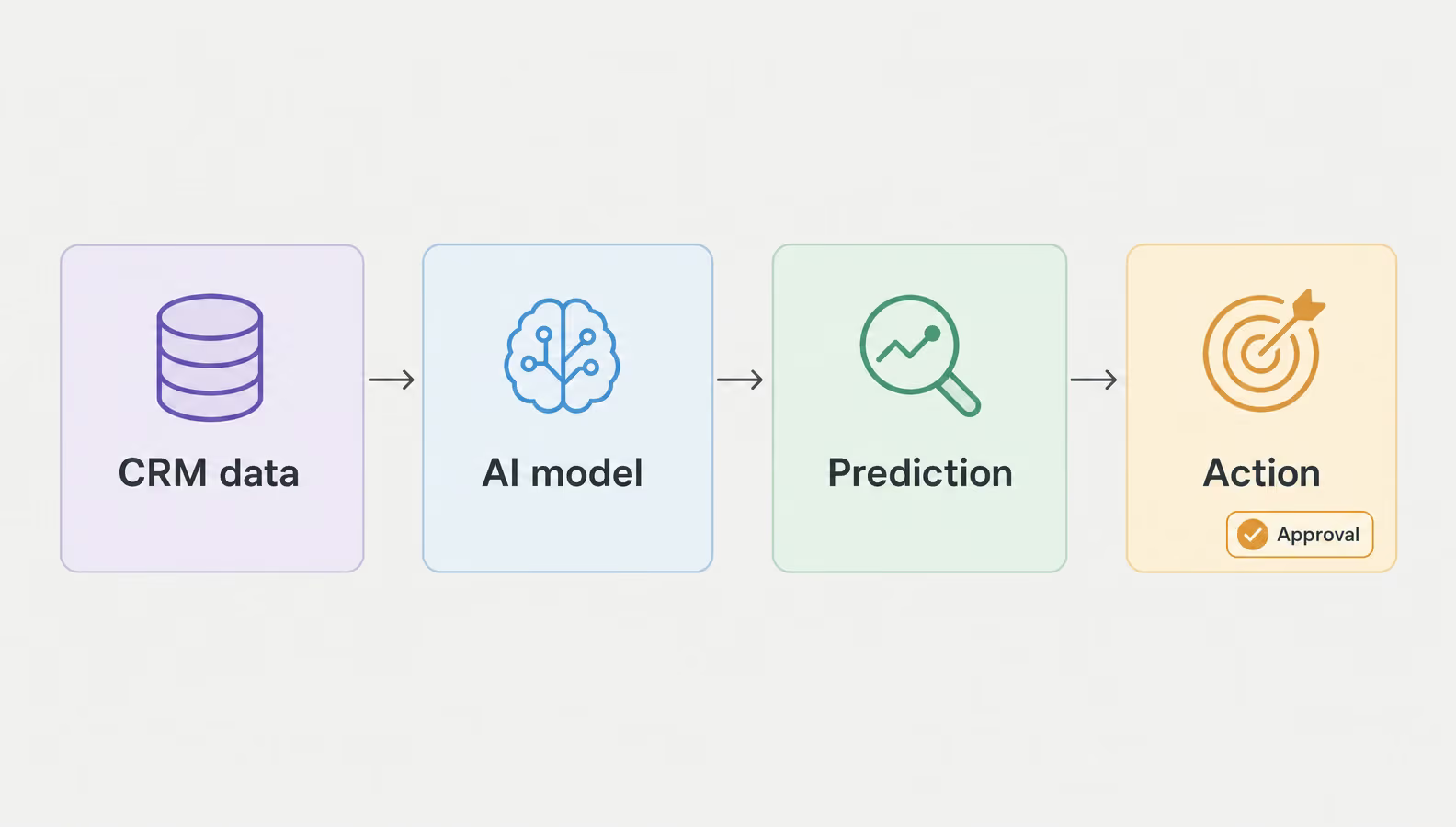
The workflow permits only actions within defined data access and approval boundaries
AI in a CRM system does not read every available field by default. Teams define the sources that ground it, and permissions limit what an AI agent can access. AI algorithms find patterns in that approved context. It returns a score, summary, or next-best-action recommendation.
That output supports a person’s decision or triggers a routine step only when the workflow permits it. Boundaries, escalation paths, and human review determine where the process stops. Traditional CRM tools can automate routine CRM operations, including parts of business operations. Automatic logging alone does not make a CRM AI-powered. The comparison focuses on how the same information supports work, not on a universal product claim.
| Traditional CRM | AI-powered CRM |
| Contacts, deals, and history as records | Lead scoring, deal-likelihood, and churn predictions |
| Manual entry, logging, and reports | Interaction summaries, logging assistance, and reporting help |
| Manually defined segments | Data-driven segmentation and personalized outreach |
| Reactive follow-up | Next-best-action recommendations |
Common AI CRM use cases include lead scoring and prioritization, sales forecasting, conversational AI and AI chatbots, hyper-personalization, task automation, and next best action. A pilot defines the workflow, output, and approver. These show test boundaries, not deployed outcomes.
Teams use AI tools with predictive analytics to rank incoming leads by conversion likelihood. It supports lead scoring after lead generation rather than creating demand. A test compares conversion precision among contacted leads with the team’s current ordering.
Forecasting considers pipeline data, not one contact. A model can flag a target gap. Forecast error against closed results signals its value. It does not promise revenue.
Conversational AI uses natural language processing, which interprets everyday requests instead of only matching fixed fields. AI chatbots can retrieve an approved answer and route an unclear request to a person, helping teams enhance customer communication. Response time and escalation rate show whether it improves customer experience.
Generative AI can personalize customer outreach from recorded customer behavior, going beyond a name merge. A scenario might reference recent account interest, then wait for seller review. Customer engagement and replies show whether personalization earns attention.
Task automation shortens repeated CRM-data preparation. A virtual assistant might summarize a customer record before a meeting or prepare a follow-up draft. Manual-preparation time shows whether the bounded task frees time while people control customer interactions.
An AI agent or AI sales assistant can recommend a follow-up after reviewing a deal. That is not execution. A seller approves each customer-facing action. Accepted suggestions and approved actions set up the next question: do the selected features deliver measurable value?
A CRM AI feature becomes a business benefit only when teams compare a chosen workflow against its baseline. The following are hypotheses to test, not universal ROI claims.
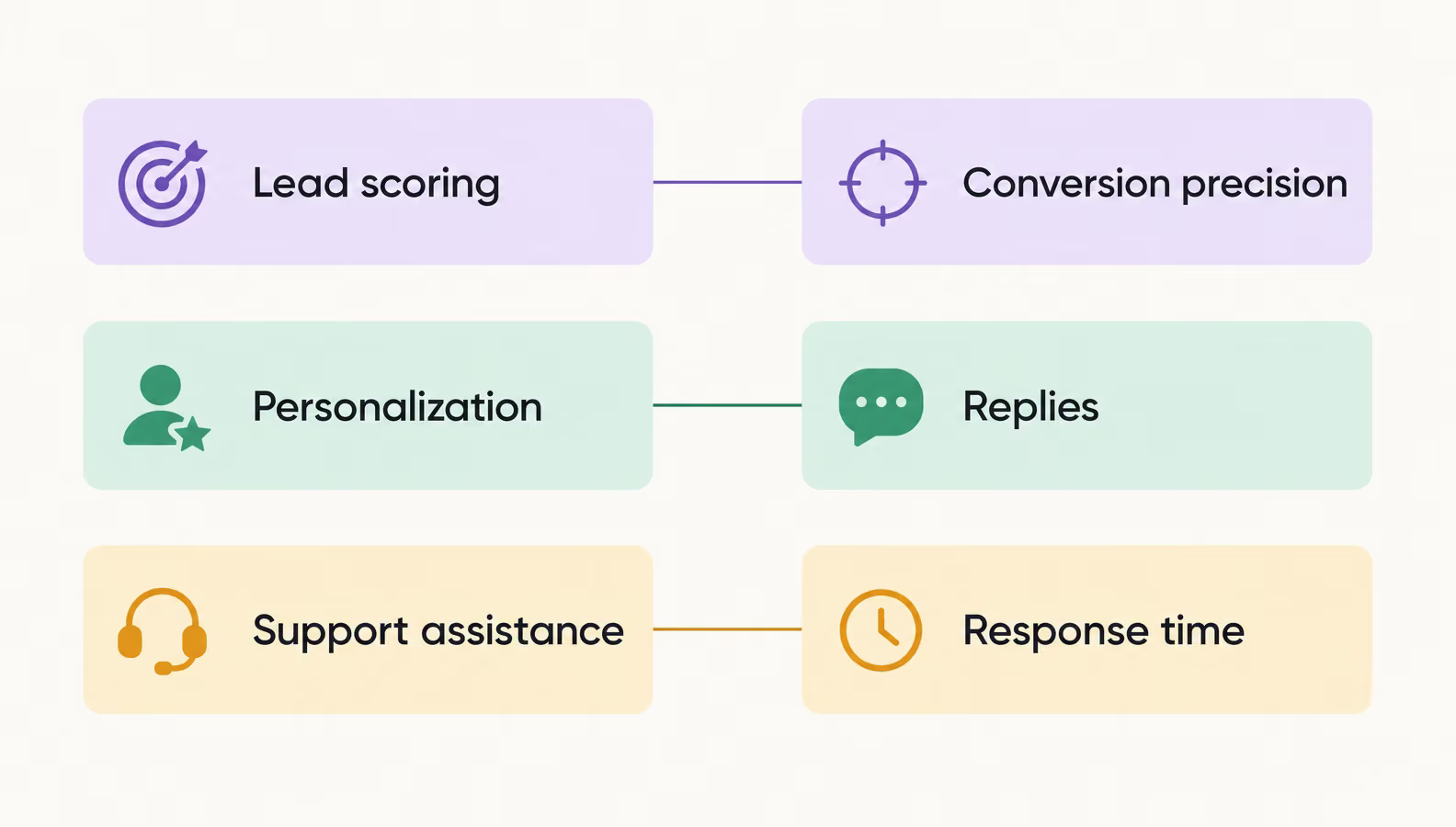
A baseline makes each capability-to-metric comparison meaningful
Those measurements show whether available AI CRM solutions fit the workflow or whether a tailored implementation is warranted.
An AI label says little about who owns the workflow. Built-in AI and packaged CRM features fit a standard process. Integrating AI into CRM systems adds a model to an existing customer relationship management system. Custom work owns the product-specific data flow, permissions, and approval path. The choice rests on the work itself, not a feature checklist.
Teams with non-standard handoffs often explore CRM development services. Extending an existing CRM with a model is a different scope for AI integration services. Ownership cost combines recurring license or usage fees with integration and ongoing operation, a distinction covered in AI app development cost.
We built Smartchat for Smartway Travel Group’s B2B support team.
A microservice linked customer trip changes to the back office, creating queries and reconciliation acts automatically.
The ready-made tool had a high subscription cost, unused features, missing functionality, and weak automation.
We replaced it with a custom support and back-office workflow. It was not a generative-AI CRM deployment.
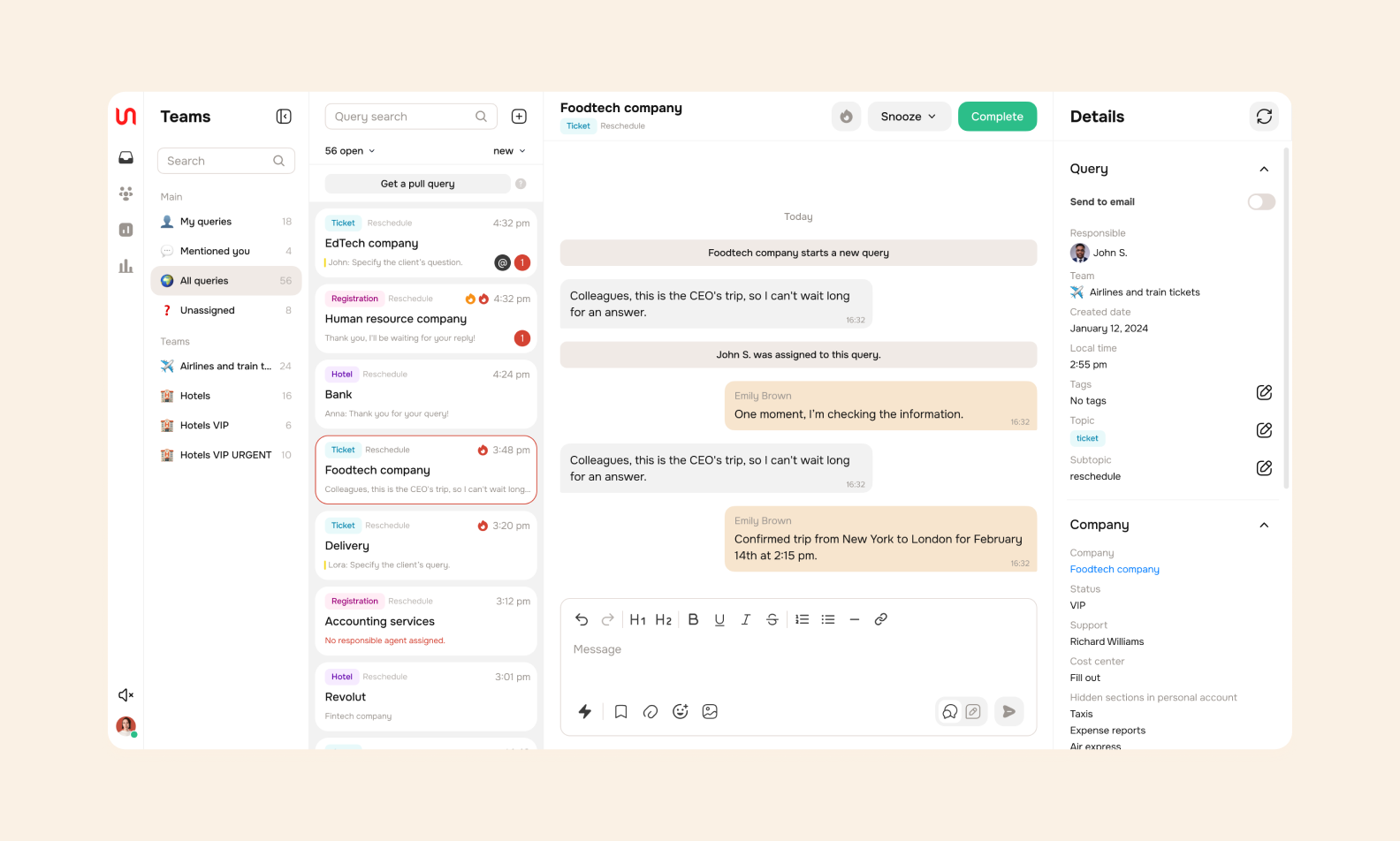
The Smartchat interface
Assess the three delivery paths against the same business needs and constraints rather than defaulting to custom work.
Build-versus-buy takeaway: Buy when the packaged workflow fits. Integrate or build when product-specific context and control define the work.
AI CRM software makes sense only when it fits the CRM environment and workflow in use. This comparison separates vendor-described functions from editorial fit, so it doesn't turn a vendor list into a ranking. Product configuration or edition can also affect feature availability.
CRM platforms with AI vary in documented functions, so the table separates those functions from editorial fit and pairs each platform with the CRM ecosystem or workflow where it has a clear starting point.
| Platform | AI functions | Fit |
| Salesforce Agentforce | Prospect prioritization and governed sales-agent workflows | Existing Salesforce sales workflows |
| HubSpot Breeze | Record summaries, prospecting or support agents, and data intelligence | Existing HubSpot customer workflows |
| Zoho Zia | Lead and deal scoring, drafting, and next-action recommendations | Zoho CRM sales prioritization |
| Freshsales Freddy AI | Contact scoring, deal insights, email assistance, and lead bots | Freshsales prospecting and pipeline work |
| Creatio | Configurable agents, forecasting, and CRM updates | Product-specific agent workflows |
The effectiveness of an AI-driven CRM depends on how people use the CRM, not on a feature appearing in a product menu. The conditions include workflow fit, usable data connected to the CRM or relevant backend, permissions and approval boundaries, and real team processes.
Those conditions also change the scope, and how much a custom CRM costs helps frame the cost conversation.
One limitation appears when records originate outside a connected system. The following field CRM case covers data capture and synchronization, not an AI deployment.
We built A field CRM for agricultural machinery for Koblik Group’s field sales workflow.
The mobile app gave managers access to the company database and synchronized notes with the corporate CRM.
The desktop CRM required internet access, while sales managers worked in the field.
We used React Native, offline mode, and a specified API contract so the frontend could exchange information with the client backend.
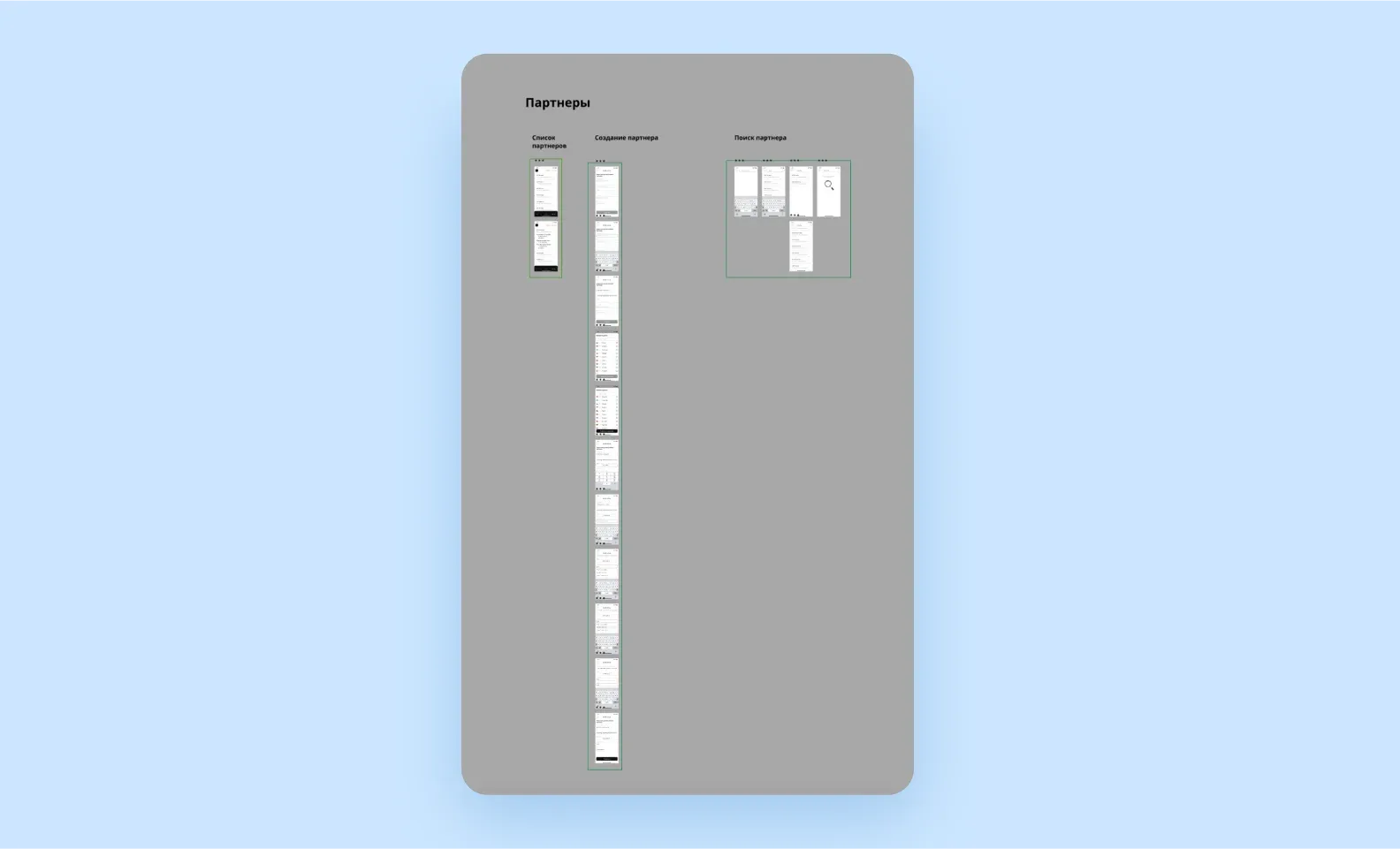
The final Partners section in the field CRM
CRM AI loses value when it sees fragmented records or acts beyond agreed authority. 51% of sales leaders using AI say technology silos delay or limit their AI initiatives. A pilot needs reliable inputs first, plus rules for adoption, escalation, and protected customer data.
The selected feature needs a consistent customer record, not every available data source.
For teams adopting AI, low-risk workflows let them test an output before an AI agent touches customer or pipeline work. Teams interpret outputs, escalate exceptions, and retain human review. Privacy and compliance requirements vary by sector. Healthcare CRM implementations have healthcare CRM compliance requirements that deserve sector-specific controls.
Isolated prompts miss product context. Relevant data for AI in CRM systems stays within access and editing controls.
We built A GPT-4-assisted business reporting service for a report workflow.
Related product information accompanied GPT-4 requests. The report workflow used Answered, Not answered, and Approved statuses. An authorized user could see report status on the dashboard.
The product addressed requests that lacked enough detail. It was not a CRM deployment.
No outcome is claimed.
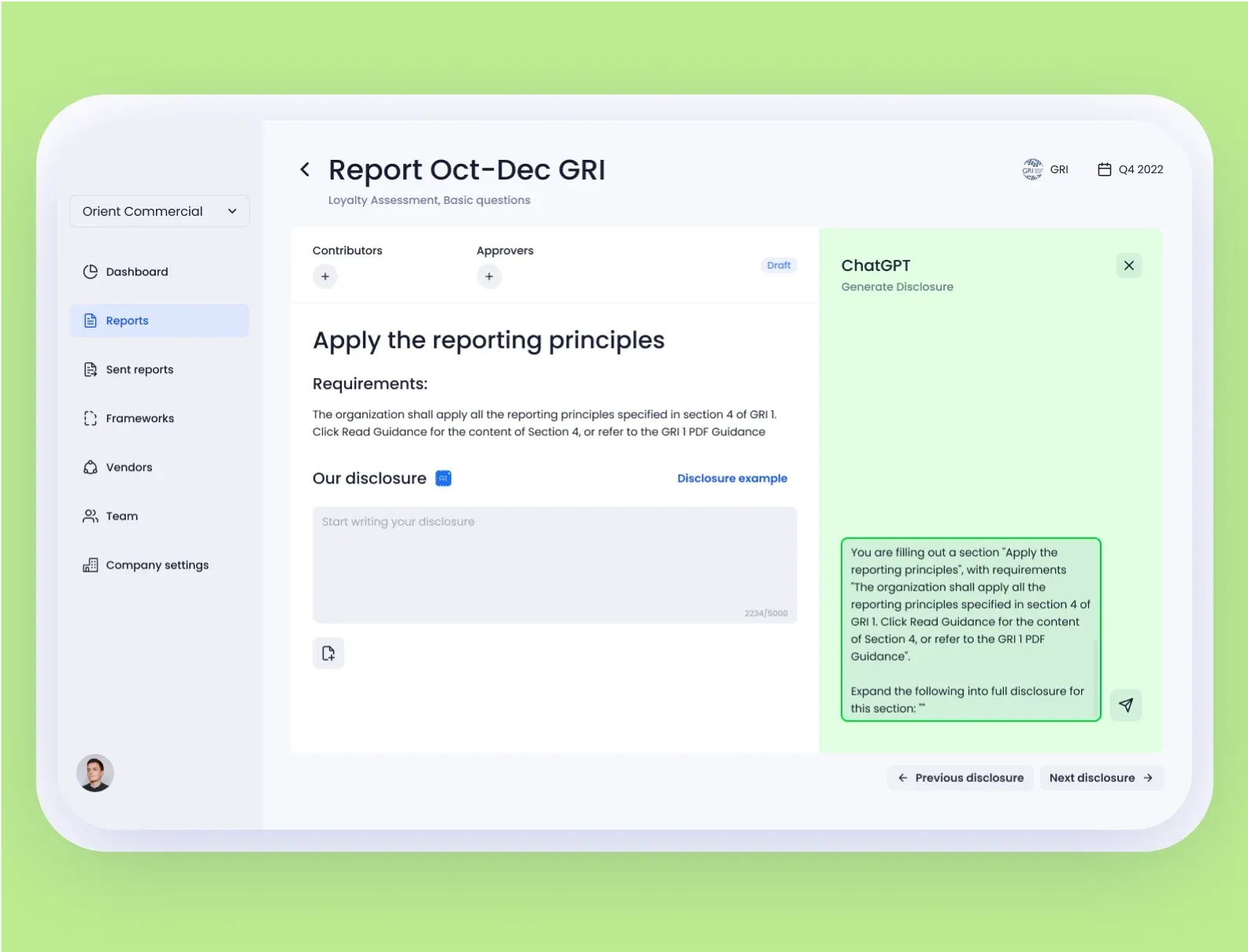
ChatGPT window in the reporting service
Teams that use AI agents for customer service or pipeline work still need the same access, escalation, and approval boundaries to determine which actions an agent can perform.
The future of AI in CRM turns on whether an AI agent acts within constraints. 94% of sales leaders with AI agents say those agents are essential to growth. That is their view, not measured growth.
Agentic AI turns generative AI from drafting into this three-step work cycle:
Agentic CRM takeaway: Agentic AI delegates routine work, not sensitive decisions. CRM teams retain approval and escalation control.
The same control logic applies to how AI is reshaping fintech.
Artificial intelligence in customer relationship management uses customer data to produce predictions, recommendations, or generated content within defined access and approval boundaries.
Choose a packaged feature when its workflow fits the available data, and choose a tailored integration through CRM development services when product-specific context, controls, or handoffs define the work.
➡️ Need to decide which CRM workflow to automate? Discuss your CRM AI project.
Artificial intelligence adds lead scoring, forecasting, conversation assistance, personalized outreach, task preparation, and next-best-action recommendations to customer relationship management. Predictive analytics helps teams prioritize work, while an AI agent acts only within approved workflow boundaries.
Traditional CRM records contacts, deals, and history, then follows configured rules. An AI CRM uses machine learning to identify patterns in that data and generate predictions or draft outputs. Traditional CRM can still automate routine work.
Yes. Platforms such as Salesforce, HubSpot, Zoho, Freshsales, and Creatio offer AI CRM capabilities. Availability varies by product configuration or edition, while tailored integration is an alternative for product-specific data and approval flows.
No. AI builds on the records and customer context held in a CRM. It can make recommendations or perform permitted routine steps, but the CRM remains the system that stores data, tracks activity, and sets access boundaries.
The cost varies with data preparation, integrations, the capability's depth, and ongoing ownership. Packaged licensing or usage fees, integration work, and ongoing operation all affect the total cost. No universal range applies.


.svg)